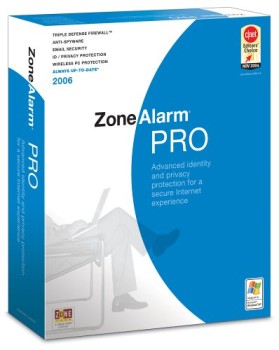
ZoneAlarm Free Firewall – Personal Firewall Protection

What is ZoneAlarm Free Firewall?
ZoneAlarm Free Firewall represents one of the longest-standing personal firewall solutions for Windows, providing essential network security that monitors and controls incoming and outgoing traffic based on user-defined security rules. Since its introduction in the late 1990s, ZoneAlarm has protected millions of computers from network-based attacks, unauthorized access attempts, and malicious software seeking to communicate with external servers.
Unlike the built-in Windows Firewall that primarily focuses on inbound protection, ZoneAlarm emphasizes bidirectional monitoring, alerting users when installed programs attempt to access the internet. This outbound control proves particularly valuable for detecting malware that might evade antivirus detection but reveals itself through suspicious network activity.
Two-Way Firewall Protection
The cornerstone of ZoneAlarm’s protection model involves monitoring both directions of network traffic. This bidirectional approach addresses threats that many basic firewalls overlook.
Inbound Protection
Inbound firewall rules prevent unauthorized external connections to your computer. By default, ZoneAlarm blocks all unsolicited incoming connections unless explicitly permitted by user-created rules or trusted program definitions. This default-deny stance stops port scanning, remote exploitation attempts, and network worms before they can establish foothold.
The stealth mode configuration makes your computer invisible to network scans. Rather than responding to connection attempts with rejection messages that confirm your presence, stealth mode simply ignores unauthorized traffic entirely. Attackers scanning networks for vulnerable targets receive no response, potentially moving on to more responsive targets.
Outbound Monitoring
Outbound application control represents ZoneAlarm’s distinctive strength. When any program attempts to access the internet, ZoneAlarm intercepts the connection and consults its rules database. Unknown programs trigger alerts requesting user permission before network access proceeds.
This outbound monitoring catches malware that antivirus software might miss. Even if malicious software evades detection during installation, its network communication attempts expose its presence. Users reviewing unexpected connection alerts often identify malware that would otherwise operate undetected.
The approach also prevents legitimate software from phoning home without user awareness. Applications collecting usage data, checking for updates, or transmitting telemetry must pass through ZoneAlarm’s checkpoint, giving users visibility into and control over their software’s network behavior.
Application Control
ZoneAlarm’s application control system manages which programs can access network resources and under what conditions.
Program Database
ZoneAlarm maintains a database of known applications with pre-configured access settings. Common programs like web browsers, email clients, and popular software receive appropriate permissions automatically, reducing the alert fatigue that might otherwise overwhelm users.
Unknown applications not in the database trigger prompts requesting user decisions. Users can permit or deny access for individual connection attempts or establish persistent rules for future behavior. The learning period after installation generates frequent prompts as users establish their baseline permissions.
Behavioral Analysis
Beyond static application identification, ZoneAlarm monitors program behavior for suspicious patterns. Legitimate programs modified by malware, code injection attacks, and other compromise techniques trigger alerts when their behavior deviates from expected patterns.
The behavioral engine identifies when trusted programs spawn suspicious processes or when unfamiliar code executes within trusted process contexts. These advanced detection capabilities catch sophisticated threats that simple allow-list approaches would miss.
Access Zones
ZoneAlarm defines network access zones with different trust levels. The Trusted Zone encompasses networks you explicitly trust, typically home and office networks where file sharing and local services should function normally. The Internet Zone applies stricter rules for untrusted public networks.
Programs can receive different permissions depending on which zone their communications target. An application might have permission to access local network resources in the Trusted Zone while requiring explicit approval for Internet Zone communications.
Advanced Security Features
Beyond basic firewall functionality, ZoneAlarm Free includes additional security capabilities.
Identity Protection
Identity protection features monitor for exposure of personal information. While the free version includes basic protection, premium editions expand these capabilities with credit monitoring and identity recovery services.
The identity lock feature prevents specified personal data from leaving your computer through any application. Users can configure protected data types including social security numbers, credit card numbers, and other sensitive information. Any application attempting to transmit this data triggers blocks and alerts.
Anti-Phishing Protection
Web protection features identify phishing sites attempting to steal credentials or personal information. Real-time analysis of websites compares characteristics against known phishing patterns and maintains databases of confirmed malicious sites.
The protection operates transparently within web browsers, warning users before they submit information to suspicious sites. This browser-independent approach protects users regardless of which browser they prefer.
Privacy Features
Cache and history cleaning tools remove traces of online activity from browsers and system caches. These privacy features help prevent subsequent users from discovering browsing history or recovering sensitive information from temporary files.
Cookie management provides granular control over website tracking mechanisms. Users can permit cookies from trusted sites while blocking third-party tracking cookies that follow browsing across multiple sites.
Configuration and Customization
ZoneAlarm offers extensive customization for users who want fine-grained control over security settings.
Security Levels
Predefined security levels provide quick configuration appropriate for different risk tolerances. The high security setting maximizes protection at the cost of more frequent prompts and potential compatibility issues. Medium security balances protection with usability. Low security minimizes interference but provides reduced protection.
Each security level can be further customized by adjusting individual settings. Users can start with a predefined level and modify specific behaviors to match their needs.
Expert Rules
Advanced users can create detailed packet filtering rules specifying exact network behavior. These expert rules define permitted communications based on source and destination addresses, ports, protocols, and other packet characteristics.
Expert rules enable sophisticated configurations that simple application-based permissions cannot achieve. Users can create rules for specific network services, define exceptions for particular servers, or implement complex security policies matching organizational requirements.
Game Mode
The game mode temporarily adjusts ZoneAlarm behavior for gaming sessions. When activated, alerts and notifications are suppressed to prevent interruption during gameplay. Security protection continues operating, but user interaction requirements are minimized.
Game mode can activate automatically when specified programs run, eliminating the need to manually toggle the mode before gaming sessions.
Network Monitoring and Logging
Visibility into network activity helps users understand their security posture and investigate potential issues.
Traffic Visualization
Real-time traffic displays show current network activity with breakdowns by application, direction, and destination. Users can identify which programs consume bandwidth, detect unexpected network activity, and monitor connection patterns.
Historical traffic analysis reveals trends over time, helping identify unusual patterns that might indicate compromise or unwanted software behavior.
Security Logs
Comprehensive logging records security events including blocked connections, application permission changes, and alert responses. These logs support investigation of security incidents and provide evidence of attack attempts.
Log export capabilities enable integration with external analysis tools or archival systems. Organizations can incorporate ZoneAlarm logs into broader security monitoring infrastructure.
Alert History
The alert viewer provides historical context for security decisions. Users can review past alerts, understand what prompted them, and modify permissions based on reflection rather than immediate reaction.
This historical view proves valuable when users realize they may have made incorrect permission decisions under time pressure.
Performance Impact
Firewall software necessarily inspects network traffic, introducing some performance overhead. ZoneAlarm’s impact on system performance and network speeds warrants consideration.
System Resources
ZoneAlarm’s memory footprint remains modest by modern standards, typically consuming under 100 MB of RAM during normal operation. CPU usage spikes briefly when processing new connection attempts but remains negligible during established connections.
Startup time increases slightly as ZoneAlarm loads its protection services, though the delay is generally imperceptible on systems with solid-state drives.
Network Performance
Packet inspection introduces minimal latency for most traffic. Users with high-speed internet connections might notice marginal throughput reductions during large transfers, though the impact is typically negligible for normal usage patterns.
The stateful inspection engine efficiently tracks connection states, avoiding redundant analysis of packets belonging to established sessions.
Compatibility Considerations
ZoneAlarm’s deep integration with Windows networking creates potential compatibility interactions with other software.
Antivirus Coexistence
ZoneAlarm Free Firewall operates alongside third-party antivirus software without conflict in most configurations. The firewall focuses on network protection while antivirus handles malware detection, providing complementary security layers.
Users should verify compatibility with their specific antivirus solution, as some security suites include their own firewall components that might conflict with ZoneAlarm.
VPN and Network Software
VPN clients, network management tools, and other software that modifies network configuration may require specific ZoneAlarm rules for proper operation. Connection issues with VPNs often resolve by creating appropriate permission rules for the VPN client software.
Corporate VPN solutions sometimes require expert rule configuration to permit necessary network traffic patterns that application-level permissions don’t adequately address.
Gaming and Streaming
Online games and streaming applications require network access that overly aggressive firewall settings might block. Game mode addresses most gaming scenarios, but specific games might require manual rule creation for optimal performance.
Port forwarding and NAT traversal for multiplayer gaming typically work correctly with standard ZoneAlarm configurations, though specific games occasionally require additional configuration.
Free vs Premium Editions
ZoneAlarm offers both free and paid editions with different feature sets.
Free Edition Features
The free edition includes the core two-way firewall, application control, and basic identity protection. These features provide substantial security improvement over the built-in Windows Firewall alone.
Free users receive automatic security updates ensuring protection against emerging threats. The free edition displays occasional upgrade prompts but remains fully functional without payment.
Premium Enhancements
Premium editions add advanced features including enhanced anti-ransomware protection, real-time antivirus scanning, advanced identity protection services, and priority technical support.
The Pro Antivirus+ Firewall edition bundles comprehensive antivirus protection with the firewall, providing an all-in-one security solution. Premium editions remove upgrade advertisements and provide access to dedicated support resources.
Installation and Setup
Installing ZoneAlarm involves downloading the installer from the official website and running the setup wizard. The installation process offers customization options for component selection and initial configuration.
First-time users should expect a learning period during which ZoneAlarm prompts for permission decisions regarding installed applications. Taking time to respond thoughtfully to these initial prompts establishes a good baseline configuration.
After installation, reviewing the initial security settings and adjusting zone definitions for your network environment optimizes protection. Adding home or office networks to the Trusted Zone enables normal local network functionality while maintaining protection against internet threats.
System Requirements
Operating System: Windows 10, Windows 11 (32-bit and 64-bit)
Processor: 2 GHz or faster
RAM: 2 GB minimum
Storage: 1.5 GB available space
Internet: Required for installation and updates
Browser: Internet Explorer 11 or later, Chrome, Firefox, or Edge for web protection features
Conclusion
ZoneAlarm Free Firewall delivers personal firewall protection that supplements Windows’ built-in security with stronger outbound monitoring and application control. The bidirectional approach catches threats that simpler firewalls miss while giving users visibility into their software’s network behavior. While the learning curve during initial configuration requires patience, the resulting protection justifies the investment. For users seeking to enhance their network security without cost, ZoneAlarm Free Firewall remains a solid choice backed by decades of development and millions of satisfied users.
Developer:
Check Point Software
Download Options
Download ZoneAlarm Free Firewall – Personal Firewall Protection
Version 15.8.200
File Size: 4 MB
Download NowSafe & Secure
Verified and scanned for viruses
Regular Updates
Always get the latest version
24/7 Support
Help available when you need it