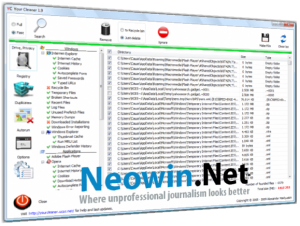
Your Cleaner

Your Cleaner: Simple and Effective System Cleaning for Android
Your Cleaner is an Android application designed to help users reclaim storage space and improve device performance by identifying and removing unnecessary files, cached data, and other storage-wasting content. In an era where smartphones hold increasingly important data but often ship with limited internal storage, having an effective cleaning tool helps maintain device performance and extend the practical lifespan of older devices.
The Case for Android Cleaning Apps
Android devices accumulate temporary files through normal use. Every application generates cache data to speed up repeated operations. Image thumbnails, partially downloaded files, advertisement caches, and application residue from uninstalled software all contribute to gradual storage consumption. On devices with limited storage, this accumulation can affect performance—reduced free space causes slowdowns as Android struggles to manage memory and storage simultaneously.
While Android provides basic cache clearing through the Settings menu, doing so requires navigating individually to each application. Your Cleaner streamlines this process by identifying cleanable content across all applications simultaneously, presenting a consolidated view of what can safely be removed.
Core Cleaning Functions
Cache cleaning is the primary function most users interact with. Your Cleaner scans all installed applications for cached data and presents the total size available for removal. Clearing these caches doesn’t affect application functionality—apps simply regenerate cache as needed—but immediately reclaims storage space.
Residual file detection finds directories and files left behind by uninstalled applications. When you remove an app, Android doesn’t always clean up all the files the application created. These orphaned files serve no purpose but continue consuming storage. Your Cleaner identifies these remnants for removal.
Large file identification helps users find the biggest storage consumers on their device. Sorted by size, this list makes it straightforward to identify whether large video files, downloaded content, or applications are the primary contributors to storage consumption.
Duplicate file detection identifies when the same photo, video, or document exists in multiple locations. Accidental duplicates created by downloads, backups, or file management operations can consume substantial space unnecessarily.
Performance Analysis
Beyond storage, Your Cleaner provides information about memory usage and running processes. The RAM monitoring feature shows current memory utilization and identifies applications consuming memory in the background. While modern Android manages memory more effectively than older versions, visibility into what’s running helps identify applications that may be draining battery through unnecessary background activity.
Battery analysis provides information about applications with high battery consumption. This feature helps identify poorly optimized applications that drain battery significantly faster than their actual usage would warrant.
Scheduled Cleaning
Automatic scheduled cleaning runs at configurable intervals without requiring manual intervention. Setting a weekly cleaning schedule keeps cache accumulation from reaching the levels that affect performance. This set-and-forget approach is more practical than remembering to run cleaning manually.
Notifications alert users when significant amounts of cleanable content have accumulated. Rather than running on a fixed schedule, notification-based reminders prompt cleaning when it will provide meaningful benefit.
Privacy Considerations
Privacy features identify browsing history, call logs, and other sensitive information that may be stored on the device. Users who share devices or are concerned about privacy can use these features to clear data they don’t want retained.
Your Cleaner’s approach to this sensitive functionality requests only the permissions necessary for its operations. The application doesn’t require account creation or upload personal information to remote servers.
User Interface and Experience
The interface presents information in a clear, visual format with storage consumption shown graphically. Pie charts and progress bars communicate storage usage intuitively without requiring users to interpret raw numbers. The cleaning workflow guides users through identifying and removing content in a logical sequence.
One-tap cleaning provides the fastest path to removing identified content. Users who want results without reviewing details can accept recommendations and clear content in a single action. More detail-oriented users can review what will be removed before confirming.
Device Compatibility
Your Cleaner supports Android devices running Android 5.0 and later. This broad compatibility includes devices several generations old, providing cleaning functionality to users on older hardware where storage management matters most. The application performs well on lower-end devices without the resource overhead that more feature-rich alternatives carry.
Free vs Premium Features
Core cleaning functionality is available in the free version. Premium features add advanced analysis, deeper duplicate detection, and an ad-free experience. The free version provides sufficient capability for most users’ cleaning needs without payment.
Conclusion
Your Cleaner addresses a genuine Android need without unnecessary complexity or aggressive monetization. Storage management and maintenance remain important for device health, particularly on older or lower-storage devices. For users whose Android devices are running low on space or feeling sluggish, Your Cleaner provides a practical starting point for understanding and addressing storage consumption. The straightforward interface makes it accessible to non-technical users while providing the information detail that power users appreciate.
Developer:
distribution.
Download Options
Safe & Secure
Verified and scanned for viruses
Regular Updates
Always get the latest version
24/7 Support
Help available when you need it