StartMail
What is StartMail?
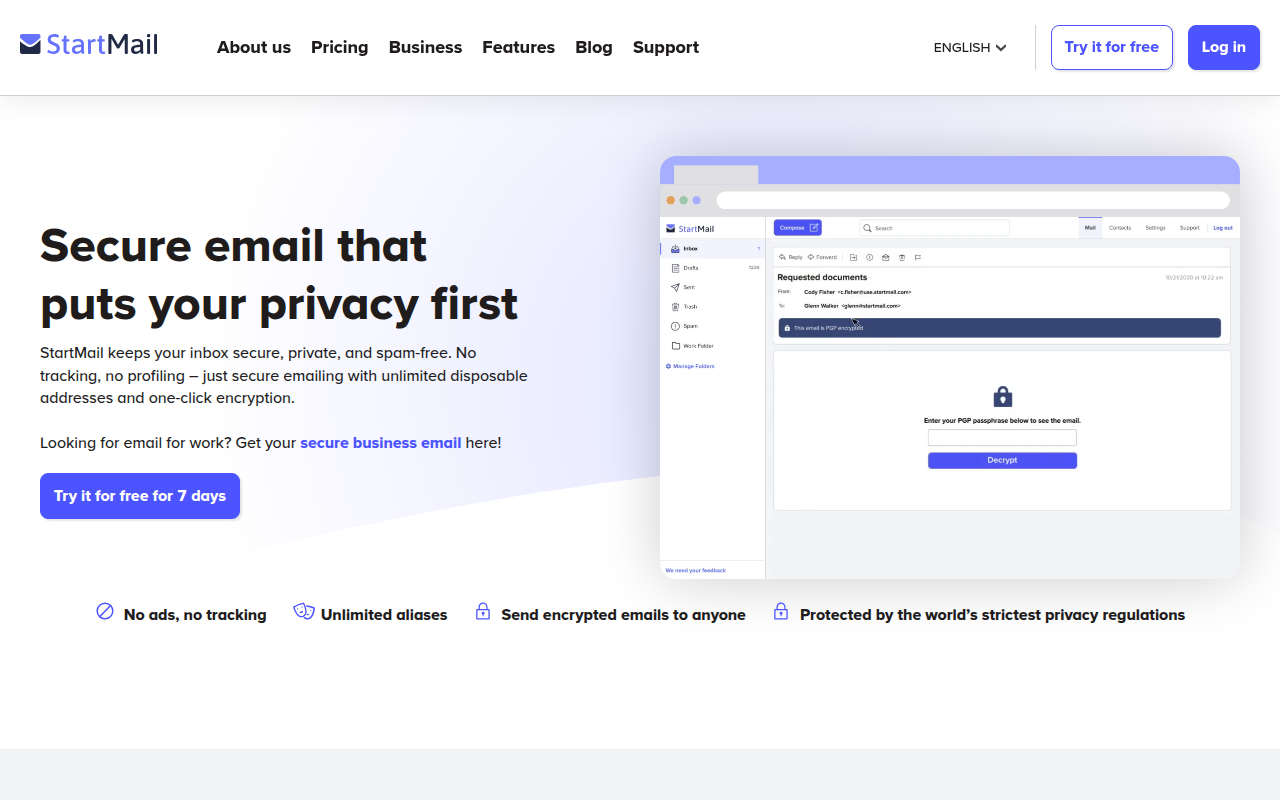
StartMail is a privacy-focused email service from the team behind StartPage (the private search engine), offering end-to-end encryption, unlimited disposable aliases, and strong privacy protections under Dutch jurisdiction. Launched in 2014, StartMail provides a secure alternative to mainstream email providers that scan message content for advertising, offering email privacy without the learning curve of traditional PGP encryption.
The service distinguishes itself through ease of use—unlike technical solutions like PGP that require key management expertise, StartMail integrates encryption seamlessly into a familiar webmail interface. Users can send encrypted emails to anyone, even non-StartMail users, through password-protected links. This accessibility makes strong email encryption available to privacy-conscious users who aren’t cryptography experts.
StartMail’s unlimited disposable email aliases address the practical challenge of managing online identity and spam. Create unique aliases for each service you sign up for, monitor which companies share or leak your address, and disable compromised aliases without affecting your primary inbox. This feature alone provides significant privacy and anti-spam benefits beyond basic encrypted email.
Operating under Dutch law, StartMail benefits from strong European privacy regulations while avoiding the data-sharing agreements between Five Eyes surveillance alliance countries. The company maintains a clear commitment to user privacy, encrypts all stored email at rest, and provides transparency reports about government requests. For users seeking practical email privacy without technical complexity, StartMail delivers usable security that doesn’t require becoming a cryptography expert.
Key Features
- End-to-End Encryption: Built-in PGP encryption without managing keys manually.
- Encrypted Storage: All emails encrypted at rest in addition to transit encryption.
- Unlimited Aliases: Create disposable email addresses for every service and subscription.
- Encrypted to Anyone: Send password-protected encrypted emails to non-StartMail users.
- Custom Domain: Use your own domain with StartMail’s secure infrastructure.
- PGP Key Management: Import existing PGP keys or let StartMail manage encryption.
- No Ads: Subscription-funded service—no advertising or content scanning.
- Dutch Jurisdiction: Strong European privacy laws outside Five Eyes surveillance alliance.
- IMAP/SMTP Access: Use with email clients like Outlook, Thunderbird, or mobile apps.
- Two-Factor Authentication: TOTP authenticator app support for account security.
- Alias Management: Easily create, organize, and disable email aliases from dashboard.
- Contact Import: Import existing contacts from other email providers.
- Mobile Access: Web interface optimized for mobile plus standard email app support.
- Spam Filtering: Effective spam protection without scanning message content.
- Calendar: Integrated calendar functionality for scheduling.
What’s New in StartMail 2026
- Enhanced Mobile Experience: Improved responsive web design for mobile devices.
- Better Alias Management: Improved organization and filtering for users with many aliases.
- Performance Improvements: Faster webmail interface with improved search capabilities.
- Extended Calendar: Enhanced calendar features and sharing options.
- Improved Import Tools: Easier migration from other email providers.
- Updated Encryption: Latest cryptographic standards for future-proof security.
- New Spam Filters: Improved spam detection while maintaining privacy.
- Dark Mode: System-matching dark theme for webmail interface.
System Requirements
Web Access
- Any modern browser: Chrome, Firefox, Safari, Edge
- JavaScript enabled
- Internet connection
Email Client Access (IMAP/SMTP)
- Any IMAP-compatible email client
- Outlook, Thunderbird, Apple Mail, mobile mail apps
- IMAP server: imap.startmail.com (Port 993, SSL)
- SMTP server: smtp.startmail.com (Port 465, SSL)
Mobile
- iOS Mail app or third-party email clients
- Android Gmail app or third-party email clients
- Mobile browser for web access
How to Get Started with StartMail
- Sign Up: Visit startmail.com; start 7-day free trial (no credit card required initially).
- Create Address: Choose your @startmail.com email address during registration.
- Set Password: Create strong password; consider password manager storage.
- Enable 2FA: Configure two-factor authentication for account protection.
- Access Webmail: Log in through web interface at startmail.com.
- Create Aliases: Set up disposable aliases for different services and signups.
- Configure Encryption: Decide on encryption preferences for outgoing mail.
- Import Contacts: Upload contacts from previous email provider.
- Set Up Client: Optionally configure IMAP/SMTP for desktop or mobile email apps.
- Add Custom Domain: Connect your own domain if using business plan.
StartMail vs Other Secure Email
| Feature | StartMail | ProtonMail | Tutanota |
|---|---|---|---|
| Price | $60/year | Free / $48/year | Free / $36/year |
| Free Tier | 7-day trial only | Yes (500MB) | Yes (1GB) |
| Email Aliases | Unlimited | Limited free | Limited |
| IMAP Access | Yes (included) | Paid plans + Bridge | No |
| Jurisdiction | Netherlands | Switzerland | Germany |
| Best For | Alias power users | All-around secure | Privacy purists |
Who Should Use StartMail
- Privacy-Conscious Users: Anyone wanting secure email without technical complexity.
- Alias Power Users: People who create unique addresses for every service signup.
- Email Client Users: Those preferring Outlook, Thunderbird, or mobile apps over webmail.
- StartPage Users: Those already trusting the StartPage ecosystem for privacy.
- Business Users: Companies needing custom domain with secure infrastructure.
- Europeans: Users wanting email under strong European privacy regulations.
Frequently Asked Questions
Does StartMail have a free tier?
StartMail offers a 7-day free trial but requires paid subscription afterward. Unlike ProtonMail and Tutanota, there’s no permanent free tier. The subscription-only model allows focusing on privacy without advertising revenue.
Can I use StartMail with Outlook or other email apps?
Yes, StartMail supports standard IMAP/SMTP access, working with any compatible email client. This is a significant advantage over Tutanota (no IMAP) and ProtonMail (requires Bridge app for IMAP).
How do aliases work?
Create unlimited disposable addresses like shopping.alias@startmail.com. Mail arrives in your main inbox; replies go out from the alias. Disable compromised aliases without affecting your primary address.
Is StartMail open source?
No, StartMail is not open source. The company argues their security is verifiable through third-party audits rather than code publication. Some privacy advocates prefer open-source alternatives like Tutanota for this reason.
What happens if I forget my password?
StartMail offers a recovery phrase system, but without your password or recovery phrase, encrypted email data is permanently inaccessible. This is intentional—it means StartMail cannot access your data either.
Final Verdict
StartMail occupies a unique position in the secure email market by combining usable encryption with unlimited aliases and IMAP access—features competitors often limit or charge extra for. The lack of free tier means you’re paying from day one, but the subscription-funded model ensures no compromises on privacy for advertising revenue. For users who heavily utilize email aliases for spam control and privacy, or those requiring standard email client access, StartMail’s feature set justifies the cost. Those seeking free secure email should look at ProtonMail or Tutanota, but users valuing convenience alongside security will find StartMail’s approach compelling.
Download Options
Download StartMail
Download NowSafe & Secure
Verified and scanned for viruses
Regular Updates
Always get the latest version
24/7 Support
Help available when you need it