SEO PowerSuite

What is SEO PowerSuite?
SEO PowerSuite is a comprehensive desktop-based SEO software toolkit that has been serving digital marketers and SEO professionals for nearly 20 years, with over 2 million users worldwide. Developed by Link-Assistant.Com, SEO PowerSuite provides an all-in-one solution for full-cycle SEO optimization, combining four powerful standalone applications that work together to cover every aspect of search engine optimization. Unlike cloud-based SEO tools that require ongoing subscriptions and internet connectivity, SEO PowerSuite is installed directly on your computer, giving you unlimited access to SEO data without daily credit limits or recurring monthly fees.
The suite consists of four core modules: Rank Tracker for keyword research and position monitoring, WebSite Auditor for technical SEO audits and on-page optimization, SEO SpyGlass for backlink analysis and discovery, and LinkAssistant for link building outreach and relationship management. Each tool functions as a standalone application while also integrating seamlessly with the others, allowing users to manage complete SEO campaigns from a single ecosystem. This comprehensive approach eliminates the need to juggle multiple subscriptions and platforms, providing a cost-effective alternative to cloud-based competitors.
What distinguishes SEO PowerSuite from competitors is its desktop-first architecture, unlimited data access, and one-time or annual licensing model. While many modern SEO tools have moved to cloud-based subscription models with usage limits, SEO PowerSuite maintains its desktop approach, offering users complete data ownership and the ability to work offline. The software is compatible with Windows, macOS, and Linux operating systems, making it accessible across all major desktop platforms. For businesses and agencies managing multiple clients, the lack of per-project fees or data restrictions makes SEO PowerSuite particularly attractive from a cost perspective.
Key Features
Rank Tracker – Comprehensive Keyword Research and Monitoring: Rank Tracker is the keyword research and position tracking module that allows users to monitor rankings across all major search engines including Google, Bing, Yahoo, and YouTube. The tool supports unlimited keywords and can track position changes across different locations, languages, and devices (desktop, mobile, tablet). Users can generate location-specific rankings, schedule automated rank checking tasks, and prioritize keywords based on search volume, competition, and relevance. The keyword research features include keyword difficulty analysis, search volume data, keyword suggestions from multiple sources, and competitive keyword gap analysis to identify opportunities where competitors rank but you don’t.
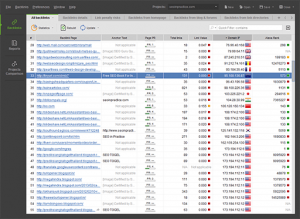
WebSite Auditor – Technical SEO and On-Page Optimization: WebSite Auditor crawls your entire website to identify technical SEO issues and on-page optimization opportunities. The tool provides in-depth site audits that uncover problems affecting SEO performance, including broken links, duplicate content, poor mobile usability, page speed issues, W3C validation errors, missing meta tags, and improper heading structure. The content optimization features analyze your pages against top-ranking competitors and provide specific recommendations to improve content relevance and keyword targeting. WebSite Auditor can audit websites of any size without limitations, making it suitable for enterprise-level sites with thousands of pages.
SEO SpyGlass – Backlink Discovery and Analysis: SEO SpyGlass is a powerful backlink analysis tool that helps you discover and analyze backlink profiles for your site and competitors. The tool accesses one of the largest backlink indexes in the industry, providing comprehensive data on referring domains, anchor text distribution, link quality metrics, and toxic link identification. You can analyze competitor backlink strategies to identify link building opportunities, track new and lost backlinks over time, and assess the overall health of your link profile. SEO SpyGlass includes penalty risk assessment features that identify potentially harmful links that could trigger Google penalties.
LinkAssistant – Link Building Outreach and Management: LinkAssistant streamlines the link building process by helping you find link prospects, manage outreach campaigns, and track relationship development. The tool includes extensive link prospecting methods to find relevant websites in your niche, automated email outreach with customizable templates, and relationship management features to track communications and follow-ups. LinkAssistant integrates with SEO SpyGlass to identify high-quality link opportunities based on competitor analysis, and provides verification tools to ensure acquired links remain active and properly configured.
Unlimited SEO Data Without Credit Limits: Unlike cloud-based alternatives that impose daily or monthly limits on keyword tracking, backlink checks, or site audits, SEO PowerSuite provides unlimited access to SEO data. You can track as many keywords as needed, crawl websites of any size, analyze unlimited backlinks, and run as many reports as required without additional costs or restrictions. This unlimited access makes the suite particularly valuable for agencies managing multiple clients or enterprises with large-scale SEO needs.
Customizable Reporting and White-Label Options: SEO PowerSuite includes robust reporting capabilities with customizable templates that can be exported to PDF, HTML, or CSV formats. The professional and enterprise versions offer white-label reporting options, allowing agencies to brand reports with their own logos, colors, and company information. Automated report scheduling ensures clients receive regular updates without manual intervention, and the reports can be configured to include exactly the metrics and insights most relevant to each stakeholder.
Competitor Analysis Across All Modules: Each of the four tools includes powerful competitor analysis features. You can analyze competitor keyword strategies, compare your rankings against multiple competitors, audit competitor websites to identify their optimization tactics, analyze competitor backlink profiles to find link opportunities, and benchmark your performance against industry leaders. This competitive intelligence helps inform strategy and identify opportunities to gain market share in search results.
Multi-Platform Desktop Support: SEO PowerSuite is available for Windows, macOS, and Linux operating systems, ensuring accessibility across all major desktop platforms. The desktop-based architecture means you own the software and your data remains on your computer, providing greater privacy and data security compared to cloud-based solutions that store your information on third-party servers.
What’s New in Latest Version
The Spring 2024 edition of SEO PowerSuite introduced several significant updates and improvements across all four tools. One of the major enhancements was the integration of Google’s Core Web Vitals metrics more deeply into WebSite Auditor, providing real-time analysis of Largest Contentful Paint (LCP), First Input Delay (FID), and Cumulative Layout Shift (CLS). This update ensures users can optimize for the metrics Google considers most important for page experience signals.
Rank Tracker received improved keyword research capabilities with enhanced search volume accuracy and updated keyword difficulty calculations that better reflect the current competitive landscape. The tool also added support for additional search engines and expanded local rank tracking capabilities to cover more geographic locations worldwide. Mobile rank tracking was enhanced to better distinguish between mobile and desktop results, reflecting Google’s mobile-first indexing approach.
SEO SpyGlass expanded its backlink database significantly, incorporating fresh data sources to provide more comprehensive backlink coverage. The penalty risk assessment algorithm was updated to reflect Google’s latest link quality guidelines, helping users identify and address potentially harmful backlinks more accurately. The tool also improved its link quality metrics to provide more nuanced assessments of backlink value.
LinkAssistant introduced streamlined email outreach workflows with improved template management and personalization options. The integration between LinkAssistant and SEO SpyGlass was enhanced to make link prospecting based on competitor analysis more efficient. New verification features were added to help users monitor acquired links and ensure they remain active and properly configured.
Across all four tools, the 2024 updates included user interface improvements for better usability, performance optimizations to handle larger datasets more efficiently, and expanded API access for enterprise users who want to integrate SEO PowerSuite data into their own systems. The reporting engine received updates with new visualization options and more flexible customization capabilities.
System Requirements
SEO PowerSuite has moderate to high system requirements depending on which tools you use and the scale of your SEO operations. For basic usage, the software can run on most modern computers, but for optimal performance, particularly when running Website Auditor on large sites or SEO SpyGlass with extensive backlink analysis, more robust hardware is recommended.
For Windows systems, SEO PowerSuite supports Windows 7 and higher, including Windows 8, 10, and 11, in both 32-bit and 64-bit versions. macOS users need OS X 10.10 (Yosemite) or later, with the software fully compatible with the latest macOS versions including Monterey, Ventura, and Sonoma. Linux support includes major distributions such as Ubuntu, Fedora, and Debian.
RAM requirements vary significantly based on usage. For basic keyword tracking and small site audits, 4GB of RAM is the minimum requirement, but this will result in slower performance. For professional use, 8GB of RAM is recommended, and for enterprise-level usage involving large websites (10,000+ pages) or extensive backlink analysis, 16GB or more of RAM will provide the best experience. WebSite Auditor in particular is resource-intensive when crawling large sites, benefiting significantly from additional memory.
Processor requirements are flexible, with any modern multi-core processor from the past 5-7 years being sufficient. However, faster processors with more cores will significantly reduce processing time for tasks like large-scale site crawls, bulk keyword rank checks, and comprehensive backlink analysis. The software is optimized to take advantage of multi-core processors, so more cores translate to better performance during intensive operations.
Hard drive space requirements are relatively modest for the software installation itself (approximately 200-500MB), but you’ll need additional space for project files, crawl data, and reports. Depending on the size of websites you’re auditing and the number of projects you manage, allocate anywhere from 1GB to 10GB or more of free space. An SSD is highly recommended over a traditional hard drive, as the frequent read/write operations during site crawls and data analysis benefit significantly from faster storage speeds.
An internet connection is required for rank checking, backlink discovery, and downloading updates, though much of the software’s functionality can work offline once data has been cached. Screen resolution of at least 1280×800 is recommended to properly view all interface elements, though higher resolutions provide a better working experience.
Download Guide
Downloading and installing SEO PowerSuite is straightforward and can be completed in just a few minutes. The official source for the software is Link-Assistant.Com at link-assistant.com, which is the recommended download location to ensure you receive the authentic, unmodified version directly from the developer. The website offers free trial versions of all four tools, allowing you to test the full functionality before committing to a purchase.
To download SEO PowerSuite, visit the official Link-Assistant website and navigate to the SEO PowerSuite product page. You’ll find download buttons for Windows, macOS, and Linux versions. Click the appropriate button for your operating system to download the installer. The download file size varies by platform but is typically around 100-200MB, so download time will depend on your internet connection speed.
For Windows users, the downloaded file will be an .exe installer. Double-click the installer and follow the installation wizard, accepting the license agreement and choosing an installation directory. The installer will set up all four tools (Rank Tracker, WebSite Auditor, SEO SpyGlass, and LinkAssistant) simultaneously. The installation process takes 3-5 minutes on most systems.
Mac users will download a .dmg disk image file. Open the .dmg file and drag the SEO PowerSuite application to your Applications folder. You may need to allow installation from third-party developers in your security settings if you receive a warning. The Mac installation is similarly straightforward and quick.
Linux users receive installation packages appropriate for their distribution (typically .deb for Debian/Ubuntu or .rpm for Fedora/RedHat). Install using your distribution’s package manager or by double-clicking the package file if your desktop environment supports graphical installation.
After installation, launch any of the four tools to begin. The free version allows you to use all features but with certain limitations, such as the number of projects you can save and some advanced features being restricted. You can use the free version indefinitely to evaluate the software. If you decide to purchase, you’ll receive a license key that can be entered into each of the four tools to unlock full functionality. SEO PowerSuite offers two paid tiers: Professional ($299/year) for individual marketers and small businesses, and Enterprise ($499/year) for agencies and larger organizations requiring white-label reporting and additional features.
SEO PowerSuite vs Alternatives
SEO PowerSuite vs Semrush: Semrush is a cloud-based all-in-one digital marketing platform with 55+ tools accessible through a web browser. While Semrush offers broader marketing capabilities beyond SEO (including social media management, PPC tools, and content marketing), it operates on a subscription model starting at $129.95/month ($1,559/year), making it significantly more expensive than SEO PowerSuite’s $299-$499 annual plans. SEO PowerSuite provides unlimited data access, while Semrush imposes daily and monthly limits on keyword tracking, site audits, and reports depending on your plan tier. The key trade-off is accessibility (Semrush works anywhere with internet) versus cost and data limits (SEO PowerSuite is desktop-based but unlimited).
SEO PowerSuite vs SE Ranking: SE Ranking is a cloud-based SEO platform offering keyword research, competitive analysis, rank tracking, website audit, backlink checking, and link building. SE Ranking’s pricing starts at $55/month ($660/year) for basic plans, positioning it between SEO PowerSuite and premium tools like Semrush. SE Ranking offers better collaboration features and cloud accessibility, making it ideal for distributed teams. However, SE Ranking implements project and keyword limits based on your plan, whereas SEO PowerSuite provides unlimited tracking. SE Ranking is easier to learn with a more modern interface, while SEO PowerSuite offers deeper technical capabilities for advanced users.
SEO PowerSuite vs Ahrefs: Ahrefs is renowned for having one of the largest and most frequently updated backlink indexes in the industry, along with powerful keyword research and competitive analysis features. Ahrefs is entirely cloud-based and starts at $129/month ($1,548/year), making it three to five times more expensive than SEO PowerSuite. Ahrefs excels in backlink data freshness and comprehensive keyword databases, but imposes strict usage limits at each pricing tier. SEO PowerSuite’s SEO SpyGlass provides competitive backlink analysis at a fraction of the cost, though Ahrefs generally maintains a larger and fresher backlink index. For budget-conscious users who can work with desktop software, SEO PowerSuite offers better value.
SEO PowerSuite vs Search Atlas: Search Atlas is an AI-powered all-in-one SEO platform that emphasizes automation and modern workflows. Search Atlas offers cloud-based convenience and AI-driven automation for content optimization, site audits, and reporting. The platform is designed to replace manual workflows with automated systems, making it attractive for agencies managing multiple clients. However, Search Atlas pricing is higher than SEO PowerSuite, and it doesn’t offer the same unlimited data access. SEO PowerSuite requires more manual operation but provides greater control and flexibility for users who prefer hands-on SEO management.
SEO PowerSuite vs Local Falcon: Local Falcon specializes in local SEO, offering geo-specific rank tracking insights, AI-driven local search guidance, and automation for multi-location campaigns. For businesses focused exclusively on local search optimization, Local Falcon provides more specialized features than SEO PowerSuite’s Rank Tracker. However, Local Falcon is narrowly focused on local SEO, while SEO PowerSuite offers comprehensive capabilities across all SEO disciplines. Businesses need both local and organic SEO will find SEO PowerSuite more versatile, while local-only businesses might prefer Local Falcon’s specialized features.
Pros and Cons
Pros:
- Exceptional value for money with unlimited SEO data access and no daily credit limits
- Comprehensive all-in-one solution covering keyword research, site auditing, backlink analysis, and link building
- One-time or annual pricing ($299-$499/year) significantly more affordable than cloud-based competitors
- Desktop-based architecture provides data privacy and offline accessibility
- Nearly 20 years of development with over 2 million users worldwide demonstrates reliability
- Available for Windows, macOS, and Linux operating systems
- White-label reporting capabilities ideal for agencies and consultants
- No restrictions on number of projects, keywords tracked, or pages audited
- Comprehensive competitor analysis features across all four tools
- Free version available for evaluation with core features accessible indefinitely
- Customizable reporting with PDF, HTML, and CSV export options
- Regular updates and active development with new features added consistently
Cons:
- Desktop-based software is very taxing on PC resources, especially during large site crawls
- Steep learning curve for beginners unfamiliar with SEO concepts and tools
- Can be resource-intensive causing slowdowns on older computers or large projects
- Requires manual updates rather than automatic cloud-based updates
- Less accessible than cloud tools – can’t access from mobile devices or different computers easily
- Interface feels somewhat dated compared to modern cloud-based alternatives
- WebSite Auditor requires at least 4GB RAM and fast processor for optimal performance
- Collaboration features are limited compared to cloud-based team tools
- Data synchronization across devices requires manual export/import
- Initial setup and project configuration more time-consuming than cloud alternatives
- Some users report occasional crashes or freezes when processing very large datasets
Who Should Use SEO PowerSuite
SEO PowerSuite is ideal for budget-conscious digital marketers and small businesses who need comprehensive SEO capabilities without the recurring expense of cloud-based subscriptions. If you’re currently spending $100+ per month on multiple SEO tools or subscriptions like Semrush or Ahrefs, SEO PowerSuite can provide similar functionality for a fraction of the annual cost. The unlimited data access makes it particularly valuable for users who track large numbers of keywords or manage multiple client websites.
Freelance SEO consultants and small agencies will find SEO PowerSuite especially appealing due to its white-label reporting capabilities and cost structure. Rather than paying per-project or per-seat fees common with cloud tools, you can manage unlimited clients under a single license. The ability to generate professional, branded reports for clients without additional costs makes the suite attractive for consultants building their business without large overhead expenses.
The software suits SEO professionals who prefer desktop applications and value data privacy. If you’re concerned about storing sensitive client data on third-party cloud servers, SEO PowerSuite’s desktop architecture keeps all data on your local machine. Users who frequently work in environments with limited or unreliable internet connectivity will appreciate the ability to perform most SEO tasks offline once initial data has been cached.
Technical SEO specialists and advanced users who want granular control over every aspect of their SEO analysis will find SEO PowerSuite’s depth attractive. While the learning curve is steeper than simplified cloud tools, experienced SEOs can configure detailed crawl settings, customize analysis parameters, and access raw data for their own analysis. The suite provides more technical depth than many user-friendly cloud alternatives.
However, SEO PowerSuite is less suitable for distributed teams requiring real-time collaboration or users who need to access their SEO data from multiple devices and locations. If your workflow involves frequent team collaboration, mobile access, or working from different computers, cloud-based alternatives like Semrush or SE Ranking will provide better accessibility. Similarly, complete beginners to SEO might find more user-friendly, guided tools easier to learn initially, though SEO PowerSuite’s free version allows risk-free exploration.
Frequently Asked Questions
Q: Is SEO PowerSuite really free, or is it just a trial?
A: SEO PowerSuite offers a genuinely free version that can be used indefinitely, not just a time-limited trial. The free version includes all four tools with core features accessible, but with limitations such as the number of projects you can save, restricted scheduled tasks, and some advanced features locked. You can use the free version to evaluate the software thoroughly before deciding to upgrade to Professional ($299/year) or Enterprise ($499/year) plans.
Q: How does SEO PowerSuite compare to Semrush or Ahrefs in terms of data accuracy?
A: SEO PowerSuite provides competitive data quality, particularly for backlink analysis through SEO SpyGlass and keyword research through Rank Tracker. However, Ahrefs generally maintains the largest and freshest backlink index, while Semrush offers very comprehensive keyword databases. The key difference is that SEO PowerSuite provides unlimited access to its data without daily credits or query limits, whereas Semrush and Ahrefs impose strict usage restrictions based on your subscription tier. For most users, SEO PowerSuite’s data quality is sufficient, especially considering the significant cost savings.
Q: Can I use SEO PowerSuite on multiple computers?
A: Yes, SEO PowerSuite licenses allow installation on multiple computers, though the specific number depends on your license type. Projects and data are stored locally on each computer, so you’ll need to manually export and import projects if you want to work on the same data across different machines. This is less convenient than cloud-based tools that automatically sync across devices.
Q: Does SEO PowerSuite work on Mac and Linux, or only Windows?
A: SEO PowerSuite is fully compatible with Windows, macOS, and Linux operating systems. The developer provides native installers for all three platforms, ensuring the software runs smoothly regardless of your operating system preference.
Q: How much computer resources does SEO PowerSuite require?
A: System requirements vary based on usage. For basic operations, 4GB of RAM and any modern processor will suffice. However, for optimal performance when crawling large websites with WebSite Auditor or analyzing extensive backlink profiles with SEO SpyGlass, 8GB+ of RAM and a multi-core processor are recommended. The software can be resource-intensive during active crawls or analysis, potentially slowing down older computers.
Q: Can I generate white-label reports for my clients?
A: Yes, white-label reporting is available in the Professional and Enterprise plans. You can customize reports with your agency logo, brand colors, and company information, removing all references to SEO PowerSuite. Reports can be exported to PDF, HTML, or CSV formats and scheduled for automatic generation and delivery.
Q: Is there a limit to how many keywords I can track?
A: No, SEO PowerSuite provides unlimited keyword tracking without daily or monthly limits. This is a major advantage over cloud-based competitors that restrict the number of keywords based on your subscription tier. You can track as many keywords as you need across unlimited projects.
Q: Does SEO PowerSuite require internet connection to work?
A: While an internet connection is required for rank checking, backlink discovery, downloading updates, and accessing some data sources, much of SEO PowerSuite’s functionality works offline once data has been cached. You can perform site audits, analyze previously downloaded data, generate reports, and work with saved projects without internet connectivity.
Final Verdict
SEO PowerSuite stands as one of the most cost-effective comprehensive SEO solutions available, offering exceptional value for digital marketers, agencies, and businesses seeking to manage their search optimization in-house. With nearly 20 years of continuous development and over 2 million users worldwide, the suite has proven its reliability and effectiveness. The four-tool combination of Rank Tracker, WebSite Auditor, SEO SpyGlass, and LinkAssistant provides complete coverage of essential SEO tasks, from keyword research and rank tracking to technical audits and link building.
The software’s greatest strength is its unlimited data access model combined with affordable one-time or annual pricing. At $299-$499 per year, SEO PowerSuite costs less than 2-4 months of competing cloud-based subscriptions while providing unlimited keywords, projects, and data analysis without restrictive credits or daily limits. For freelancers, small agencies, and businesses managing multiple websites, this cost structure can result in savings of thousands of dollars annually compared to tools like Semrush or Ahrefs.
However, SEO PowerSuite’s desktop-based architecture is both a strength and a limitation. While it provides data privacy, offline access, and eliminates dependency on cloud services, it also makes collaboration more difficult and prevents the seamless multi-device access that modern cloud tools provide. The software can be resource-intensive, particularly when auditing large websites or analyzing extensive backlink profiles, requiring reasonably powerful hardware for optimal performance. The learning curve is steeper than user-friendly cloud alternatives, though this depth provides advanced users with granular control.
For the right user, SEO PowerSuite is an outstanding choice. If you’re a solo practitioner, small agency, or in-house marketer who primarily works from one or two computers and wants comprehensive SEO capabilities without ongoing subscription costs, SEO PowerSuite delivers excellent value. The unlimited data access alone justifies the investment for anyone tracking more than a few dozen keywords or managing multiple clients. The white-label reporting makes it particularly attractive for consultants and agencies.
Conversely, if your team requires real-time collaboration, mobile access, or seamless work across many devices and locations, cloud-based alternatives will better serve your workflow needs. Similarly, complete beginners might find more hand-holding and guided workflows in tools designed specifically for ease of use. But for experienced SEO professionals and budget-conscious marketers who can work with desktop software, SEO PowerSuite remains one of the best values in the SEO tool market.
Developer:
SEO PowerSuite
Download Options
Download SEO PowerSuite
Download NowSafe & Secure
Verified and scanned for viruses
Regular Updates
Always get the latest version
24/7 Support
Help available when you need it
Pros & Cons Analysis
Pros
- Complete SEO toolkit
- Rank tracking
- Backlink analysis
- Site audit
- Keyword research
- Professional SEO suite
- Desktop based
Cons
- Multi-platform
- Expensive professional license
- Learning curve
- Data limits
- Complex for beginners
- Regular updates needed
System Requirements
- Windows 7 or later / macOS 10.12 or later
- 2 GB RAM minimum
- 500 MB available disk space
- Internet connection for updates