Restic
What is Restic?
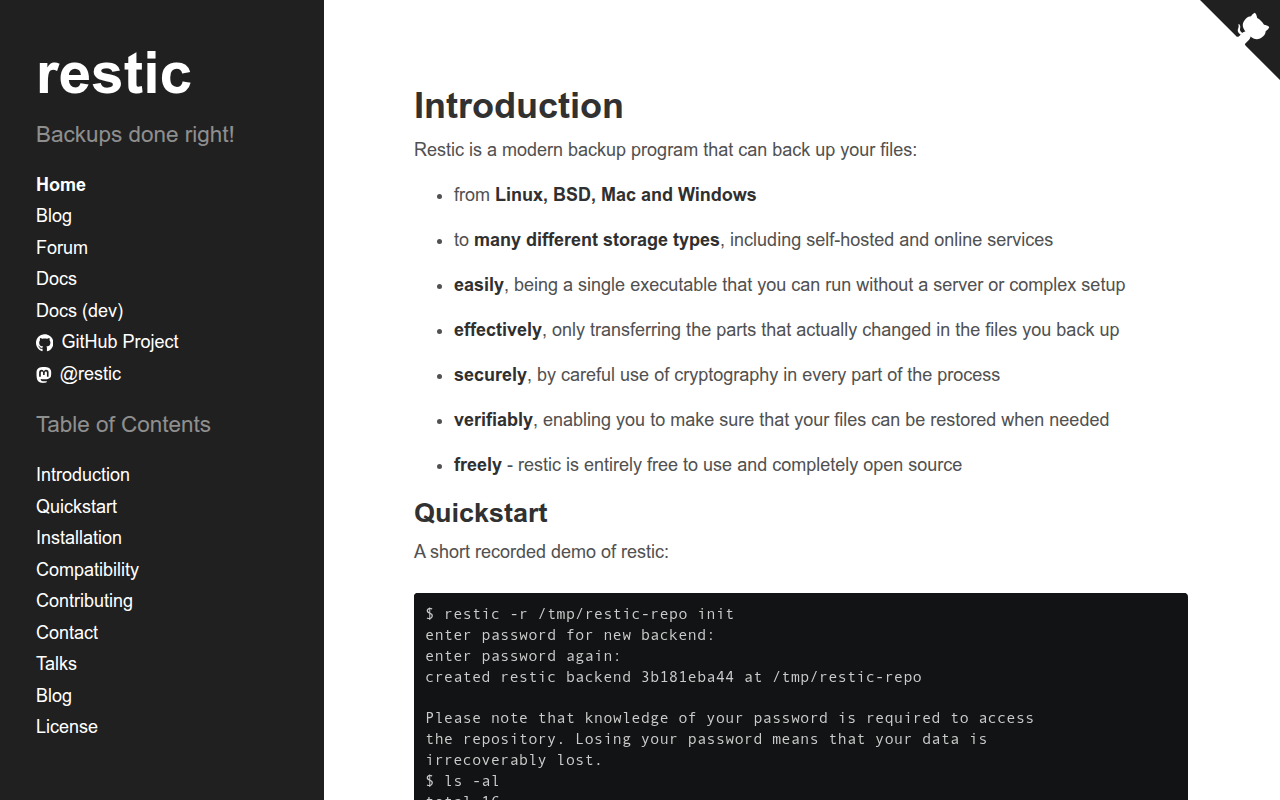
Restic is a modern, fast, and secure backup program that runs from the command line and supports backing up to virtually any storage backend including local directories, SFTP servers, Amazon S3, Google Cloud Storage, Azure Blob Storage, Backblaze B2, and many more. As an open-source project licensed under BSD, Restic has gained significant popularity among developers, system administrators, and technically-inclined users who value its speed, security, and flexibility.
Unlike traditional backup tools that create simple file copies, Restic uses content-defined chunking with deduplication, meaning identical data is stored only once regardless of where it appears across your files or backup history. Combined with strong encryption using AES-256, Restic ensures your backups are both space-efficient and secure—even if your storage provider is compromised, your data remains protected by keys only you possess.
Restic’s design philosophy emphasizes simplicity and correctness. The software has a small, focused feature set that it implements extremely well rather than attempting to be everything to everyone. Backups are fast, restores are reliable, and the verification system ensures data integrity throughout the backup lifecycle. For users comfortable with command-line tools, Restic provides enterprise-grade backup capabilities without enterprise complexity or cost.
The cross-platform nature of Restic—supporting Windows, macOS, Linux, and BSD—makes it ideal for heterogeneous environments where users need consistent backup procedures across different operating systems. Whether you’re a developer backing up code repositories, a system administrator protecting servers, or a power user wanting reliable personal backups, Restic delivers professional-grade data protection through elegant command-line simplicity.
Key Features
- Deduplication: Content-defined chunking stores identical data only once, dramatically reducing storage requirements.
- Encryption: All data encrypted with AES-256 before leaving your computer—backup provider cannot access your files.
- Multiple Backends: Support for local storage, SFTP, REST server, Amazon S3, Google Cloud, Azure, B2, and more.
- Fast Backups: Only changed data transferred using efficient incremental backup mechanism.
- Verifiable Backups: Built-in verification ensures backup integrity; corrupted data detected before you need it.
- Cross-Platform: Native support for Windows, macOS, Linux, FreeBSD with identical functionality.
- Snapshots: Each backup creates immutable snapshot preserving point-in-time state of your files.
- Efficient Restore: Restore individual files, directories, or complete snapshots with straightforward commands.
- Pruning: Flexible retention policies automatically remove old snapshots while maintaining backup history.
- Mount Support: Mount backup repository as filesystem to browse and restore files with standard tools.
- Compression: Optional compression reduces storage requirements and transfer times.
- Lock-Free Design: Multiple computers can backup to same repository simultaneously without conflicts.
- Open Source: BSD-licensed with active development community and transparent security.
- Single Binary: No dependencies—single executable file for easy deployment.
- Scriptable: JSON output option enables integration with monitoring and automation systems.
What’s New in Restic 2026
- Compression Improvements: New compression algorithms offering better ratios with improved performance.
- Enhanced Pruning: Faster snapshot pruning with better space reclamation efficiency.
- Improved Error Handling: Better recovery from interrupted backups and network failures.
- New Backend Support: Additional S3-compatible storage providers and new cloud backends.
- Performance Optimization: Faster backup and restore operations through improved parallelization.
- Better Windows Support: Improved handling of Windows-specific file attributes and permissions.
- Repository Repair: Enhanced tools for detecting and repairing repository issues.
- Memory Optimization: Reduced memory usage for large repository operations.
System Requirements
Supported Operating Systems
- Linux (any modern distribution)
- macOS 10.12 Sierra or later (Intel and Apple Silicon)
- Windows 7 or later (64-bit)
- FreeBSD, OpenBSD, NetBSD
Hardware Requirements
- 64-bit processor
- 1GB RAM minimum (more for large repositories)
- Disk space for restic binary (approximately 25MB)
- Network connectivity for remote backends
Storage Backend Requirements
- Local: Any mounted filesystem
- SFTP: SSH access to remote server
- S3: AWS credentials or compatible service
- Google Cloud: Service account credentials
- Azure: Storage account credentials
- Backblaze B2: Application key
How to Get Started with Restic
- Install Restic: Download from restic.net or use package manager (brew install restic, apt install restic, etc.).
- Initialize Repository: Run
restic init --repo /path/to/backuporrestic init --repo s3:bucket-name. - Set Repository Password: Enter strong password when prompted—this encrypts all backups (SAVE THIS PASSWORD).
- Configure Environment: Set RESTIC_REPOSITORY and RESTIC_PASSWORD environment variables for convenience.
- Run First Backup: Execute
restic backup /path/to/filesto create initial snapshot. - Verify Backup: Run
restic checkto verify repository integrity after backup completes. - List Snapshots: Use
restic snapshotsto view all backup snapshots in repository. - Restore Files: Run
restic restore latest --target /restore/pathto restore from latest snapshot. - Set Up Automation: Add backup command to cron (Linux/Mac) or Task Scheduler (Windows).
- Configure Pruning: Run
restic forget --keep-daily 7 --keep-weekly 4 --keep-monthly 6 --pruneperiodically.
Restic vs Other Backup Solutions
| Feature | Restic | Borg Backup | Duplicati |
|---|---|---|---|
| Price | Free (open source) | Free (open source) | Free (open source) |
| Interface | Command line | Command line | Web GUI |
| Cloud Backends | Extensive | Limited (SFTP) | Extensive |
| Deduplication | Content-defined | Content-defined | Block-level |
| Windows Support | Native | Limited (WSL) | Native |
| Best For | Cross-platform/cloud | Linux servers | GUI preference |
Who Should Use Restic
- System Administrators: Those managing backups across Linux, Windows, and Mac servers.
- Developers: Engineers who prefer command-line tools and scriptable solutions.
- Cloud-First Users: Anyone wanting to backup directly to S3, B2, or other cloud storage.
- Privacy-Focused Users: Those requiring client-side encryption before data leaves their machine.
- Cross-Platform Users: People needing consistent backup solution across different operating systems.
- Automation Enthusiasts: Users who integrate backups into larger automation workflows.
Frequently Asked Questions
Is Restic difficult to use without GUI?
Restic commands are straightforward and well-documented. Basic operations (backup, restore, list) require simple one-line commands. Most users become comfortable within an hour of practice. Third-party GUI frontends exist if preferred.
How does Restic compare to Borg Backup?
Both are excellent. Restic offers better cloud backend support and Windows compatibility. Borg often achieves better compression and has more mature pruning. Restic’s single binary deployment is simpler. Choose based on your platform and storage preferences.
What happens if I lose my repository password?
Your backups become permanently inaccessible. Restic uses strong encryption with no recovery mechanism—this is a security feature. Store your password securely in a password manager and create offline backup of it.
Can Restic backup while files are being used?
Restic backs up files as they exist at backup time. For databases or applications with open files, use application-specific snapshot mechanisms (like database dumps) before backup, or use VSS on Windows.
How much storage does Restic use compared to raw files?
Initial backup approximately matches source size. Subsequent backups only store changed data. With deduplication and optional compression, long-term storage is typically 50-70% of source size depending on data type and change rate.
Final Verdict
Restic represents the gold standard for command-line backup tools, combining robust security, excellent performance, and remarkable flexibility in a single, dependency-free binary. Its native support for virtually every cloud storage provider makes it ideal for modern backup strategies that leverage cheap cloud storage. The learning curve is minimal for users comfortable with terminal commands, and the reliability is exceptional. For GUI-preferring users, Duplicati offers similar capabilities with visual interface, but those who appreciate command-line elegance will find Restic’s design philosophy deeply satisfying. It’s genuinely difficult to recommend anything else for technical users seeking secure, efficient backup.
Download Options
Download Restic
Download NowSafe & Secure
Verified and scanned for viruses
Regular Updates
Always get the latest version
24/7 Support
Help available when you need it