Markup Hero
What is Markup Hero?
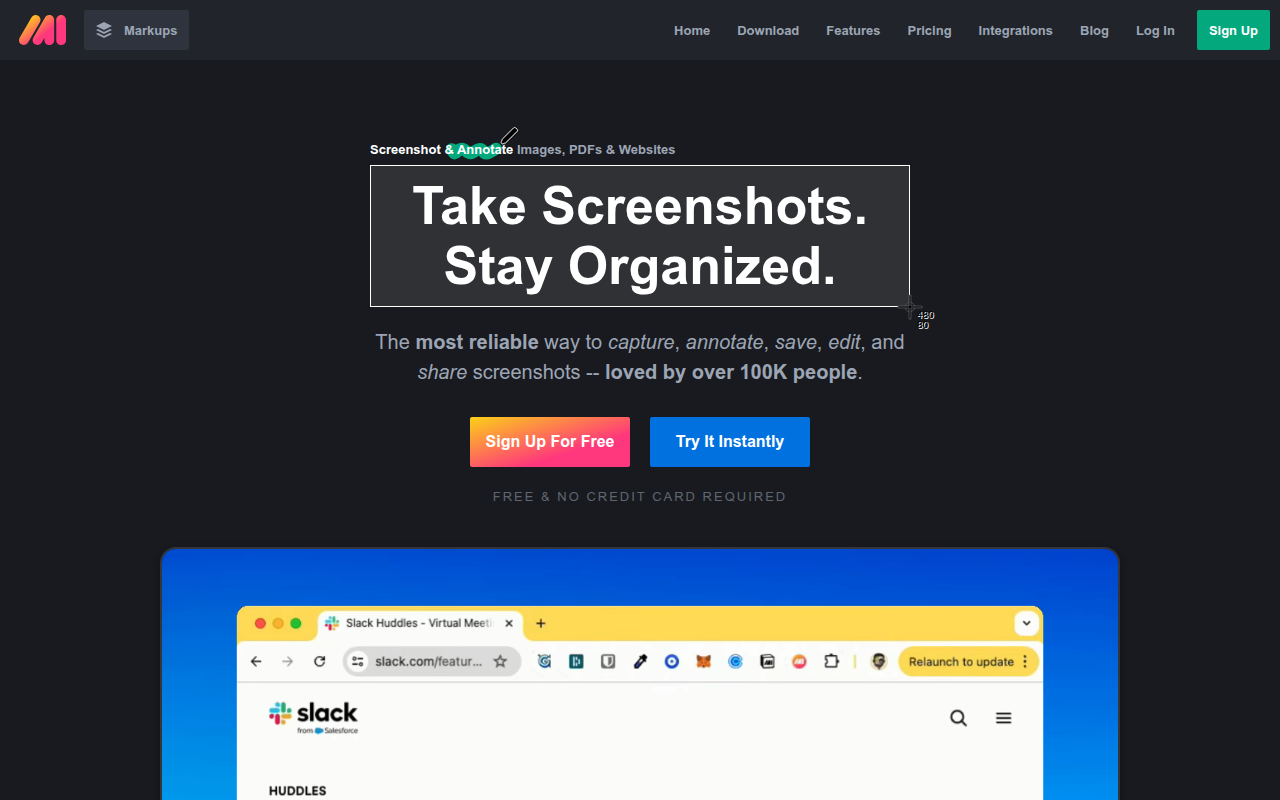
Markup Hero is a screenshot and annotation platform that enables instant capture, markup, and sharing of visual content through browser extensions, desktop applications, and direct image upload. Designed for teams and individuals who frequently communicate through annotated images, Markup Hero streamlines the process of creating clear visual documentation—from capturing screenshots to adding annotations to sharing via generated links—all within seconds.
The platform distinguishes itself through speed and simplicity. Unlike heavyweight screenshot tools that require multiple steps between capture and sharing, Markup Hero provides one-click capture that immediately opens in an annotation editor, where you add arrows, text, highlights, and other markup before generating an instant shareable link. This workflow optimization is particularly valuable for support teams, developers documenting bugs, educators creating instructional content, and anyone who regularly explains things visually.
Markup Hero stores all captures in a cloud-based library with unlimited storage, creating a searchable archive of annotated screenshots organized by date, tags, and projects. This persistent library means frequently-referenced screenshots remain accessible indefinitely rather than lost in chat histories or email threads. Team features allow sharing libraries across organizations with collaborative annotation and commenting.
The platform integrates with popular tools including Slack, Chrome, and various project management systems, enabling seamless incorporation of annotated screenshots into existing workflows. For individuals and teams who communicate visually on a daily basis, Markup Hero reduces the friction between “I need to show this” and actually sharing an annotated image that clearly conveys the message.
Key Features
- One-Click Capture: Instantly capture full page, visible area, or selected region with keyboard shortcut.
- Instant Annotation: Immediately opens capture in editor with arrows, text, highlights, shapes, and more.
- Cloud Library: Unlimited storage for all captures with search, tags, and organization features.
- Shareable Links: Generate instant sharing links without file uploads or attachments.
- Image Upload: Annotate existing images from device, URL, or clipboard paste.
- Full Page Capture: Scroll capture for complete webpage documentation including below-fold content.
- Blur Tool: Obscure sensitive information before sharing annotated screenshots.
- Arrow & Line Tools: Multiple arrow styles for directing attention to specific elements.
- Text Annotations: Add text labels with customizable size, color, and positioning.
- Highlight Tool: Semi-transparent overlays to emphasize important areas.
- Shape Tools: Rectangles, circles, and other shapes for marking regions.
- Crop & Resize: Adjust capture dimensions before or after annotation.
- Team Workspaces: Share libraries and collaborate on annotations across teams.
- Integrations: Connect with Slack, Chrome, and productivity tools.
- History & Versions: Access previous versions of edited screenshots.
What’s New in Markup Hero 2026
- AI-Powered Suggestions: Smart recommendations for annotation placement and type.
- Enhanced Editor: New annotation tools and improved editing interface.
- Better Organization: Improved folder structure and tagging system for large libraries.
- Video Annotation: Annotate video frames and create annotated GIFs.
- Template System: Save and reuse common annotation layouts.
- Improved Mobile: Better mobile capture and annotation experience.
- New Integrations: Additional connections with project management and chat tools.
- Performance Updates: Faster capture, upload, and editor loading times.
System Requirements
Browser Extension
- Google Chrome version 88 or later
- Microsoft Edge (Chromium) version 88 or later
- Firefox version 78 or later
- Brave, Opera, and other Chromium browsers
Desktop Application
- Windows 10 or later
- macOS 10.14 Mojave or later
- 100MB available disk space
- Internet connection for cloud sync
Web Application
- Any modern browser
- For uploading existing images or using editor directly
How to Get Started with Markup Hero
- Sign Up: Create free account at markuphero.com with email or Google.
- Install Extension: Add Chrome/browser extension for screenshot capture.
- Capture Screenshot: Click extension icon or use Ctrl+Shift+1 to capture.
- Choose Capture Type: Select full page, visible portion, or selection area.
- Annotate: Add arrows, text, highlights, and other markup in editor.
- Save & Share: Click Save to generate shareable link automatically.
- Copy Link: Share link via chat, email, or paste into documents.
- Access Library: Visit markuphero.com to browse all saved captures.
- Organize: Add tags and descriptions to screenshots for easy finding.
- Invite Team: Add team members to shared workspace for collaboration.
Markup Hero vs Other Screenshot Tools
| Feature | Markup Hero | Awesome Screenshot | CloudApp |
|---|---|---|---|
| Free Tier | Unlimited captures | 30/month | 25/month |
| Cloud Storage | Unlimited | Limited | Limited |
| Capture Speed | Very Fast | Fast | Fast |
| Video Recording | Coming soon | Yes | Yes |
| Best For | Quick annotation & sharing | All-in-one visual | Business communication |
Who Should Use Markup Hero
- Support Teams: Customer service agents documenting issues and solutions visually.
- Developers: Engineers capturing and annotating bugs, UI issues, and code reviews.
- Educators: Teachers creating visual guides and annotated instructional materials.
- Remote Workers: Distributed teams needing quick visual communication.
- Marketers: Professionals documenting campaigns, competitors, and design feedback.
- Project Managers: Anyone coordinating work that benefits from visual documentation.
Frequently Asked Questions
Is Markup Hero really free?
Yes, Markup Hero offers a generous free tier with unlimited screenshot captures and cloud storage. Paid plans add team features, advanced organization, and priority support, but core functionality is completely free.
How long are screenshots stored?
Free accounts retain screenshots for 45 days of inactivity. Active accounts (regular usage) maintain access indefinitely. Paid plans guarantee permanent retention regardless of activity.
Can I annotate existing images?
Yes, Markup Hero lets you upload images from your device, paste from clipboard, or import from URLs. You can annotate any image, not just screenshots captured through the extension.
Are shared links public?
Links are unlisted by default—they’re accessible to anyone with the URL but not discoverable through search. You control who sees each capture by sharing links selectively.
Can teams collaborate on annotations?
Team plans allow shared libraries where members can view, comment on, and collaborate on annotated screenshots. This is particularly useful for support teams and design feedback workflows.
Final Verdict
Markup Hero succeeds by focusing relentlessly on one workflow: capturing, annotating, and sharing screenshots as quickly as possible. The combination of instant capture, immediate annotation, automatic link generation, and unlimited free storage removes friction from visual communication in ways that more complex tools don’t match. While lacking video recording and some advanced features competitors offer, Markup Hero’s speed and simplicity make it ideal for users who annotate and share screenshots frequently throughout their workday. For teams drowning in “see attached screenshot” emails, Markup Hero’s link-based sharing creates a more efficient workflow.
Download Options
Download Markup Hero
Download NowSafe & Secure
Verified and scanned for viruses
Regular Updates
Always get the latest version
24/7 Support
Help available when you need it