Mailgun
What is Mailgun?
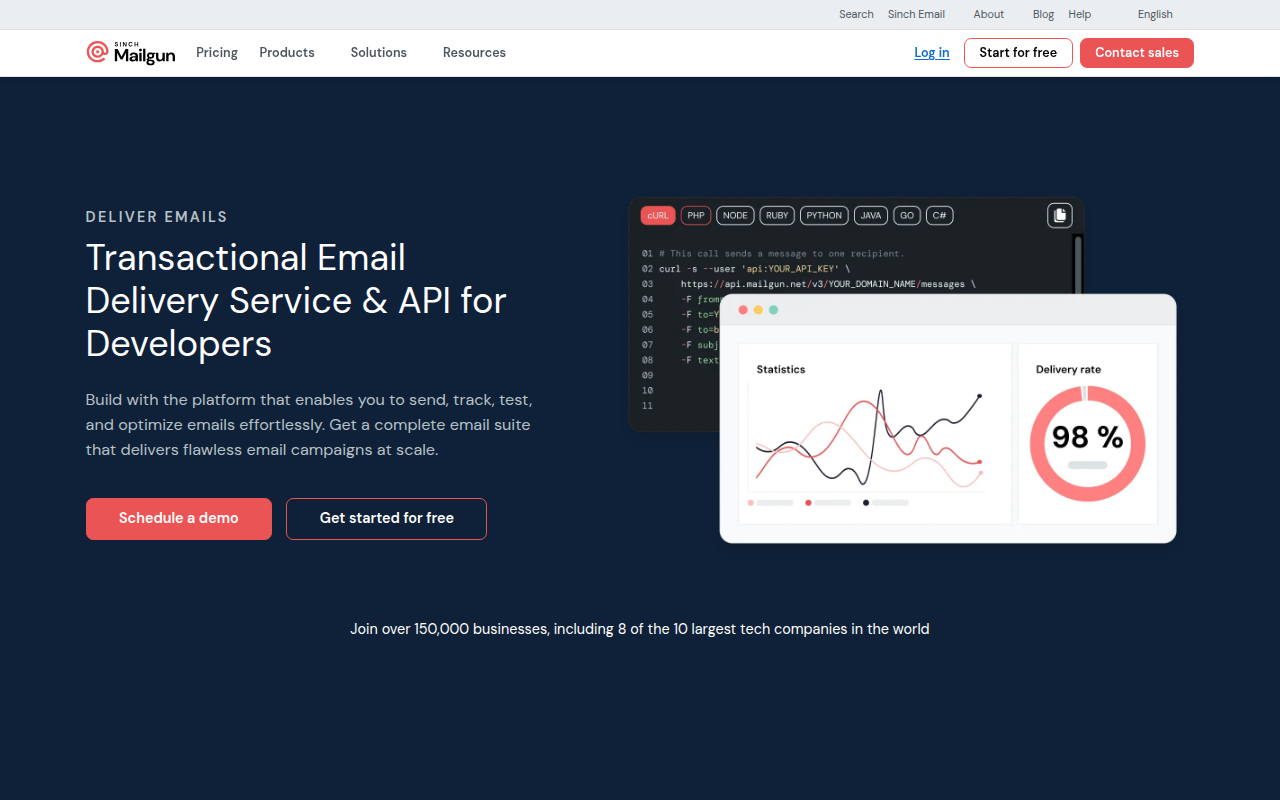
Mailgun is a developer-focused email API service that enables applications to send, receive, and track emails at scale. Founded in 2010 and acquired by Mailjet (now part of Sinch) in 2019, Mailgun has become a popular choice among developers for its powerful API, comprehensive features, and developer-friendly approach. The platform handles both transactional emails (application-generated messages) and bulk sending, providing the infrastructure and tools needed for reliable email delivery.
What distinguishes Mailgun is its emphasis on giving developers complete control and visibility over email operations. The platform provides not just sending capabilities but also inbound email parsing, validation, analytics, and sophisticated routing rules. This comprehensive toolset enables developers to build complex email workflows and applications that depend on programmatic email handling beyond simple message sending.
Mailgun serves tens of thousands of companies worldwide, from startups to enterprises sending billions of emails monthly. The platform is particularly popular among technical teams building SaaS applications, e-commerce platforms, and services where email is a core feature. Organizations choose Mailgun when they need developer-friendly APIs, powerful features, and the ability to scale from thousands to millions of emails.
Key Features
- RESTful API: Comprehensive HTTP API enabling email sending, validation, analytics, and more from applications
- SMTP Service: Standards-compliant SMTP relay for applications unable to use HTTP API
- Inbound Routing: Receive and parse incoming emails with custom routing rules and webhooks
- Email Validation: Real-time and bulk email verification reducing bounces and improving deliverability
- Template Engine: Handlebars-based templating with dynamic content and personalization
- Webhooks: Real-time event notifications for opens, clicks, bounces, and other email events
- Analytics and Logs: Comprehensive tracking and searchable logs of all email activity
- Route Testing: Test complex routing rules and filters before production deployment
- Mailing Lists: Built-in list management for sending to subscriber groups
- Dedicated IPs: Custom IP addresses for advanced deliverability control
Latest Updates
Mailgun continues to enhance its platform with improved deliverability, features, and developer experience.
- Enhanced Analytics: Improved reporting dashboards with better insights into email performance
- Deliverability Tools: Advanced features for monitoring and improving sender reputation
- API Enhancements: Extended API capabilities with better rate limiting and error handling
- Validation Improvements: More accurate email validation with additional checks
- Security Updates: Enhanced authentication and encryption for enterprise security
- Template Updates: Improved templating with better preview and testing capabilities
- Regional Expansion: Additional data centers for better global performance
- Compliance Features: Enhanced tools for GDPR, privacy, and consent management
System Requirements
API Integration
- Application with email sending needs
- Mailgun API key from account
- Programming environment (Python, Node.js, PHP, Ruby, etc.)
- HTTPS support for API calls
SMTP Relay
- Email client or application supporting SMTP
- Mailgun SMTP credentials
- TLS/SSL support for secure connection
Domain Setup
- Domain ownership for sending emails
- DNS access for SPF, DKIM, DMARC records
- Ability to verify domain ownership
How to Install Mailgun
Quick Start
- Sign up for Mailgun account (free trial available)
- Add and verify your domain
- Configure DNS records (SPF, DKIM, DMARC)
- Get API key from dashboard
- Integrate using API or SMTP
- Send test email to verify setup
- Configure webhooks for events (optional)
API Integration (Python)
# Install Mailgun SDK
pip install mailgun

# Send email with API
import requests

def send_email():
    return requests.post(
        "https://api.mailgun.net/v3/YOUR_DOMAIN/messages",
        auth=("api", "YOUR_API_KEY"),
        data={
            "from": "Sender ",
            "to": ["recipient@example.com"],
            "subject": "Hello from Mailgun",
            "text": "This is a test email",
            "html": "This is a test email"
        }
    )

response = send_email()
print(response.status_code)
SMTP Configuration
# SMTP Settings for Mailgun
SMTP Host: smtp.mailgun.org
SMTP Port: 587 (or 465, 25, 2525)
SMTP Username: postmaster@YOUR_DOMAIN
SMTP Password: YOUR_SMTP_PASSWORD
TLS: Required
Pros and Cons
Pros
- Developer-Friendly: Excellent API design, documentation, and SDKs for major languages
- Powerful Features: Inbound routing, validation, and advanced capabilities beyond basic sending
- Flexible Pricing: Generous free tier (5,000 emails/month) with reasonable paid tiers
- Good Deliverability: Strong inbox placement rates with dedicated IP options
- Comprehensive Logs: Detailed searchable logs of all email activity
- Inbound Processing: Handle incoming emails programmatically with routing and parsing
- Real-Time Events: Webhooks for instant notification of email events
Cons
- Complex Pricing: Multiple tiers and features can make total cost unclear
- Learning Curve: Feature-rich platform requires time to master
- Support Quality: Support can be inconsistent on lower-tier plans
- Documentation Gaps: Some advanced features lack complete documentation
- EU Restrictions: Must choose correct region (US vs EU) at signup; difficult to change
Mailgun vs Alternatives
| Feature | Mailgun | SendGrid | Postmark | Amazon SES |
|---|---|---|---|---|
| Price | $35+/mo | Free-$90+/mo | $15+/mo | $0.10/1000 |
| Free Tier | 5,000/mo | 100/day | No | Varies |
| API Quality | Excellent | Excellent | Excellent | Good |
| Inbound Email | Yes | Yes | Yes | Yes |
| Email Validation | Built-in | Add-on | No | No |
| Deliverability | Excellent | Excellent | Excellent | Good |
| Best For | Developers | Transactional + Marketing | Critical transactional | AWS users |
Who Should Use Mailgun?
Mailgun is ideal for:
- Developer Teams: Technical teams wanting powerful APIs and complete control over email operations
- SaaS Applications: Software products requiring both sending and receiving emails programmatically
- E-Commerce Platforms: Online stores sending transactional emails at varying volumes
- Email-Dependent Apps: Applications where email is a core feature requiring advanced capabilities
- Growing Businesses: Companies starting with free tier and scaling as volume grows
- Inbound Email Needs: Applications requiring programmatic handling of incoming emails
Mailgun may not be ideal for:
- Non-Technical Users: Marketers without developer support may find it complex
- Marketing-Only Needs: Pure marketing email better served by Mailchimp or Constant Contact
- Budget-Critical Projects: Very high volumes may find Amazon SES more cost-effective
- Simple Use Cases: Basic contact forms might not need full email platform
Frequently Asked Questions
How much does Mailgun cost?
Mailgun offers a free tier with 5,000 emails per month (100/day limit). Paid plans start at $35/month for Foundation (50,000 emails) and scale to $90/month for Growth (100,000 emails). Custom enterprise pricing available for higher volumes. Email validation costs extra. Overall competitive with SendGrid but more expensive than Amazon SES.
Is Mailgun better than SendGrid?
Mailgun and SendGrid are comparable with different strengths. Mailgun offers better free tier (5,000/month vs 100/day), built-in validation, and some developers prefer the API design. SendGrid has more mature marketing features and larger customer base. Both deliver excellent reliability and deliverability. Choice often comes down to specific feature needs and personal preference.
Can Mailgun receive emails?
Yes, Mailgun provides robust inbound email capabilities. You can route incoming emails to your application via webhooks, parse attachments, apply filters, and build complex email processing workflows. This makes Mailgun suitable for applications like helpdesk systems, email-based forms, and services requiring programmatic email receipt.
Does Mailgun have email validation?
Yes, Mailgun includes built-in email validation for both real-time and bulk verification. The validation checks syntax, DNS records, mailbox existence, and identifies disposable addresses. This helps reduce bounces and improve deliverability. Validation is charged separately from sending (free tier includes 100 validations/month).
What is the difference between Mailgun US and EU?
Mailgun operates separate infrastructure in US and EU regions for data sovereignty and GDPR compliance. You must choose region at signup based on where your data should reside. EU region ensures data stays within Europe as required by GDPR. The choice is permanent and difficult to change, so select carefully based on your compliance requirements.
Final Verdict
Mailgun has established itself as a leading developer-focused email service through powerful APIs, comprehensive features, and reliable infrastructure. The platform’s combination of sending, receiving, validation, and analytics creates a complete email solution for applications where email is a core feature rather than an afterthought.
The platform’s strengths lie in its developer experience, feature completeness, and generous free tier. Technical teams appreciate the clean API design, extensive documentation, and ability to build sophisticated email workflows. The inbound routing capabilities set Mailgun apart from send-only alternatives.
Developer teams building applications with email requirements should strongly consider Mailgun. The platform delivers the reliability, features, and control that technical teams need while providing reasonable pricing and generous free tier for getting started. While non-technical users might prefer simpler alternatives, Mailgun excels for its target audience of developers building email-dependent applications.
Developer:
Sinch Inc.
Download Options
Safe & Secure
Verified and scanned for viruses
Regular Updates
Always get the latest version
24/7 Support
Help available when you need it