LiveChat
What is LiveChat?
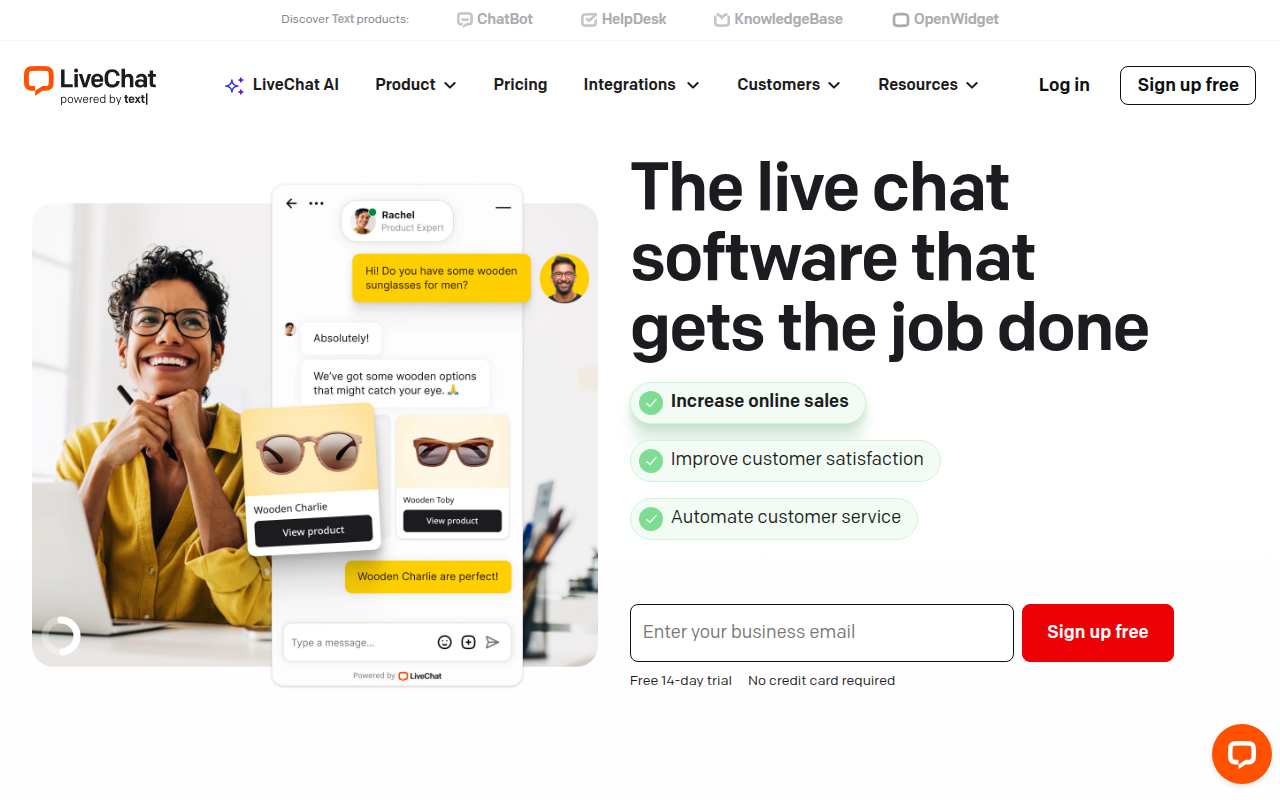
LiveChat is a premium customer service platform that enables businesses to communicate with website visitors in real-time through live chat, providing instant support that reduces response times and increases customer satisfaction. Founded in 2002 and headquartered in Poland, LiveChat has grown into one of the most comprehensive customer communication solutions available, serving over 36,000 businesses worldwide including major brands like McDonald’s, Adobe, and PayPal.
The platform goes far beyond simple chat functionality, offering a complete customer service ecosystem that includes ticketing system integration, chatbot automation, detailed analytics, and connections to over 200 third-party applications. This comprehensive approach allows businesses to manage all customer interactions from a single dashboard while gathering insights that continuously improve service quality and conversion rates.
LiveChat distinguishes itself through enterprise-grade reliability combined with user-friendly implementation. The chat widget integrates into any website through a simple code snippet, while the agent interface provides efficient tools for managing multiple conversations simultaneously. Features like canned responses, chat transfers, and visitor information panels enable agents to deliver personalized service at scale without compromising quality or response time.
For e-commerce businesses, LiveChat directly impacts revenue through proactive engagement features that reach visitors at critical decision points—on product pages, during checkout, or when exit intent is detected. Studies show live chat increases conversion rates by up to 30% while customers who chat are 3x more likely to purchase. For any business where customer communication influences revenue, LiveChat provides the tools to turn conversations into conversions.
Key Features
- Real-Time Chat: Instant messaging between agents and website visitors with typing indicators.
- Chat Widget Customization: Fully customizable widget matching brand colors, positioning, and messaging.
- Visitor Information: See visitor location, pages viewed, browsing history, and referral source.
- Canned Responses: Pre-written answers for common questions enabling faster response times.
- Chat Routing: Automatically route conversations to appropriate agents or departments.
- Ticketing System: Convert chats to tickets for issues requiring follow-up after chat ends.
- Chatbot Integration: AI-powered chatbots handle routine queries, qualifying leads before human handoff.
- File Sharing: Exchange documents, images, and files within chat conversations.
- Screen Sharing: Share screens for complex technical support scenarios.
- Proactive Chat: Automatically initiate conversations based on visitor behavior triggers.
- Analytics Dashboard: Comprehensive metrics on chat volume, response times, satisfaction scores.
- Agent Performance: Track individual agent metrics for quality management.
- Multi-Channel: Manage conversations from website, Facebook Messenger, and email in one place.
- Mobile Apps: iOS and Android apps for agents to respond from anywhere.
- 200+ Integrations: Connect with CRM, helpdesk, e-commerce, and marketing platforms.
What’s New in LiveChat 2026
- AI-Powered Agent Assist: Real-time suggestions for agents based on conversation context.
- Enhanced Chatbot Builder: No-code chatbot creation with improved natural language understanding.
- Sentiment Analysis: Automatic detection of customer sentiment during conversations.
- Voice & Video Chat: Escalate text conversations to voice or video calls seamlessly.
- Improved Analytics: More granular reporting with custom dashboard creation.
- Better Mobile Experience: Redesigned agent apps with improved performance.
- WhatsApp Integration: Native support for WhatsApp Business messaging.
- Enhanced Security: Additional compliance certifications and security features.
System Requirements
For Agents (Web Application)
- Modern web browser: Chrome, Firefox, Safari, Edge
- Stable internet connection (minimum 1Mbps recommended)
- Webcam and microphone for video chat features
For Agents (Desktop Application)
- Windows 10 or later
- macOS 10.13 High Sierra or later
- 100MB available disk space
For Agents (Mobile)
- iOS 13.0 or later
- Android 6.0 or later
- Push notifications enabled for real-time alerts
For Website Integration
- Ability to add JavaScript code to website
- Plugins available for WordPress, Shopify, and major CMS platforms
How to Get Started with LiveChat
- Sign Up: Create account at livechat.com—14-day free trial requires no credit card.
- Add Chat Widget: Copy JavaScript code and paste into website footer, or use CMS plugin.
- Customize Widget: Configure appearance, colors, welcome message, and position.
- Set Business Hours: Define when agents are available vs. offline message mode.
- Create Canned Responses: Set up pre-written answers for frequently asked questions.
- Configure Routing: Set up departments and routing rules for incoming chats.
- Invite Team: Add agents and assign roles and permissions.
- Download Agent App: Install desktop or mobile app for convenient access.
- Set Up Integrations: Connect CRM, helpdesk, and other business tools.
- Test Chat: Visit your website and test the complete customer experience.
LiveChat vs Other Chat Platforms
| Feature | LiveChat | Intercom | Zendesk Chat |
|---|---|---|---|
| Starting Price | $20/agent/mo | $74/mo | $55/agent/mo |
| Free Trial | 14 days | 14 days | 14 days |
| Ticketing | Included | Included | Separate product |
| Chatbot | ChatBot addon | Included | Answer Bot |
| Ease of Use | Very Easy | Moderate | Easy |
| Best For | E-commerce/SMB | SaaS/Tech | Zendesk users |
Who Should Use LiveChat
- E-commerce Businesses: Online stores wanting to reduce cart abandonment and increase conversions.
- Customer Support Teams: Organizations needing efficient multi-channel customer communication.
- Sales Teams: Companies using live chat for lead generation and qualification.
- Service Businesses: Consultants, agencies, and professionals engaging website visitors.
- SaaS Companies: Software businesses providing real-time customer onboarding and support.
- Growing Businesses: Companies ready to scale customer service without proportionally scaling staff.
Frequently Asked Questions
Does LiveChat work on mobile websites?
Yes, LiveChat’s widget is fully responsive and works on mobile websites. The mobile experience is optimized for touch interaction and smaller screens. Visitors can chat from any device.
Can LiveChat handle multiple languages?
Yes, LiveChat supports multi-language widget customization. The widget text, pre-chat forms, and canned responses can be configured in any language. Automatic language detection based on visitor browser settings is available.
What happens when agents are offline?
The widget converts to an offline message form collecting visitor contact information for follow-up. These messages create tickets in the system. You can also integrate chatbots to provide 24/7 basic support.
Can LiveChat integrate with my CRM?
Yes, LiveChat offers native integrations with major CRMs including Salesforce, HubSpot, Pipedrive, and others. Chat transcripts and visitor data can sync automatically. API access enables custom integrations.
How many chats can one agent handle?
Experienced agents typically handle 3-5 simultaneous conversations effectively. LiveChat’s interface is designed for efficient multi-chat handling with features like canned responses and visitor context panels reducing cognitive load.
Final Verdict
LiveChat delivers exactly what businesses need from a customer communication platform—reliable real-time chat backed by powerful features for scaling customer service operations. The balance between sophisticated functionality and user-friendly operation makes it accessible for small teams while capable enough for enterprise deployments. While not the cheapest option, the comprehensive feature set including ticketing, analytics, and extensive integrations provides genuine value. For businesses where customer communication directly impacts revenue, LiveChat’s ability to increase conversions typically delivers ROI that exceeds subscription costs.
Download Options
Download LiveChat
Download NowSafe & Secure
Verified and scanned for viruses
Regular Updates
Always get the latest version
24/7 Support
Help available when you need it