Karabiner
What is Karabiner?
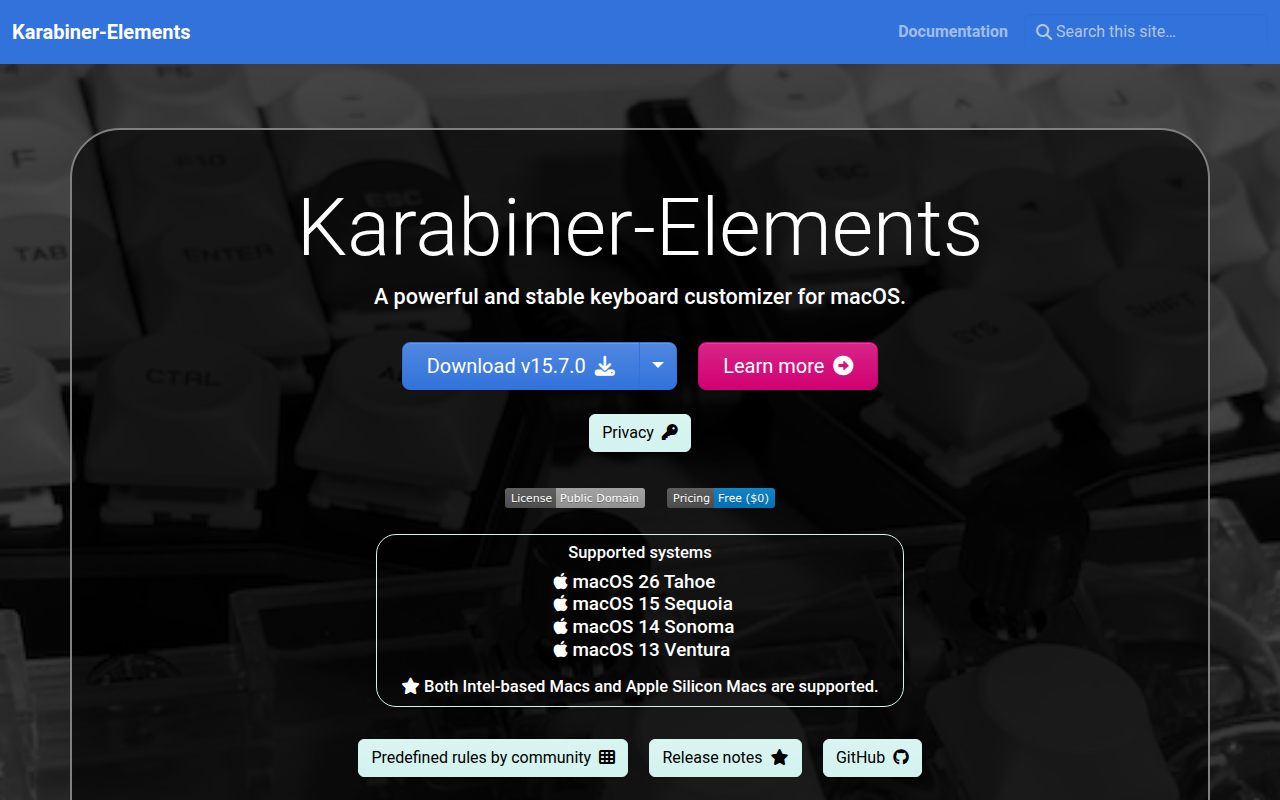
Karabiner-Elements is a powerful and free keyboard customization utility for macOS that allows users to remap keys, create complex key modifications, and customize keyboard behavior at a deep system level. Originally known simply as Karabiner before being rewritten for macOS Sierra and later, it has become the essential tool for Mac users who need keyboard customization beyond what System Preferences offers, from simple Caps Lock remapping to complex multi-key shortcuts and device-specific configurations.
The software enables modifications impossible through standard macOS settings, such as remapping Caps Lock to Escape (beloved by Vim users), creating hyper keys that combine multiple modifiers, configuring different behaviors for tap versus hold on modifier keys, and setting up device-specific profiles that activate automatically when connecting different keyboards. For users of external keyboards, especially those designed for Windows or mechanical keyboard enthusiasts, Karabiner-Elements bridges the gap between hardware and macOS expectations.
Karabiner-Elements operates through a sophisticated rules system where complex modifications are defined in JSON configuration files. While this might sound intimidating, the community has created thousands of pre-built rules covering common customizations that can be imported with a single click from the Karabiner website. Users can remap any key to any other key, create multi-key sequences, set up mouse button customization, and define conditional rules that only activate in specific applications.
The tool is particularly valuable for programmers, writers, and power users who spend extensive time typing and benefit from ergonomic key placements, efficient shortcuts, and consistent keyboard behavior across multiple devices. As an open-source project with active development, Karabiner-Elements receives regular updates ensuring compatibility with the latest macOS versions and Apple Silicon processors. For anyone frustrated by macOS keyboard limitations, Karabiner-Elements provides the solution.
Key Features
- Simple Key Remapping: Change any key to any other key—swap Caps Lock and Escape, remap Command to Control, etc.
- Complex Modifications: Create sophisticated rules combining multiple keys, conditions, and actions.
- Device-Specific Profiles: Different configurations for different keyboards that switch automatically on connection.
- Modifier Key Enhancement: Configure tap vs. hold behavior—tap Caps Lock for Escape, hold for Control.
- Hyper Key Creation: Combine Command+Control+Option+Shift into single key for powerful shortcuts.
- Function Key Remapping: Customize F1-F12 keys and media controls to your preference.
- Mouse Button Customization: Remap mouse buttons and create button-modifier combinations.
- Application-Specific Rules: Activate different modifications only in specific applications.
- Pre-Built Rules Library: Import community-created modifications for common customizations.
- JSON Configuration: Human-readable configuration format for advanced customization.
- Multiple Profiles: Switch between different keyboard configurations for different workflows.
- Keyboard Viewer: On-screen display showing your current keyboard layout with modifications.
- Event Viewer: Debug tool showing exactly what key events your keyboard generates.
- System Extension: Modern macOS implementation using approved system extension architecture.
- Open Source: Free, transparent, community-driven development with no hidden functionality.
What’s New in Karabiner-Elements 2026
- macOS Sequoia Support: Full compatibility with latest macOS version and security requirements.
- Apple Silicon Optimization: Native M1/M2/M3 support with improved performance and battery efficiency.
- Enhanced Privacy: Updated permissions model complying with latest macOS security framework.
- Improved Rule Editor: Better interface for creating and editing complex modifications.
- New Modification Types: Additional capabilities for mouse and trackpad customization.
- Better Device Detection: Improved recognition of USB and Bluetooth keyboards.
- Performance Improvements: Reduced latency for key event processing.
- Updated Documentation: Improved guides and examples for common customizations.
System Requirements
macOS
- macOS 11 Big Sur or later
- macOS 14 Sonoma fully supported
- Apple Silicon (M1/M2/M3) or Intel processor
- System extension permissions required
Permissions Required
- Input Monitoring (for reading keyboard events)
- Accessibility access (for sending modified key events)
- System Extension approval
Installation Size
- Approximately 20MB for application
- Virtual keyboard driver installed separately
How to Get Started with Karabiner-Elements
- Download: Get Karabiner-Elements from karabiner-elements.pqrs.org—official website only.
- Install: Open DMG, drag to Applications, launch and follow security permission prompts.
- Grant Permissions: Allow Input Monitoring and Accessibility access when prompted in System Preferences.
- Approve Extension: Enable system extension in Security & Privacy preferences when notified.
- Open Preferences: Launch Karabiner-Elements from Applications to access preferences.
- Simple Modifications: Go to Simple Modifications tab; click Add item to remap individual keys.
- Import Complex Rules: Click Complex Modifications ? Add rule ? Import from Internet.
- Browse Rule Library: Search community rules for your specific customization needs.
- Enable Imported Rules: Toggle on desired rules in Complex Modifications list.
- Create Device Profile: Go to Devices tab to configure keyboard-specific settings.
Karabiner-Elements vs Other Keyboard Tools
| Feature | Karabiner-Elements | BetterTouchTool | macOS System Prefs |
|---|---|---|---|
| Price | Free | $22 | Free (built-in) |
| Key Remapping | Comprehensive | Limited | Very basic |
| Complex Rules | Extensive | Some | None |
| Trackpad/Mouse | Basic | Extensive | Basic |
| Per-App Rules | Yes | Yes | No |
| Best For | Keyboard power users | Touch Bar/gestures | Basic modifier swap |
Who Should Use Karabiner-Elements
- Vim/Emacs Users: Programmers who need Escape and Control in ergonomic positions.
- External Keyboard Users: Anyone using Windows-layout or mechanical keyboards on Mac.
- RSI Sufferers: Those needing ergonomic key placements to reduce strain.
- Power Users: Anyone wanting more keyboard shortcuts than macOS provides natively.
- Multi-Keyboard Users: People switching between laptop and external keyboards frequently.
- Switchers: Windows users adapting to Mac who want familiar key layouts.
Frequently Asked Questions
Is Karabiner-Elements safe?
Yes, Karabiner-Elements is open-source with code publicly auditable on GitHub. It requires significant system permissions because it intercepts and modifies keyboard input, but it has a long history of trustworthy operation in the Mac community.
Why does Karabiner-Elements need so many permissions?
To remap keys, Karabiner must intercept keyboard events before they reach applications (Input Monitoring) and send modified events (Accessibility). These permissions are fundamental to its functionality and can’t be avoided.
Will Karabiner-Elements slow down my Mac?
No, the key event processing happens at very low system levels with negligible overhead. You won’t notice any performance impact during normal use, even on older Mac hardware.
Can I use Karabiner-Elements with specific apps only?
Yes, complex modifications can include conditions that activate rules only in specific applications. For example, you can have different Caps Lock behavior in Terminal versus other apps.
How do I create my own complex modifications?
Complex modifications use JSON configuration files. Start by examining existing rules from the online library, then modify them for your needs. Documentation and community forums provide extensive guidance for custom rules.
Final Verdict
Karabiner-Elements is simply indispensable for Mac users who take keyboard customization seriously. The ability to remap any key, create complex multi-key modifications, and configure device-specific behaviors provides flexibility that no other macOS tool matches—and remarkably, it’s completely free. The learning curve for complex modifications is real, but the community rule library means most users find pre-built solutions for common needs. Whether you’re a developer wanting Caps Lock as Escape, a writer needing ergonomic modifications, or a power user creating hyper key shortcuts, Karabiner-Elements transforms your keyboard from Apple’s default to exactly what you need.
Download Options
Download Karabiner
Download NowSafe & Secure
Verified and scanned for viruses
Regular Updates
Always get the latest version
24/7 Support
Help available when you need it