IDrive
What is IDrive?
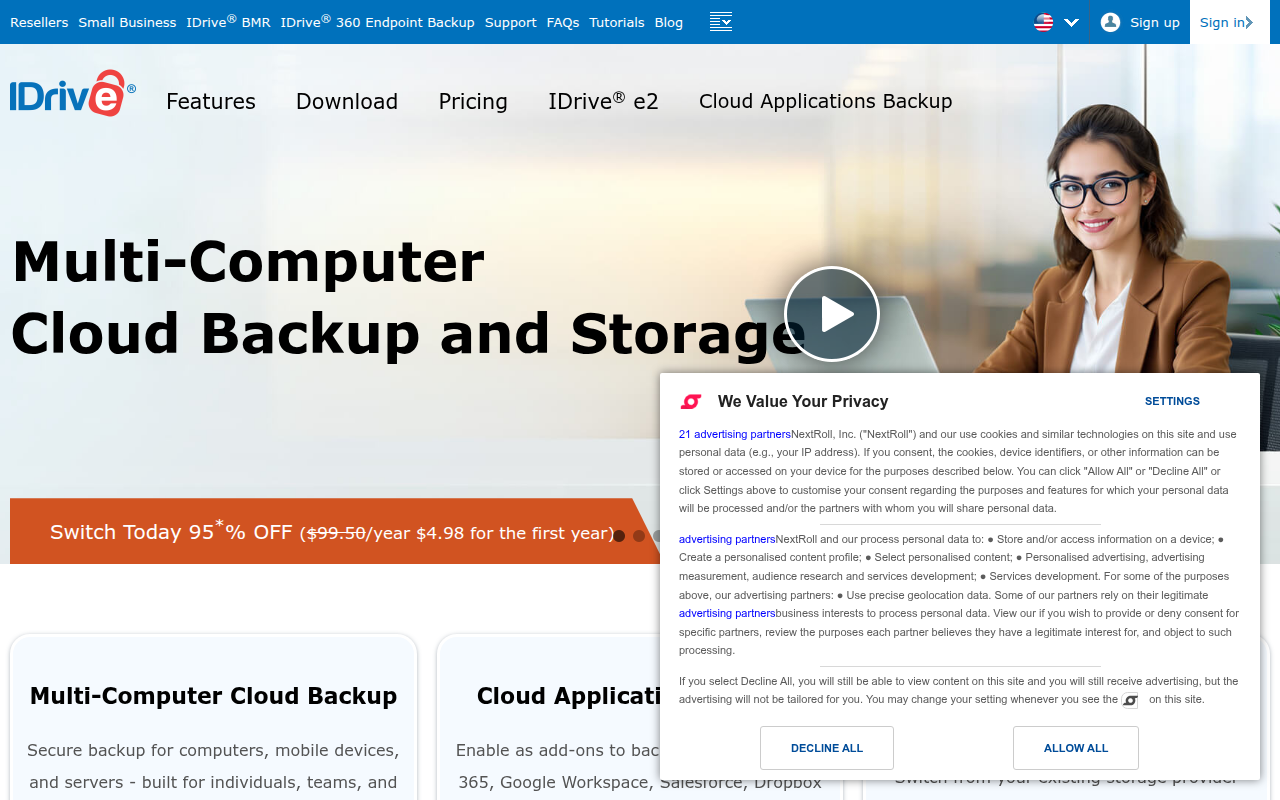
IDrive is a comprehensive cloud backup and storage solution that has been protecting data for individuals and businesses since 1995. Developed by Pro Softnet Corporation, IDrive stands as one of the most established and trusted names in the cloud backup industry, offering secure, automated backup for computers, servers, mobile devices, and network-attached storage. With over 4 million customers worldwide and more than 500 petabytes of data under protection, IDrive has earned its reputation as a reliable, feature-rich backup solution that balances affordability with enterprise-grade capabilities.
What distinguishes IDrive from competitors is its unlimited device backup model and exceptional value proposition. While most cloud backup services charge per device or per computer, IDrive allows users to backup unlimited devices under a single account, making it particularly attractive for families, small businesses, and IT professionals managing multiple systems. The service combines military-grade 256-bit AES encryption with optional private key encryption, ensuring that data remains secure both in transit and at rest. IDrive’s architecture supports continuous data protection, versioning up to 30 previous versions of files, and intelligent bandwidth management that doesn’t disrupt regular network activities.
IDrive serves everyone from individual users protecting family photos and documents to enterprises requiring compliant, scalable backup solutions for mission-critical data. The platform’s hybrid approach allows users to perform initial backups via physical drives (eliminating lengthy initial uploads), while subsequent incremental backups happen seamlessly in the background. With support for Windows, macOS, Linux, iOS, Android, and various server platforms, plus features like cross-platform restore, web access, and mobile file sharing, IDrive delivers a complete data protection ecosystem that ensures business continuity and personal data safety regardless of device or location.
Key Features
- Unlimited Device Backup: Back up unlimited computers, servers, mobile devices, and external drives under a single account, providing exceptional value for families and small businesses managing multiple systems without per-device charges.
- Private Encryption Key: Optional private encryption ensures only you can access your data with your personal encryption key, providing bank-level security where even IDrive cannot access your files without your permission.
- Continuous Data Protection: Real-time backup monitors file changes and automatically backs up modifications as they occur, ensuring minimal data loss in case of system failure, ransomware, or accidental deletion.
- 30 Previous File Versions: Maintains up to 30 historical versions of every file, allowing recovery from ransomware encryption, accidental overwrites, or reverting to earlier document states from any point in the retention period.
- IDrive Express Physical Backup: Ship a physical hard drive for initial backup or annual refreshes, bypassing bandwidth limitations and completing terabyte-scale backups in days instead of months over internet connections.
- Cross-Platform Restoration: Restore Windows backups to Mac, Linux backups to Windows, or any combination, providing flexibility when migrating systems or recovering data to different platforms during emergencies.
- Snapshots and Archiving: Create point-in-time snapshots of your entire backup set that remain unchanged even as current backups update, perfect for compliance, audit trails, or preserving specific system states.
- Mobile Access and Sharing: Access, preview, and share any backed-up file from iOS or Android devices, stream media content, and enable secure file sharing with password-protected links and expiration dates.
- Server Backup Solutions: Dedicated backup solutions for Windows Server, Linux Server, Microsoft SQL, Exchange, Hyper-V, VMware, and other enterprise environments with application-aware backup and granular recovery options.
- Bandwidth Throttling and Scheduling: Customize backup bandwidth usage, schedule backups during off-peak hours, and set different rules for different connections, ensuring backups never interfere with business operations or internet performance.
Latest Updates
IDrive continues enhancing its platform with powerful new features focused on security, performance, and user experience:
- Enhanced Ransomware Detection: Advanced machine learning algorithms now detect suspicious file encryption patterns characteristic of ransomware attacks, automatically alerting users and creating emergency snapshots before malicious encryption spreads.
- Improved Deduplication Technology: Next-generation block-level deduplication reduces storage consumption by up to 40% for typical business data, lowering costs while accelerating backup and restore operations through intelligent data chunking.
- IDrive Compute Integration: Seamless integration with IDrive’s new cloud compute platform allows direct restoration of backups into virtual machines, enabling instant disaster recovery without downloading terabytes of data first.
- Apple Silicon Native Support: Fully optimized applications for M1, M2, and M3 Mac processors deliver up to 3x faster backup performance and 50% lower energy consumption compared to previous Intel-translated versions.
- Microsoft 365 Backup: Direct backup of Microsoft 365 data including Exchange Online, SharePoint, OneDrive for Business, and Teams, addressing the shared responsibility model gap where Microsoft doesn’t guarantee data protection.
- Two-Factor Authentication Enhancements: Support for hardware security keys (YubiKey, Titan), biometric authentication on mobile apps, and time-based one-time passwords (TOTP) through authenticator apps for strengthened account security.
- Automated Compliance Reporting: Generate detailed compliance reports for GDPR, HIPAA, SOC 2, and other regulatory frameworks, documenting backup success rates, encryption status, retention policies, and access logs for auditors.
- Hybrid Local + Cloud Backup: Simultaneously back up to local network drives and IDrive cloud storage, implementing the 3-2-1 backup strategy automatically while maintaining a single management interface for both destinations.
System Requirements
Windows
- Operating System: Windows 7/8/10/11 (32-bit or 64-bit)
- Processor: 1 GHz or faster
- RAM: 2 GB minimum (4 GB recommended)
- Storage: 100 MB for application installation
- Internet: Broadband connection recommended for efficient backups
- Additional: .NET Framework 4.5 or later
macOS
- Operating System: macOS 10.10 (Yosemite) or later
- Processor: Intel or Apple Silicon (M1/M2/M3)
- RAM: 2 GB minimum (4 GB recommended)
- Storage: 100 MB available space
- Internet: Broadband connection recommended
Linux
- Distribution: Ubuntu, Debian, Fedora, CentOS, Red Hat, SUSE
- Architecture: 32-bit or 64-bit x86, ARM
- Dependencies: Perl 5.8 or later, standard GNU utilities
- Internet: Broadband connection recommended
Server Platforms
- Windows Server: 2008 R2, 2012, 2012 R2, 2016, 2019, 2022
- Linux Server: All major distributions
- Applications: SQL Server, Exchange, SharePoint, Hyper-V, VMware
- NAS: Synology, QNAP, and other NAS devices
Mobile
- iOS: iOS 12.0 or later, compatible with iPhone and iPad
- Android: Android 5.0 (Lollipop) or later
- Storage: 50 MB for application
- Camera backup, automatic photo sync, remote access features available
How to Install IDrive
Windows Installation
- Visit idrive.com and sign up for an account (free trial available)
- Download the Windows desktop application from your account dashboard
- Run the IDriveSetup.exe installer with administrator privileges
- Sign in with your IDrive credentials during the setup wizard
- Choose between default encryption (managed keys) or private encryption (your own key)
- Select folders and files to backup or use Smart Selection for automatic file type detection
- Configure backup schedule (continuous, scheduled, or manual)
- Complete setup and let initial backup begin
# Verify installation
"C:\Program Files\IDrive\IDriveWindows.exe" --version

# Start IDrive service
net start IDriveService

# Check backup status
"C:\Program Files\IDrive\IDriveWindows.exe" --status
macOS Installation
- Sign up at idrive.com and access your account dashboard
- Download IDrive for Mac application
- Open the downloaded .dmg file
- Drag IDrive icon to Applications folder
- Launch IDrive from Applications, authorize in System Preferences if prompted
- Sign in with your account credentials
- Configure encryption preferences (default or private key)
- Select backup items and set schedule preferences
- Grant necessary permissions for Full Disk Access in System Preferences > Security
# Launch from terminal
open -a IDrive

# Check if IDrive is running
ps aux | grep IDrive

# View backup logs
tail -f ~/Library/Application\ Support/IDrive/Logs/backup.log
Linux Installation
# Download IDrive for Linux
cd /tmp
wget https://www.idrive.com/downloads/linux/download/IDriveForLinux.zip

# Extract the package
unzip IDriveForLinux.zip
cd IDriveForLinux/scripts

# Run installation script
./install.pl

# Configure account (follow prompts)
./account_setting.pl

# Set backup location and schedule
./edit_supported_files.pl
./scheduler.pl

# Start backup
./Backup_Script.pl

# Check status
./status_retrieval.pl
Mobile Installation
- Open App Store (iOS) or Google Play Store (Android)
- Search for “IDrive Online Backup”
- Tap Install and wait for download to complete
- Open IDrive app and sign in with your account
- Grant permissions for photos, camera, and storage access
- Enable automatic camera backup if desired
- Configure sync settings for offline access to important files
Pros and Cons
Pros
- Exceptional Value Proposition: Unlimited device backup under single account provides unmatched value, allowing families and small businesses to protect all computers, phones, tablets, and servers for one affordable price instead of per-device charges.
- True Private Encryption Option: Unlike competitors offering only provider-managed encryption, IDrive’s optional private key encryption ensures absolute data privacy where even IDrive cannot access your files, ideal for sensitive business or personal information.
- IDrive Express Physical Shipping: Complimentary annual physical drive shipping for initial backups or restores eliminates the bandwidth bottleneck faced by users with terabytes of data, reducing initial backup time from months to days.
- Extensive File Version History: Maintaining 30 previous versions of every file provides superior protection against ransomware, accidental deletions, and document corruption, allowing recovery to any point within the retention period.
- Comprehensive Platform Support: Native applications for Windows, Mac, Linux, iOS, Android, plus dedicated server backup tools ensure complete protection regardless of device ecosystem, with cross-platform restore capabilities for maximum flexibility.
- Snapshot Archiving Feature: Point-in-time snapshots preserve entire backup states that remain unchanged despite ongoing backups, perfect for compliance requirements, audit trails, year-end archiving, or project milestones preservation.
- Hybrid Backup Capabilities: Simultaneous backup to local network drives and cloud storage implements industry-best 3-2-1 backup strategy automatically, providing local restore speed with offsite disaster protection through single management interface.
Cons
- Initial Backup Duration: Without IDrive Express physical shipping, initial backups of multiple terabytes over standard internet connections can take weeks or months, requiring patience and stable connectivity, though subsequent incremental backups proceed quickly.
- Private Encryption Key Management: While offering maximum security, private encryption puts complete responsibility on users to remember their encryption key—losing it means permanent data loss with absolutely no recovery option, even from IDrive support.
- Storage Quota Limitations: Unlike truly unlimited services, personal plans cap storage at 5TB or 10TB, which heavy users with extensive media libraries, raw photo collections, or video archives may exceed, requiring business plan upgrades.
- Interface Learning Curve: The desktop application’s extensive feature set and configuration options can overwhelm new users compared to more simplified competitors, requiring time investment to understand optimal settings for specific backup needs.
- Restore Speed Constraints: Large-scale restores over internet connections face the same bandwidth limitations as uploads—recovering terabytes requires either patience, IDrive Express physical shipping (limited availability), or local backup restoration for faster recovery.
IDrive vs Alternatives
| Feature | IDrive | Backblaze | Carbonite | Acronis |
|---|---|---|---|---|
| Price | $79.50/year (5TB) | $99/year (unlimited) | $83.99/year (unlimited) | $49.99/year (500GB) |
| Device Limit | Unlimited devices | 1 computer only | 1 computer only | 1 device per license |
| Storage Limit | 5TB / 10TB plans | Truly unlimited | Unlimited | 500GB to 5TB |
| File Versioning | 30 versions | 30 days retention | Up to 1 year | Unlimited versions |
| Private Encryption | Yes (optional) | Yes (optional) | No | Yes (included) |
| Mobile Backup | Yes (full support) | Photo backup only | Photo backup only | Yes (full support) |
| Server Backup | Yes (dedicated tools) | Business plan only | Business plan only | Yes (all plans) |
| Physical Shipping | Yes (free annually) | Yes ($189 fee) | Yes (fee applies) | No |
| Local + Cloud Hybrid | Yes (native) | No | Mirror Image only | Yes (native) |
| Cross-Platform Restore | Yes | Limited | No | Limited |
| Best For | Multi-device households | Single PC unlimited data | Simple PC backup | Advanced features |
Who Should Use IDrive?
IDrive is ideal for:
- Multi-Device Households: Families with multiple computers, tablets, and smartphones benefit enormously from unlimited device backup under single account, protecting all family data without per-device subscription costs typical of competitors.
- Small Business Owners: Companies needing to protect multiple workstations, servers, and mobile devices find exceptional value in IDrive’s business plans that cover unlimited devices with centralized management, compliance reporting, and priority support.
- Privacy-Conscious Users: Individuals or organizations handling sensitive data appreciate private encryption key option ensuring absolute data privacy where even IDrive cannot access backed-up files, meeting strictest security and compliance requirements.
- Remote Workers and Digital Nomads: Professionals working across multiple devices and locations benefit from cross-platform support, mobile access, file sharing capabilities, and ability to restore backups to any device regardless of original backup source.
- Content Creators with Moderate Libraries: Photographers, videographers, and designers with project archives under 5-10TB appreciate versioning, snapshot archiving, and hybrid local+cloud backup protecting valuable creative work with multiple recovery points.
- IT Professionals Managing Multiple Systems: Technology consultants and managed service providers leverage unlimited device backup to protect client systems, servers, and applications under consolidated accounts with centralized monitoring and reporting capabilities.
IDrive may not be ideal for:
- Single-Computer Users with Massive Data: Individuals with one computer but 20TB+ of data fare better with truly unlimited services like Backblaze Personal where per-computer pricing allows unlimited storage without capacity restrictions.
- Users Requiring Instant Restore: Organizations needing immediate disaster recovery without bandwidth delays should consider solutions with local appliances or instant VM restore capabilities rather than cloud-only or hybrid approaches requiring data downloads.
- Non-Technical Users Wanting Simplicity: Individuals overwhelmed by configuration options and preferring “set and forget” simplicity may find IDrive’s extensive feature set and settings intimidating compared to more streamlined consumer-focused alternatives.
- Budget-Constrained Individual Users: Students or casual users needing to protect only one computer with moderate data may find Backblaze Personal or Carbonite’s unlimited single-computer plans more cost-effective than IDrive’s multi-device-optimized pricing structure.
Frequently Asked Questions
Question 1: What happens if I lose my private encryption key?
If you choose private encryption and lose your encryption key, your data becomes permanently unrecoverable—there is absolutely no way to decrypt your files, even with IDrive support assistance. Private encryption means only you hold the decryption key; IDrive never stores or has access to it, ensuring maximum privacy but placing complete responsibility on you for key management. It’s critical to store your private key in multiple secure locations like password managers, encrypted USB drives, or written in safe deposit boxes. If you’re uncertain about managing encryption keys responsibly, use IDrive’s default encryption where they manage keys securely, still providing strong 256-bit AES encryption but with account recovery options if you forget your password.
Question 2: How does IDrive Express physical shipping work?
IDrive Express allows you to request a physical hard drive shipped to your location for initial backup or data restore, bypassing internet bandwidth limitations entirely. For backups, you receive a high-capacity drive, connect it to your computer, transfer your data locally at full disk speed (completing terabytes in hours or days), then ship the drive back to IDrive where they upload your data to your cloud account. For restores, IDrive loads your backed-up data onto a drive and ships it to you for local restoration. Personal users get one free Express shipment per year, while business users receive three annually. Additional shipments incur fees, but the time savings when dealing with multi-terabyte datasets makes Express invaluable for initial backups or disaster recovery situations.
Question 3: Can I backup network-attached storage (NAS) devices to IDrive?
Yes, IDrive supports backing up Network Attached Storage devices through multiple methods depending on your NAS brand and configuration. For popular NAS brands like Synology and QNAP, IDrive provides dedicated applications available in their app stores that install directly on the NAS, enabling automated scheduled backups without requiring a computer intermediary. For other NAS devices or custom configurations, you can map the NAS as a network drive on a Windows, Mac, or Linux computer running IDrive and include those mapped drives in your backup selection. Business accounts also support backing up shared network folders and drives across multiple computers. The unlimited device model means you can backup both your computers and NAS under a single account without additional charges.
Question 4: Does IDrive backup open files and databases?
IDrive handles open files differently depending on the platform and file type. On Windows, IDrive uses Volume Shadow Copy Service (VSS) to create point-in-time snapshots of open files, enabling backup of documents currently being edited, Outlook PST files in use, and other locked files without interruption. For databases like Microsoft SQL Server, Exchange, and SharePoint, IDrive offers specialized server backup applications that perform application-aware backups, ensuring database consistency and enabling granular recovery of individual emails, database tables, or SharePoint items. Standard desktop backups capture file-level changes but may skip actively locked files on non-Windows systems or when VSS is unavailable. For mission-critical databases and applications, using IDrive’s dedicated server backup tools rather than standard file-level backup ensures proper backup integrity and recovery capabilities.
Question 5: How does IDrive compare to Microsoft OneDrive or Google Drive for backup?
While Microsoft OneDrive, Google Drive, and IDrive all store files in the cloud, they serve fundamentally different purposes. OneDrive and Google Drive are sync and share services designed for active file collaboration, accessing documents across devices, and real-time editing—they sync folder contents between devices rather than providing comprehensive backup. If you delete a file on one device, it deletes everywhere, and version history is limited (typically 30 days). IDrive is a true backup service that preserves 30 versions of every file, maintains deleted files in archives, enables full system restoration including applications and settings, and doesn’t synchronize deletions unless explicitly configured. IDrive backup runs in the background protecting your entire system, while OneDrive/Google Drive require you to actively save files into specific sync folders. For complete data protection, use IDrive for comprehensive backup while optionally using OneDrive/Google Drive for active file collaboration and sharing.
Final Verdict
IDrive stands out as an exceptionally well-rounded cloud backup solution that delivers enterprise-grade features at consumer-friendly pricing, particularly for users managing multiple devices. The unlimited device backup model provides tremendous value that competitors simply cannot match—families protecting several computers, tablets, and phones, or small businesses safeguarding workstations and servers, save significantly compared to per-device pricing models. Combined with genuine features like private encryption, 30-version file history, snapshot archiving, and complimentary annual IDrive Express physical shipping, IDrive addresses the complete spectrum of backup needs from basic file protection to sophisticated disaster recovery planning.
The platform’s greatest strengths lie in its flexibility and comprehensive platform support. Cross-platform restore capabilities mean you’re never locked into a specific operating system, hybrid local+cloud backup implements industry-best practices automatically, and dedicated server backup tools protect business-critical applications with application-aware backup and granular recovery. The private encryption option appeals to privacy-conscious users and regulated industries requiring absolute data sovereignty, while default managed encryption provides strong security with easier account recovery for typical users. Mobile apps extend protection to smartphones and tablets while enabling remote access to any backed-up file from anywhere, turning IDrive into both a backup solution and a personal cloud storage system.
IDrive earns strong recommendation for multi-device households, small businesses, remote workers, and anyone requiring flexible, feature-rich backup with excellent value. The learning curve and configuration options, while initially daunting, ultimately provide power users with precise control over backup behavior, bandwidth usage, and retention policies. Single-computer users with truly massive data collections might find better value in unlimited single-device services, but for the vast majority of users protecting multiple systems, IDrive’s combination of unlimited devices, robust features, strong security, and responsive support makes it one of the best cloud backup investments available in today’s market.
Developer:
Pro Softnet Corporation
Download Options
Safe & Secure
Verified and scanned for viruses
Regular Updates
Always get the latest version
24/7 Support
Help available when you need it