HitFilm Express
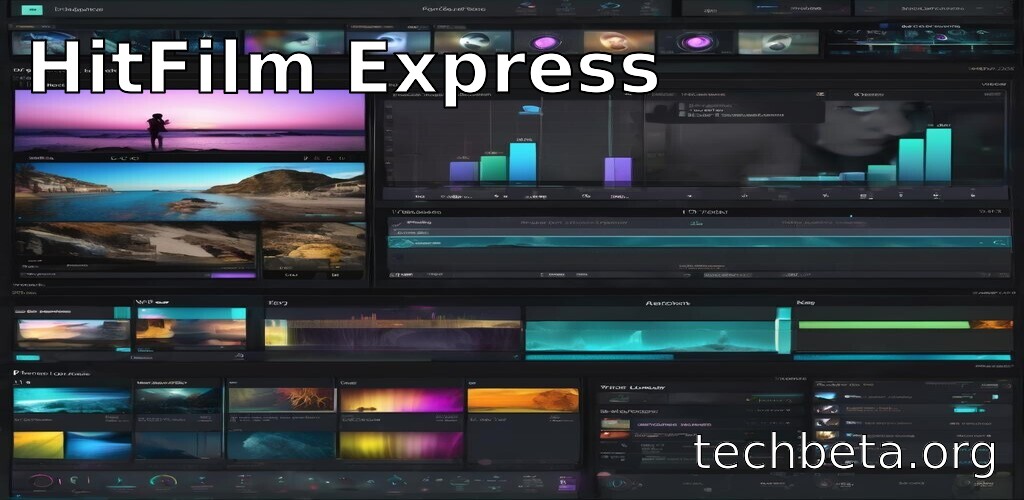
What is HitFilm Express?
HitFilm Express is a free video editing and visual effects software developed by FXhome, designed to provide filmmakers, YouTubers, and content creators with professional-grade tools without the cost barrier of traditional VFX software. First released in 2011, HitFilm Express combines a full-featured non-linear video editor with advanced compositing and visual effects capabilities in a single application, making it possible to edit footage and create Hollywood-style effects without switching between multiple programs or spending thousands on software licenses.
What distinguishes HitFilm Express from other free video editors is its genuine visual effects power. While most free editors offer basic cuts, transitions, and color correction, HitFilm Express includes 3D compositing, particle simulators, advanced keying, motion tracking, and over 400 effects and presets that rival paid professional software. The software has been used to create effects for independent films, YouTube content with millions of views, and short films that have won festival awards, proving that professional results don’t require professional budgets.
HitFilm Express uses a freemium model where the core software is completely free with substantial capabilities, while optional paid expansion packs add specialized features for those who need them. This approach allows beginners to start without investment while providing a clear upgrade path as skills develop. With an active community, extensive tutorials, and regular updates, HitFilm Express has become one of the most popular free alternatives to expensive software like Adobe After Effects and Premiere Pro combined.
Key Features
- Unified Editing and VFX: Combined video editor and compositor eliminate the need for separate applications, enabling seamless workflow from rough cut to final effects.
- 3D Compositing: Full 3D workspace allows positioning layers, lights, and cameras in true 3D space for complex compositing and motion graphics.
- Particle Simulator: Create fire, smoke, sparks, debris, and other particle effects with controllable physics and appearance for realistic simulations.
- Advanced Keying: Professional green screen tools including color difference keyer and matte cleaner for clean extractions and compositing.
- Motion Tracking: Automatic tracking of objects in footage enables attaching graphics, text, or effects that follow movement precisely.
- Color Grading: Professional color correction with curves, wheels, and LUT support for cinematic looks and color matching.
- Transitions and Effects: Over 400 effects and presets including blurs, distortions, glows, lens flares, and transitions for creative possibilities.
- Audio Editing: Multi-track audio mixer with effects and level control for comprehensive sound design within the editor.
- Export Presets: YouTube, Vimeo, and custom export settings with format support including H.264, HEVC, and ProRes on Mac.
- Tutorial Integration: Built-in tutorial links and extensive documentation help new users learn effects and techniques efficiently.
What’s New
HitFilm Express continues development with updates focused on performance, modern codec support, and new effects that keep the software competitive with paid alternatives.
- Performance Improvements: Faster playback, improved rendering speed, and better memory management for smoother editing experience with complex projects.
- Updated Effects: New visual effects and presets added to the library including modern looks and popular social media styles.
- Hardware Acceleration: Enhanced GPU utilization for effects and export provides faster results on modern graphics cards.
- Codec Support: Improved handling of modern video formats including HEVC and better compatibility with camera footage.
- User Interface: Refined interface elements, improved timeline functionality, and better organization of tools for more efficient workflow.
- Stability Fixes: Numerous bug fixes and stability improvements address user-reported issues for more reliable operation.
- Export Options: Additional export presets and improved encoding settings for better quality and compatibility.
- Tutorial Updates: Expanded learning resources with new tutorials covering recent features and popular effects techniques.
System Requirements
Windows
- Operating System: Windows 10 or 11 (64-bit)
- Processor: Intel Core i5 or AMD equivalent (4th gen or newer)
- RAM: 8 GB minimum (16 GB recommended)
- Storage: 2 GB for installation, additional for cache
- Graphics: NVIDIA GeForce 600 series or AMD Radeon HD 5000 (2 GB VRAM minimum, 4 GB recommended)
- Display: 1920 x 1080 minimum resolution
macOS
- Operating System: macOS 10.15 Catalina or later
- Processor: Intel or Apple Silicon (M1, M2, M3)
- RAM: 8 GB minimum (16 GB recommended)
- Storage: 2 GB for installation
- Graphics: Metal-capable with 2 GB VRAM minimum
How to Install HitFilm Express
Windows Installation
- Visit fxhome.com/hitfilm-express
- Click Get HitFilm Express Free
- Create a free FXhome account or sign in
- Share on social media or skip for direct download
- Download the Windows installer
- Run the installer with administrator privileges
- Follow installation wizard and launch
- Sign in with your FXhome account to activate
# Download from fxhome.com after creating account
# Installation requires FXhome account

# Default installation path
dir "C:\Program Files\FXhome\HitFilm Express"

# Launch
"C:\Program Files\FXhome\HitFilm Express\HitFilm Express.exe"
macOS Installation
- Visit fxhome.com/hitfilm-express
- Create account and download Mac version
- Open the downloaded DMG file
- Drag HitFilm Express to Applications
- Launch from Applications folder
- Approve security prompts if shown
- Sign in to activate the software
# Download from fxhome.com
# Requires free account creation

# Verify installation
ls /Applications | grep -i hitfilm

# Launch
open -a "HitFilm Express"
Pros and Cons
Pros
- Completely Free Core: Professional video editing and VFX capabilities without cost, watermarks, or time limits on the free version.
- Unified Workflow: Combined editor and compositor eliminates need for separate After Effects-like software, streamlining production.
- Professional VFX: 3D compositing, particles, tracking, and keying rival expensive software, enabling Hollywood-style effects on any budget.
- No Export Limitations: Free version has no resolution caps or watermarks on exported videos, unlike many free alternatives.
- Extensive Tutorials: Large library of official and community tutorials helps beginners learn effects and editing techniques.
- Active Community: Engaged user base provides support, shares techniques, and creates resources for learning and troubleshooting.
- Optional Expansions: Pay-as-you-go expansion packs allow purchasing only needed features rather than full subscription.
Cons
- Hardware Demanding: Visual effects require powerful computer with good GPU; older hardware may struggle with complex projects.
- Learning Curve: Professional features mean steeper learning curve than simple editors, requiring time investment to master.
- Some Features Cost Extra: Advanced features like certain effects, 3D model support, and premium plugins require paid expansions.
- Occasional Instability: Users report occasional crashes with very complex projects or specific effect combinations.
- Limited Audio Tools: Audio editing capabilities are basic compared to dedicated audio software or professional NLEs.
HitFilm Express vs Alternatives
| Feature | HitFilm Express | DaVinci Resolve | After Effects | Premiere Pro |
|---|---|---|---|---|
| Price | Free / Add-ons | Free / $295 | $22.99/month | $22.99/month |
| VFX Focus | Excellent | Good (Fusion) | Excellent | Basic |
| Editing | Good | Excellent | Limited | Excellent |
| Color Grading | Good | Industry-leading | Basic | Good |
| Learning Curve | Moderate-Steep | Steep | Steep | Moderate |
| Hardware Needs | Demanding | Very demanding | Demanding | Moderate |
| Best For | VFX on budget | Color grading | Pro VFX | Pro editing |
Who Should Use HitFilm Express?
HitFilm Express is ideal for:
- YouTube Content Creators: Creators wanting professional effects for gaming videos, vlogs, and creative content without subscription costs.
- Independent Filmmakers: Low-budget filmmakers needing professional VFX capabilities for short films, student projects, and indie features.
- Aspiring VFX Artists: Students learning visual effects can practice with professional-grade tools without expensive software investment.
- Budget-Conscious Creators: Anyone needing both editing and effects but unable or unwilling to pay for Adobe Creative Cloud subscriptions.
- Action/Sci-Fi Creators: Those creating content requiring gunfire, explosions, lasers, and other action effects benefit from particle systems.
- Beginners with Ambition: New editors willing to invest learning time for powerful capabilities that grow with their skills.
HitFilm Express may not be ideal for:
- Professional Studios: Commercial production houses typically need industry-standard tools for client compatibility and support.
- Color Grading Focus: Those prioritizing color work should consider DaVinci Resolve with its superior color grading capabilities.
- Low-End Hardware Users: Computers without decent GPUs will struggle with the effects and compositing features.
- Simple Needs: Those wanting only basic cuts and simple edits may find HitFilm’s power unnecessarily complex.
Frequently Asked Questions
Is HitFilm Express really free?
Yes, HitFilm Express is genuinely free with no time limits, watermarks, or export restrictions. The free version includes professional video editing, compositing, and over 400 effects. FXhome monetizes through optional paid expansion packs that add specialized features like advanced 3D model support, additional effects, and premium plugins. Many users create professional content using only the free version.
What is the difference between HitFilm Express and HitFilm Pro?
HitFilm Express is free with substantial capabilities, while HitFilm Pro is the paid version with additional advanced features. Pro includes everything in Express plus unlimited tracks, advanced color grading, 3D model rendering, premium effects, and priority support. Express users can purchase individual expansion packs for specific features they need, while Pro includes everything. For many users, Express with select expansions provides better value than Pro.
Can HitFilm Express handle 4K video?
Yes, HitFilm Express supports 4K video editing and export in the free version. However, 4K editing requires a powerful computer with substantial RAM and a capable GPU for smooth playback and effects. Users with older hardware may need to use proxy workflows or edit at lower resolutions, upgrading to 4K only for final export.
How does HitFilm Express compare to After Effects?
Both are capable compositing and VFX tools, but After Effects is industry-standard professional software with deeper features, better third-party plugin ecosystem, and tighter Adobe integration. HitFilm Express provides similar core compositing capabilities for free, making it excellent for learning and independent projects. After Effects excels for professional work requiring extensive plugins or collaboration with Adobe-based studios.
Do I need After Effects if I have HitFilm Express?
For many creators, HitFilm Express provides sufficient VFX capabilities without needing After Effects. The unified editor/compositor workflow can actually be more efficient than switching between Premiere and After Effects. However, professional work often requires After Effects for client compatibility, specific plugins, or industry-standard workflows. Evaluate based on your specific projects and career goals.
Final Verdict
HitFilm Express stands as one of the most impressive free software offerings available, providing genuine professional visual effects capabilities that would cost hundreds in subscription fees elsewhere. The combination of full-featured video editing with advanced compositing, 3D workspace, particles, and motion tracking creates a unified production environment that rivals expensive professional tools. For creators on budgets, HitFilm Express isn’t a compromise—it’s a legitimate professional tool.
The software’s greatest strength is democratizing visual effects. YouTube creators, student filmmakers, and independent artists can create Hollywood-style effects without financial barriers. The unified workflow eliminates the complexity of managing multiple applications, and the extensive tutorial library helps beginners climb the learning curve. While expansion packs add cost for specialized features, the free core remains remarkably capable.
HitFilm Express is highly recommended for YouTube creators, independent filmmakers, students, and anyone needing professional VFX without subscription costs. Those with limited hardware or seeking simple editing may find it overpowered for their needs. However, for ambitious creators willing to learn powerful tools, HitFilm Express provides a clear path from beginner experiments to professional-quality visual effects without spending a cent.
Developer:
FXhome
Download Options
Safe & Secure
Verified and scanned for viruses
Regular Updates
Always get the latest version
24/7 Support
Help available when you need it