Gusto Payroll
What is Gusto Payroll?
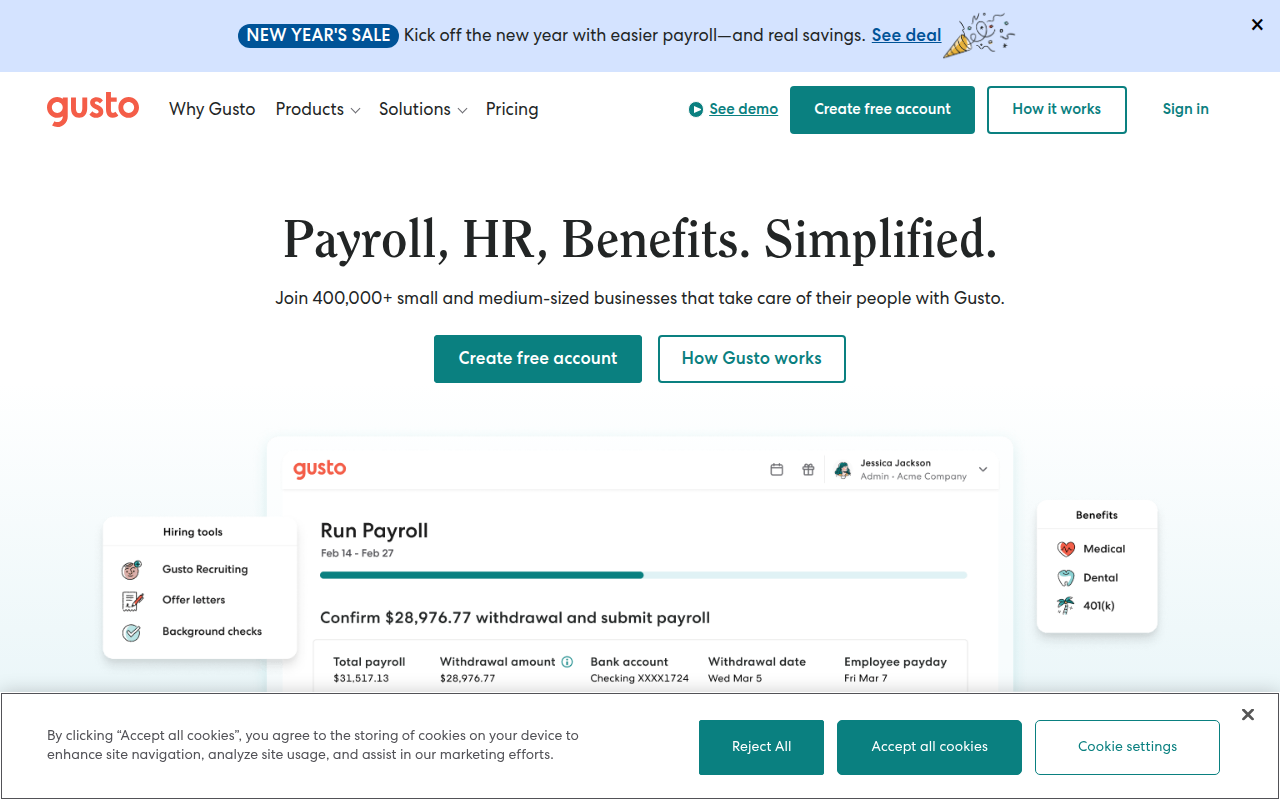
Gusto is a modern, cloud-based payroll and human resources platform founded in 2011 (originally as ZenPayroll) that serves over 300,000 businesses primarily in the small to mid-sized market segment. The company positions itself as a user-friendly, technology-forward alternative to traditional payroll providers like ADP and Paychex, emphasizing intuitive self-service software over dedicated account representatives and phone support. Gusto handles full-service payroll processing including wage calculations, tax withholdings, direct deposits, tax filing, W-2 preparation, and compliance management while also providing integrated benefits administration, time tracking, HR tools, and employee onboarding capabilities that extend beyond basic paycheck generation.
What distinguishes Gusto from established payroll giants is its emphasis on delightful user experience, transparent pricing, and modern product design targeting tech-savvy small business owners comfortable managing payroll through software without extensive hands-on service. The platform features clean, intuitive interfaces on web and mobile, straightforward setup processes that can be completed in hours rather than weeks, and month-to-month pricing without annual contracts or hidden fees. Gusto pioneered features now common across modern payroll including automated new hire reporting, unlimited payroll runs, employee self-service portals, and integrated health insurance administration—capabilities that traditional providers historically charged extra for or didn’t offer at all.
Gusto’s importance lies in democratizing professional payroll services for small businesses and startups that historically faced a difficult choice between expensive full-service providers requiring significant commitments and risky do-it-yourself approaches using basic accounting software. The company’s $40 base fee plus $6 per employee monthly pricing provides predictable costs competitive with DIY solutions while delivering full-service tax filing, compliance guarantees, and professional features previously requiring enterprise budgets. For modern small businesses, particularly those in tech hubs and among millennial entrepreneurs, Gusto has become the default payroll choice combining convenience, affordability, compliance protection, and comprehensive HR capabilities in an accessible package that scales from solo entrepreneurs to 100+ employee companies.
Key Features
- Full-Service Payroll: Automated payroll processing calculates wages, tax withholdings, and deductions, files federal and state payroll taxes, remits tax payments, and assumes liability for accuracy with penalty protection covering filing errors.
- Unlimited Payroll Runs: No restrictions on payroll frequency or additional charges for off-cycle payrolls enable businesses to process bonus payments, commission checks, or additional pay runs without per-transaction fees common at competitors.
- Employee Self-Service: Comprehensive employee portal and mobile app allow workers to view pay stubs, download tax documents, update personal information, request time off, and enroll in benefits without HR administrator intervention.
- Automated Tax Filing: Gusto calculates, files, and pays federal, state, and local payroll taxes including quarterly returns, year-end forms, W-2s, and 1099s with accuracy guarantee protecting businesses from IRS penalties resulting from Gusto errors.
- Benefits Administration: Integrated health insurance, dental, vision, life, disability, commuter benefits, and 401(k) administration with carrier connections, premium deductions, and enrollment workflows streamline employee benefits management.
- Time Tracking Integration: Built-in time tracking via mobile app, web clock-in, or integration with external time systems automatically flows hours into payroll calculations eliminating manual timecard entry and transcription errors.
- Contractor Payments: Separate contractor payment system handles 1099 workers with automatic 1099-NEC generation, payment tracking, and year-end tax form filing ensuring proper classification and compliance for freelance and contract labor.
- New Hire Reporting: Automatic new hire reporting to state agencies, I-9 verification workflows, E-Verify integration, and onboarding checklists ensure compliance with employment verification and reporting requirements from day one.
- HR Tools: Document storage, offer letter templates, employee handbook creation, org chart visualization, and performance review tools provide basic HR functionality beyond payroll for businesses without dedicated HR departments.
- Accounting Integrations: Direct synchronization with QuickBooks Online, Xero, and other accounting platforms automatically posts payroll expenses, tax liabilities, and benefit deductions to general ledger accounts eliminating manual journal entries.
Recent Updates and Improvements
Gusto continues enhancing its platform with features expanding beyond payroll into comprehensive people operations and employee financial wellness.
- Gusto Wallet: Financial wellness tool providing employees early access to earned wages, savings accounts with competitive interest rates, and cashback on everyday purchases, positioning Gusto as broader financial services platform.
- Embedded Payroll: API platform enables software companies to integrate Gusto payroll directly into their applications, expanding Gusto’s reach through vertical SaaS platforms serving specific industries like scheduling or POS systems.
- Advanced Time Tracking: Enhanced time tracking with geofencing, job costing, project-based time allocation, and labor compliance features supports complex scheduling and wage hour law compliance for hourly workforce businesses.
- Compliance Alerts: Proactive notifications about minimum wage changes, new labor laws, benefit filing deadlines, and regulatory updates help businesses maintain compliance with evolving employment regulations.
- Hiring and Onboarding: Expanded hiring tools including applicant tracking, offer letter generation, background checks, and structured onboarding workflows create end-to-end employee lifecycle management.
- Performance Management: Built-in performance review tools, goal tracking, and feedback systems provide lightweight performance management capabilities without requiring separate performance review software.
- Surveys and Insights: Employee engagement surveys, compensation benchmarking, and people analytics dashboards provide data-driven insights about workforce satisfaction, pay equity, and organizational health.
- Multi-State Expansion: Improved multi-state tax handling, reciprocity management, and local jurisdiction support better serves businesses with employees across multiple states despite Gusto’s historical single-state focus.
System Requirements
Web Browser
- Browser: Chrome, Firefox, Safari, or Edge (latest versions)
- Internet Connection: Broadband connection required
- JavaScript: Must be enabled
- Cookies: Required for login and functionality
- Screen Resolution: 1280×720 minimum recommended
iOS
- Operating System: iOS 13.0 or later
- Compatible Devices: iPhone, iPad
- Storage: 120 MB available space
- Connection: Internet required for payroll processing
Android
- Operating System: Android 7.0 or later
- RAM: 2 GB minimum
- Storage: 120 MB available space
- Connection: Internet required for data synchronization
How to Install Gusto Payroll
Business Setup (Self-Service)
- Visit gusto.com and click “Get Started”
- Enter business information and contact details
- Select payroll plan (Core, Complete, or Concierge)
- Enter payment information for monthly billing
- Provide company tax IDs (EIN, state IDs)
- Connect business bank account for payroll funding
- Add employee information including addresses and pay rates
- Set up pay schedules and payroll calendar
- Configure deductions, benefits, and tax withholdings
- Run test payroll and review for accuracy
- Launch live payroll with Gusto confirmation
Employee Onboarding
- Receive welcome email from Gusto with setup link
- Click link and create employee account password
- Complete personal information and address
- Enter bank account details for direct deposit
- Complete W-4 tax withholding information
- Review and sign any employment documents
- Enroll in available benefits if offered
- Download Gusto Wallet mobile app (optional)
iOS App Installation
- Open App Store on iPhone or iPad
- Search for “Gusto: Payroll & HR”
- Tap “Get” to download and install application
- Launch app and sign in with credentials
- Enable biometric authentication for quick access
- Navigate features including pay stubs, time tracking, PTO
Android App Installation
- Open Google Play Store on Android device
- Search for “Gusto – Payroll & Benefits”
- Tap “Install” to download the application
- Open app and log in to account
- Set up fingerprint authentication
- Explore dashboard for payroll, benefits, and time features
Pros and Cons
Pros
- Transparent Pricing: Clear $40 base + $6 per employee monthly pricing published online eliminates sales negotiations and enables accurate cost comparison, with no hidden fees or surprise charges common at competitors.
- Intuitive User Experience: Modern, clean interface with straightforward navigation makes payroll accessible to non-experts, reducing learning curve and enabling business owners to manage payroll confidently without extensive training.
- Month-to-Month Flexibility: No annual contracts or cancellation penalties provide freedom to switch providers if needs change, unlike traditional payroll companies requiring year-long commitments with early termination fees.
- Comprehensive Features: Inclusion of benefits administration, time tracking, HR tools, and unlimited payroll runs in base pricing delivers more value than basic payroll-only competitors charging extra for these capabilities.
- Fast Implementation: Self-service setup can be completed in hours rather than weeks required by traditional providers, enabling businesses to start processing payroll quickly without lengthy onboarding processes.
- Excellent Support: Despite being software-focused, Gusto provides responsive email and chat support with knowledgeable representatives, plus access to certified HR professionals for higher-tier plans.
- Modern Integrations: Seamless connections with popular small business tools including QuickBooks, Xero, accounting software, time tracking apps, and benefits carriers create integrated business management ecosystem.
Cons
- Limited Enterprise Scalability: Platform works well up to ~100 employees but lacks advanced features, dedicated service teams, and sophisticated configurability required by larger enterprises, necessitating eventual migration as businesses scale.
- Self-Service Model: Emphasis on software over human service means businesses comfortable with DIY approach thrive while those wanting dedicated representatives and proactive guidance may feel underserved.
- Multi-State Limitations: While improved, Gusto’s multi-state capabilities historically lagged behind ADP and Paychex, potentially challenging for businesses with significant multi-jurisdiction complexity.
- Benefits Carrier Restrictions: Health insurance and benefits administration works best with Gusto’s partner carriers; businesses with existing broker relationships or preferred carriers may face integration limitations.
- Premium Tier Required: Some valuable features including automated expense reimbursements, offer letters, and dedicated support require upgrading to Complete or Concierge tiers, increasing per-employee costs significantly.
Gusto Payroll vs Alternatives
| Feature | Gusto | ADP | QuickBooks Payroll | Paychex |
|---|---|---|---|---|
| Base Price | $40/mo | Custom | $45/mo | Custom |
| Per Employee | $6/mo | $4-15/pay period | $5/mo | Custom |
| Contract | Monthly | Annual | Monthly | Annual |
| Setup | Self-service | Assisted | Self-service | Assisted |
| Support Model | Email/chat | Dedicated rep | Phone/chat | Dedicated rep |
| HR Features | Included | Add-on | Limited | Add-on |
| Benefits Admin | Included | Add-on | No | Add-on |
| Best For | SMBs 5-100 | Growing businesses | QB users | Established SMBs |
Who Should Use Gusto Payroll?
Gusto Payroll is ideal for:
- Small to Mid-Sized Businesses: Companies with 5-100 employees benefit from Gusto’s sweet spot combining comprehensive features, affordable pricing, and scalability without enterprise complexity or costs.
- Tech-Savvy Entrepreneurs: Modern business owners comfortable with software prefer Gusto’s intuitive self-service approach over traditional providers requiring extensive phone support and account manager involvement.
- Startups and Growing Companies: Young businesses appreciate month-to-month flexibility, transparent pricing, and fast implementation enabling quick payroll setup as first employees join without long-term commitments.
- Benefits-Focused Employers: Companies offering health insurance and employee benefits value integrated benefits administration included in base Gusto pricing versus separate benefits platforms or manual administration.
- Remote-First Organizations: Distributed teams appreciate cloud-native platform, employee self-service reducing HR administrator dependencies, and mobile apps supporting flexible work arrangements.
- Cost-Conscious Businesses: Budget-aware companies wanting full-service payroll with tax filing and compliance protection at transparent, competitive pricing find Gusto offers excellent value versus expensive traditional providers.
Gusto Payroll may not be ideal for:
- Large Enterprises: Companies exceeding 100-150 employees typically need more sophisticated platforms with advanced reporting, complex org structures, and dedicated service teams that Gusto’s SMB focus doesn’t provide.
- Complex Multi-State Employers: Businesses with employees across many states and complex jurisdiction-specific requirements may find ADP or Paychex better equipped for sophisticated multi-state tax handling.
- High-Touch Service Seekers: Organizations valuing dedicated account representatives, proactive phone support, and full-service handling prefer traditional providers over Gusto’s primarily self-service, email/chat support model.
- Highly Regulated Industries: Specialized industries like construction (certified payroll, union requirements) or healthcare may need industry-specific payroll providers with deeper compliance expertise than general SMB platforms.
Frequently Asked Questions
How much does Gusto cost per month?
Gusto’s Core plan costs $40 per month base fee plus $6 per employee per month. A business with 10 employees pays $100 monthly ($40 + 60), while 25 employees costs $190 monthly ($40 + 150). The Complete plan adds $12 per employee (instead of $6) for features like time tracking, HR resource library, and compliance alerts. Concierge plan at $12 per employee plus higher base fee provides dedicated support and migration assistance. All plans include unlimited payroll runs, tax filing, employee self-service, and basic benefits administration without per-payroll transaction fees. Pricing is transparent and published online unlike competitors requiring sales quotes.
Does Gusto file and pay my payroll taxes?
Yes, Gusto provides full-service payroll tax administration including calculating tax withholdings, filing quarterly and annual federal and state tax returns (Forms 941, 940, state quarterly returns), paying tax deposits electronically, and preparing W-2s and 1099s. Gusto assumes liability for accuracy and covers penalties resulting from their calculation or filing errors—important protection worth thousands if issues occur. This tax guarantee covers Gusto mistakes but not penalties from employer-provided incorrect information (wrong employee data, inaccurate hours, etc.). The service eliminates business responsibility for complex tax calculations, filing deadlines, and payment submissions that cause major headaches and risks when managed manually.
Can I switch from ADP or Paychex to Gusto mid-year?
Yes, Gusto supports mid-year transitions from other payroll providers. The process requires: 1) Gathering quarter-to-date and year-to-date wage and tax information from current provider, 2) Exporting employee data, 3) Setting up Gusto account with historical information, 4) Running parallel payrolls (old and new systems) for one cycle to verify accuracy, and 5) Transitioning fully after confirmation. Gusto’s Concierge plan includes dedicated migration specialists assisting with complex transfers. Switching between Q1-Q3 is straightforward; Q4 transitions require coordination for accurate W-2 preparation. Many businesses complete transitions in 1-2 weeks. Month-to-month Gusto pricing eliminates penalties unlike traditional providers with annual contracts and early termination fees.
What’s the difference between Gusto Core, Complete, and Concierge?
Core ($40 + $6/employee) includes essential payroll, tax filing, employee self-service, basic benefits administration, and mobile apps—sufficient for most small businesses. Complete ($40 + $12/employee) adds time tracking, PTO management, HR resource library, compliance alerts, org charts, and next-day direct deposit. Concierge (custom pricing, ~$12/employee) provides dedicated support team, priority service, migration assistance from other providers, and hands-on implementation—best for businesses wanting more guidance. All plans include unlimited payroll runs, contractor payments, and new hire reporting. Most businesses start with Core and upgrade to Complete when needing time tracking or advanced HR features. Concierge suits businesses transitioning from full-service providers wanting more hand-holding.
How does Gusto compare to doing payroll yourself in QuickBooks?
QuickBooks Payroll costs $45 + $5/employee (similar to Gusto Core) but lacks integrated benefits, HR tools, and time tracking included in Gusto. Both provide full tax filing service and accuracy guarantees. QuickBooks integration with QuickBooks accounting is seamless (obviously), while Gusto syncs with QuickBooks Online plus other platforms. Gusto offers superior user experience, better mobile apps, more comprehensive features, and better support based on user feedback. QuickBooks makes sense for businesses already using QuickBooks heavily wanting single-vendor simplicity. Gusto suits those prioritizing best-in-class payroll experience, benefits administration, and employee features regardless of accounting software. Both beat manual DIY payroll eliminating tax filing burden and compliance risks.
Final Verdict
Gusto has earned its position as the modern payroll standard for small to mid-sized businesses by delivering sophisticated payroll and HR capabilities through genuinely intuitive software at transparent, competitive pricing. The platform successfully balances comprehensive functionality with accessibility, making professional payroll services approachable for entrepreneurs and small business owners without payroll expertise or dedicated HR staff. The inclusion of benefits administration, time tracking, and HR tools in base pricing provides exceptional value compared to competitors charging separately for these capabilities or traditional providers with opaque custom pricing and long-term contracts.
The trade-offs involve limited scalability beyond 100 employees, self-service model requiring comfort with software over dedicated account representatives, and some multi-state complexity limitations compared to enterprise-focused competitors. Businesses wanting hands-on support, proactive guidance, or highly complex payroll configurations may find Gusto’s emphasis on software over service insufficient despite responsive email/chat support. However, for the target market of modern small businesses, these limitations rarely outweigh benefits of simplicity, affordability, and feature richness Gusto delivers.
Gusto earns strong recommendation for small to mid-sized businesses (5-100 employees), tech-forward companies, startups seeking flexibility without contracts, and any organization prioritizing user experience and integrated HR capabilities beyond basic payroll. The platform particularly excels for businesses offering employee benefits and remote/distributed teams appreciating cloud-native design. While very large companies should explore enterprise providers and those preferring traditional full-service relationships may prefer ADP or Paychex, Gusto represents the best overall value and experience for the vast majority of small businesses seeking modern, reliable, comprehensive payroll and people operations platform that scales with growth without sacrificing simplicity or breaking budgets.
Developer:
Gusto, Inc.
Download Options
Safe & Secure
Verified and scanned for viruses
Regular Updates
Always get the latest version
24/7 Support
Help available when you need it