Emby
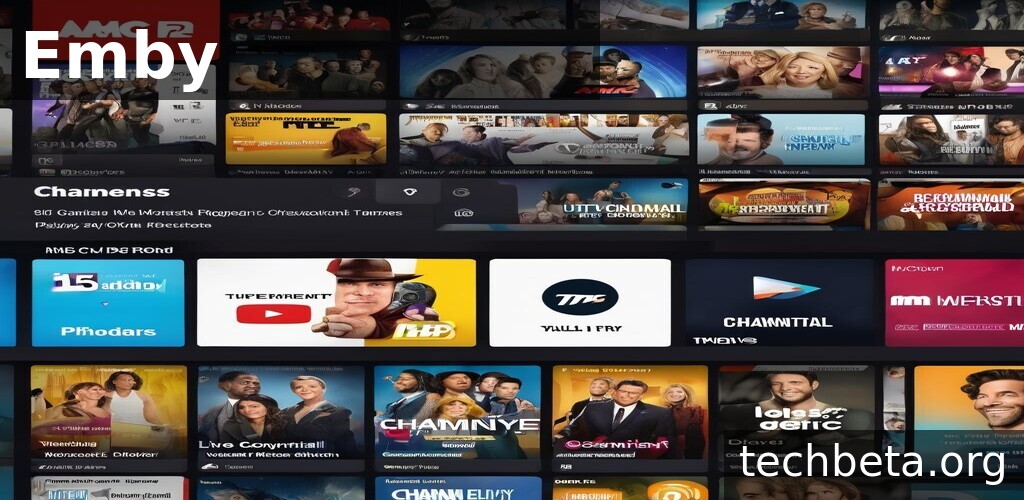
What is Emby?
Emby is a personal media server and streaming platform that allows users to organize, stream, and access their personal media collection from anywhere. Founded in 2012 as Media Browser before rebranding to Emby in 2014, the platform serves as a self-hosted alternative to services like Netflix, enabling users to build their own streaming service from their personal movie, TV show, music, and photo libraries. Emby runs on a home server and streams content to various devices, creating a unified entertainment experience for households.
What distinguishes Emby from simple media players is its comprehensive server-client architecture and intelligent media management. The server component scans your media library, automatically downloads metadata, artwork, and information, then organizes everything into a beautiful, browsable interface. Users can then access their content through Emby apps on smart TVs, streaming devices, phones, tablets, and web browsers, with the server handling transcoding to ensure compatibility with each device’s capabilities.
Emby has carved out a position between the fully open-source Jellyfin and the more polished Plex, offering a balance of features, usability, and customization. The platform supports live TV and DVR functionality with compatible tuners, parental controls for family use, and multi-user support with individual profiles. For users who want control over their media without relying on third-party streaming services, Emby provides a comprehensive solution that keeps content ownership firmly in their hands.
Key Features
- Personal Media Server: Host your movies, TV shows, music, and photos on your own hardware and stream to any device
- Automatic Metadata: Automatically downloads movie posters, descriptions, cast information, and ratings from online databases
- Live TV and DVR: Connect TV tuners to watch and record live television, creating a complete cord-cutting solution
- Hardware Transcoding: Leverages GPU acceleration to transcode video in real-time for device compatibility
- Multi-User Support: Create separate profiles for family members with individual preferences and watch histories
- Parental Controls: Restrict content by rating and lock profiles to ensure age-appropriate viewing for children
- Remote Access: Stream your media library from anywhere with secure remote access when away from home
- Sync and Offline: Download media to mobile devices for offline viewing during travel
- Chapters and Skip Intros: Navigate content with chapter markers and automatically skip TV show intros
- Plugin System: Extend functionality with plugins for additional metadata sources, themes, and features
What’s New
Emby continues to enhance its media server capabilities:
- Improved HDR Support: Better handling of HDR content including tone mapping for non-HDR displays
- Enhanced Transcoding: Improved hardware transcoding support for Intel QuickSync, NVIDIA NVENC, and AMD VCE
- New Client Apps: Updated apps for major platforms with improved performance and features
- Better Live TV: Enhanced TV guide, improved recording management, and additional tuner support
- Music Improvements: Better music library organization with lyrics support and improved artist information
- Smart Home Integration: Control playback through voice assistants and smart home systems
- Performance Optimizations: Faster library scanning, reduced memory usage, and improved streaming stability
- Mobile Enhancements: Better mobile apps with improved download management and playback features
System Requirements
Server – Windows
- Operating System: Windows 10/11 (64-bit)
- Processor: Intel Core i3 or better (Core i5 for transcoding)
- RAM: 4 GB minimum (8 GB recommended)
- Storage: Varies based on library size
- Network: Gigabit ethernet recommended
Server – Linux
- Distribution: Ubuntu, Debian, CentOS, or Docker
- Processor: x64 or ARM
- RAM: 4 GB minimum
- Storage: Depends on media collection
Server – macOS
- Operating System: macOS 10.14 or later
- Processor: Intel or Apple Silicon
- RAM: 4 GB minimum
Client Apps
- iOS: Version 13.0 or later
- Android: Version 5.0 or later
- Smart TVs: Samsung, LG, Android TV
- Streaming: Roku, Fire TV, Apple TV
How to Install Emby
Windows Server Installation
- Visit emby.media and download Windows installer
- Run the downloaded setup file
- Follow the installation wizard
- Emby server starts automatically
- Open web browser to localhost:8096
- Complete setup wizard to add libraries
# Default Emby web interface
# Access at: http://localhost:8096

# Default ports:
# HTTP: 8096
# HTTPS: 8920

# Configuration location:
# C:\Users\[Username]\AppData\Roaming\Emby-Server
Linux Installation (Ubuntu/Debian)
# Add Emby repository
wget -qO - https://download.emby.media/emby-key.asc | sudo apt-key add -
echo "deb https://download.emby.media/linux/ubuntu/ $(lsb_release -cs) main" | sudo tee /etc/apt/sources.list.d/emby-server.list

# Install Emby server
sudo apt update
sudo apt install emby-server

# Start the service
sudo systemctl start emby-server
sudo systemctl enable emby-server

# Access web interface
# http://your-server-ip:8096
Docker Installation
# Pull Emby image
docker pull emby/embyserver

# Run container
docker run -d \
  --name emby \
  -v /path/to/config:/config \
  -v /path/to/media:/media \
  -p 8096:8096 \
  -p 8920:8920 \
  emby/embyserver

# Access at http://localhost:8096
Pros and Cons
Pros
- Complete Control: Host your media on your own hardware with full ownership and no subscription required for core features
- Polished Interface: Clean, modern interface across all apps provides excellent user experience for family members
- Live TV and DVR: Built-in support for TV tuners creates complete cord-cutting solution with recording capabilities
- Hardware Transcoding: Efficient GPU-accelerated transcoding supports more simultaneous streams on modest hardware
- Parental Controls: Robust family features with profile locking and content restrictions for child-safe viewing
- Cross-Platform: Apps available for virtually every platform ensures access from any device
- Active Development: Regular updates with new features, bug fixes, and improved compatibility
Cons
- Premium Required: Some features like hardware transcoding and mobile sync require Emby Premiere subscription
- Not Fully Open Source: Unlike Jellyfin, Emby has proprietary components that concern some users
- Setup Complexity: Initial configuration requires technical knowledge for optimal performance
- Resource Requirements: Transcoding multiple streams demands capable hardware
- Plugin Limitations: Smaller plugin ecosystem compared to some competitors
Emby vs Alternatives
| Feature | Emby | Plex | Jellyfin | Kodi |
|---|---|---|---|---|
| Price | Free / $119 lifetime | Free / $120 lifetime | Free | Free |
| Open Source | Partial | No | Yes | Yes |
| Live TV/DVR | Yes | Yes (paid) | Yes | Via addons |
| Hardware Transcoding | Yes (paid) | Yes (paid) | Yes | N/A |
| Mobile Sync | Yes (paid) | Yes (paid) | Yes | No |
| Ease of Setup | Moderate | Easy | Moderate | Complex |
| Best For | Families | Simplicity | Open Source | Power Users |
Who Should Use Emby?
Emby is ideal for:
- Media Collectors: Those with large movie and TV collections wanting organized streaming access from any device
- Cord-Cutters: Families replacing cable who want live TV and DVR alongside their media library
- Privacy-Conscious Users: People preferring self-hosted solutions over cloud-dependent streaming services
- Families: Households needing parental controls, multiple profiles, and easy-to-use interface for all ages
- Home Server Enthusiasts: Users already running home servers who want to add media streaming capabilities
- Remote Workers: Those wanting secure access to their media library while traveling or away from home
Emby may not be ideal for:
- Casual Users: Those with small libraries may find setup effort exceeds benefit compared to commercial streaming
- Open Source Purists: Users requiring fully open-source solutions should consider Jellyfin
- Non-Technical Users: Initial configuration and maintenance requires some technical comfort
- Limited Hardware: Users without adequate server hardware for transcoding may face playback issues
Frequently Asked Questions
Is Emby free to use?
Emby offers a free tier with core functionality including media organization, streaming to most devices, and basic features. However, some premium features require Emby Premiere subscription, including hardware transcoding, mobile sync/offline download, and some app features. Premiere costs $4.99/month or $119 for lifetime access. Many users find the free tier sufficient for basic use, while families and power users often benefit from Premiere features.
How does Emby compare to Plex?
Emby and Plex are the two leading personal media servers with similar core functionality. Plex generally offers a more polished, easier setup experience and has additional streaming content. Emby provides more customization options, arguably better live TV support, and some features free that Plex charges for. Plex requires less technical knowledge, while Emby appeals to users wanting more control. Both require paid subscriptions for premium features.
What’s the difference between Emby and Jellyfin?
Jellyfin was created as a fork of Emby when Emby moved to a more closed-source model. Jellyfin is completely free and open-source with no premium tier – all features are available to everyone. Emby has more polished apps and arguably better stability due to its commercial backing. Jellyfin is preferred by open-source advocates, while Emby appeals to those wanting commercial support and polish.
Can Emby replace cable TV?
Emby can significantly contribute to cord-cutting when combined with a TV tuner. With compatible hardware, Emby provides live TV watching, program guide, DVR recording, and management of recorded content. Combined with your personal media library and potentially some streaming subscriptions for premium content, many users successfully replace cable entirely. Antenna coverage in your area affects available channels.
What hardware do I need to run Emby server?
Basic requirements depend on usage. For direct play without transcoding, almost any modern computer works. For transcoding, an Intel CPU with Quick Sync (6th gen or newer) or dedicated GPU significantly improves performance. RAM needs are modest – 4GB minimum, 8GB recommended. Storage depends entirely on your media collection size. NAS devices like Synology and QNAP can run Emby, though transcoding capability varies by model.
Final Verdict
Emby occupies a valuable middle ground in the personal media server space, offering more polish than fully open-source alternatives while providing more flexibility than the most mainstream options. For users with existing media collections who want Netflix-like access across all their devices, Emby delivers an excellent experience with its intuitive apps and comprehensive feature set.
The platform particularly shines for families, where the combination of parental controls, multiple user profiles, and the polished interface creates an experience that everyone can enjoy. The live TV and DVR capabilities add genuine value for cord-cutters, creating a comprehensive entertainment solution that goes beyond simple media streaming.
Emby is recommended for media enthusiasts who want a self-hosted streaming solution with good balance between features and usability. Families, cord-cutters with TV tuners, and users with large media collections will find it particularly valuable. Those seeking completely free solutions should consider Jellyfin, while users prioritizing ease of setup above all else may prefer Plex. For everyone else, Emby represents a solid, well-supported choice for personal media management.
Developer:
Emby LLC
Download Options
Safe & Secure
Verified and scanned for viruses
Regular Updates
Always get the latest version
24/7 Support
Help available when you need it