
Brackets
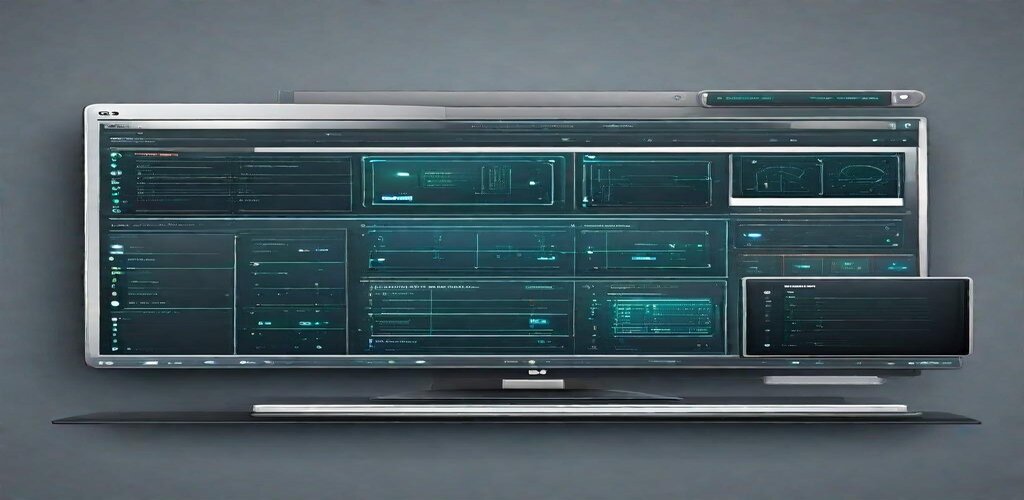
What is Brackets?
Brackets is a free, open-source code editor developed by Adobe specifically for web designers and front-end developers. Originally released in 2014, Brackets was created with a singular focus: to provide the best possible editing experience for HTML, CSS, and JavaScript development. Unlike general-purpose editors that try to support every programming language, Brackets was purpose-built for the web, featuring innovative tools like Live Preview and inline editing that fundamentally changed how developers work with front-end code.
What made Brackets truly innovative was its Live Preview feature, which established a real-time connection between the editor and a web browser. As developers typed HTML or CSS, changes appeared instantly in the browser without requiring manual refreshes. This immediate feedback loop transformed the web development workflow, allowing designers to experiment with styles and see results in real-time. The inline editing feature was equally revolutionary, allowing developers to edit CSS rules directly within their HTML file, seeing the relevant styles in context rather than switching between files.
Important Note: Adobe officially sunset Brackets on September 1, 2021, ending active development and support. Adobe recommended users migrate to Visual Studio Code, which has since incorporated many features pioneered by Brackets. While the original Brackets repository is archived, a community fork called Brackets Continued maintains the project for those who prefer the Brackets experience. Understanding Brackets remains valuable for appreciating the evolution of web development tools and for users of community-maintained versions who value its focused approach to front-end development.
Key Features
- Live Preview: Real-time browser preview that updates instantly as you edit HTML and CSS, eliminating the need for manual page refreshes during development.
- Inline Editing: Press Ctrl/Cmd+E on any HTML element to edit its CSS styles inline without switching files, keeping context and focus intact.
- Preprocessor Support: Built-in support for SCSS and LESS with live preview, enabling modern CSS workflow without additional configuration.
- Quick Edit: Inline editing for CSS colors, timing functions, and gradients with visual pickers and interactive controls.
- Quick Docs: Instant documentation lookup for CSS properties and HTML elements directly within the editor using Ctrl/Cmd+K.
- Extract for Brackets: Adobe Creative Cloud integration that extracted design information from PSD files directly into CSS code.
- Extension Manager: Built-in extension registry with one-click installation for themes, language support, and additional functionality.
- Split View: View and edit multiple files or different parts of the same file side-by-side for efficient multi-file workflows.
- Focused File Navigation: Working Files panel and Quick Open (Ctrl/Cmd+Shift+O) for rapid navigation between project files.
- Beautiful UI: Clean, minimal interface designed for focus with thoughtful typography and reduced visual clutter.
What’s New
While Adobe archived Brackets in 2021, the community has maintained the project through Brackets Continued. Here’s the current state:
- Brackets Continued: Community fork providing ongoing maintenance, security updates, and bug fixes for the Brackets codebase.
- Updated Node.js: Community versions run on modern Node.js versions, addressing security vulnerabilities in the original release.
- Electron Updates: Newer Electron framework versions improve security and performance in maintained forks.
- Extension Compatibility: Most popular Brackets extensions continue to work with community-maintained versions.
- VS Code Migration: Many Brackets users have migrated to VS Code with extensions like Live Server that provide similar Live Preview functionality.
- Phoenix Code: A spiritual successor to Brackets built by former contributors, offering a modernized web-focused editing experience.
- Legacy Preservation: Archived extensions and themes remain available through community repositories.
- Documentation Updates: Community maintains documentation and tutorials for continued Brackets usage.
System Requirements
Windows
- Operating System: Windows 7 or later
- Processor: Any modern processor
- RAM: 2 GB minimum (4 GB recommended)
- Storage: 250 MB available space
- Chrome browser recommended for Live Preview
macOS
- Operating System: macOS 10.10 or later
- Processor: Intel processor (Apple Silicon via Rosetta 2)
- RAM: 2 GB minimum (4 GB recommended)
- Storage: 250 MB available space
- Chrome browser for optimal Live Preview
Linux
- Distribution: Ubuntu 14.04+, Debian 8+, Fedora, or compatible
- Desktop: GTK 2 or 3
- RAM: 2 GB minimum
- Storage: 250 MB available space
- Chrome or Chromium for Live Preview
How to Install Brackets
Windows Installation
- For continued version: Visit github.com/nicholashaley/brackets-continued
- Download the Windows installer (.msi or .exe)
- Run the installer and follow prompts
- Install Chrome browser for Live Preview support
- Launch Brackets from Start menu
# Using Chocolatey (archived version)
choco install brackets

# For Phoenix Code (spiritual successor)
# Visit phcode.io and download

# Verify installation
brackets --version

# Launch
brackets
macOS Installation
- Download DMG from community repository or phcode.io for Phoenix Code
- Open the DMG file
- Drag Brackets to Applications folder
- Launch from Applications
- Approve security dialog when prompted
# Using Homebrew (archived version)
brew install --cask brackets

# For Phoenix Code
# Download from phcode.io

# Launch
open -a Brackets
# or
open -a "Phoenix Code"
Linux Installation
# Download .deb from GitHub releases
sudo dpkg -i brackets-*.deb
sudo apt-get install -f

# Using Snap (if available)
sudo snap install brackets

# For Phoenix Code
# Download AppImage from phcode.io
chmod +x PhoenixCode-*.AppImage
./PhoenixCode-*.AppImage

# Launch
brackets
Pros and Cons
Pros
- Purpose-Built for Web: Designed specifically for HTML, CSS, and JavaScript development with features that understand web workflows.
- Revolutionary Live Preview: Real-time browser updating without refreshing transformed the front-end development experience.
- Inline Editing: Edit CSS in context of HTML files without switching tabs, maintaining focus and reducing cognitive load.
- Clean Interface: Minimal, focused design reduced distractions and put code front and center.
- Quick Edit Tools: Visual editors for colors, gradients, and timing functions made CSS editing intuitive.
- Preprocessor Integration: Native SCSS and LESS support with live preview enabled modern CSS workflows.
- Free and Open Source: Completely free with active community development through forks and successors.
Cons
- Officially Discontinued: Adobe archived Brackets in 2021, ending official development and support.
- Limited Language Support: Focused design meant poor support for non-web languages compared to general-purpose editors.
- Performance Issues: Could become slow with large projects or many extensions installed.
- Feature Stagnation: Without active development, the feature set hasn’t kept pace with modern web development needs.
- Security Concerns: Archived software may have unpatched vulnerabilities unless using actively maintained forks.
Brackets vs Alternatives
| Feature | Brackets | VS Code | Sublime Text | WebStorm |
|---|---|---|---|---|
| Price | Free | Free | $99 | $69/year |
| Status | Archived/Forked | Active | Active | Active |
| Live Preview | Built-in | Via Extension | Via Extension | Built-in |
| Web Focus | Exclusive | General | General | Web-focused |
| Performance | Fair | Good | Excellent | Good |
| Extensions | Good (legacy) | Excellent | Good | Built-in |
| Learning Curve | Easy | Easy | Moderate | Moderate |
| Best For | Legacy Users | Most Developers | Speed Priority | Professional Web |
Who Should Use Brackets?
Brackets or its successors may be suitable for:
- Existing Brackets Users: Developers with established Brackets workflows who want to maintain their familiar environment through community forks.
- Design-Focused Developers: Those who value the tight integration between code and visual preview for CSS-heavy work.
- Pure Web Development: Developers working exclusively with HTML, CSS, and JavaScript who appreciate the focused toolset.
- Beginners Learning Web Development: The focused interface and instant visual feedback make learning web fundamentals intuitive.
- Phoenix Code Adopters: Those interested in the spiritual successor that modernizes the Brackets experience.
- Open Source Advocates: Developers who prefer community-maintained open-source tools with transparent development.
Brackets is not recommended for:
- New Developers: Those starting fresh should choose actively maintained editors like VS Code with Live Server extension.
- Full-Stack Development: Developers needing strong support for backend languages, databases, or DevOps workflows.
- Enterprise Teams: Organizations requiring vendor support, security guarantees, and long-term maintenance.
- Large Project Work: Teams working on extensive codebases that need robust performance and advanced features.
Frequently Asked Questions
Why did Adobe discontinue Brackets?
Adobe discontinued Brackets as part of focusing resources on other priorities. The text editor market became highly competitive with excellent free alternatives like Visual Studio Code gaining massive adoption. Adobe recommended VS Code as the migration path, noting it had incorporated many concepts pioneered by Brackets. The decision allowed Adobe to concentrate on their core creative software offerings while the open-source community could continue the project independently.
What is the best alternative to Brackets?
Visual Studio Code is the most recommended alternative, offering similar functionality with active development and a massive extension ecosystem. The Live Server extension provides real-time preview similar to Brackets’ Live Preview. For those wanting the exact Brackets experience, Phoenix Code is a modernized successor built by former contributors. WebStorm offers a commercial alternative with superior JavaScript tooling for professional web development.
Is Brackets still safe to use?
Using the archived original Brackets is not recommended for production work due to potential unpatched security vulnerabilities. If you want to continue using Brackets, consider community forks like Brackets Continued that maintain security updates, or Phoenix Code which provides a modernized alternative. For most users, migrating to actively maintained editors like VS Code is the safer choice.
Can I migrate my Brackets setup to VS Code?
Yes, migration is straightforward. Most functionality has VS Code equivalents: Live Server extension replaces Live Preview, CSS Peek provides inline CSS viewing, and Color Highlight shows color values. Your project files require no changes. Settings and keybindings may need reconfiguration, but VS Code’s extensive customization options can replicate most of your Brackets workflow with minimal adjustment.
What is Phoenix Code?
Phoenix Code is a modern code editor created by former Brackets developers that carries forward Brackets’ vision of web-focused development. Available at phcode.io, Phoenix Code offers improved performance, modern features, and active development while maintaining the spirit of Brackets’ design philosophy. It’s positioned as the spiritual successor for developers who appreciated Brackets’ focused approach to web development.
Final Verdict
Brackets represented a bold vision of what a web development editor could be: focused, intuitive, and designed around the specific needs of front-end developers. Its Live Preview and inline editing features were genuinely innovative, influencing how developers think about the relationship between code and its visual output. For its time, Brackets was a revelation for web designers and front-end developers who wanted tools that understood their workflow.
However, with Adobe’s archival of the project in 2021, recommending Brackets to new users is challenging. The lack of official updates means security vulnerabilities, compatibility issues with modern web standards, and stagnant features. While community forks like Brackets Continued and successors like Phoenix Code keep the spirit alive, the ecosystem has moved on. Visual Studio Code with appropriate extensions can replicate most of Brackets’ functionality while offering broader capabilities and active development.
For those who loved Brackets, the best path forward is either Phoenix Code for a modernized Brackets experience or VS Code for the most capable actively-developed alternative. Brackets deserves recognition for advancing web development tooling, and its influence lives on in features now standard across modern editors. While its time as a leading editor has passed, the ideas it championed continue shaping how developers work with web technologies.
Download Options
Download Brackets
Download NowSafe & Secure
Verified and scanned for viruses
Regular Updates
Always get the latest version
24/7 Support
Help available when you need it