Arq Backup
What is Arq Backup?
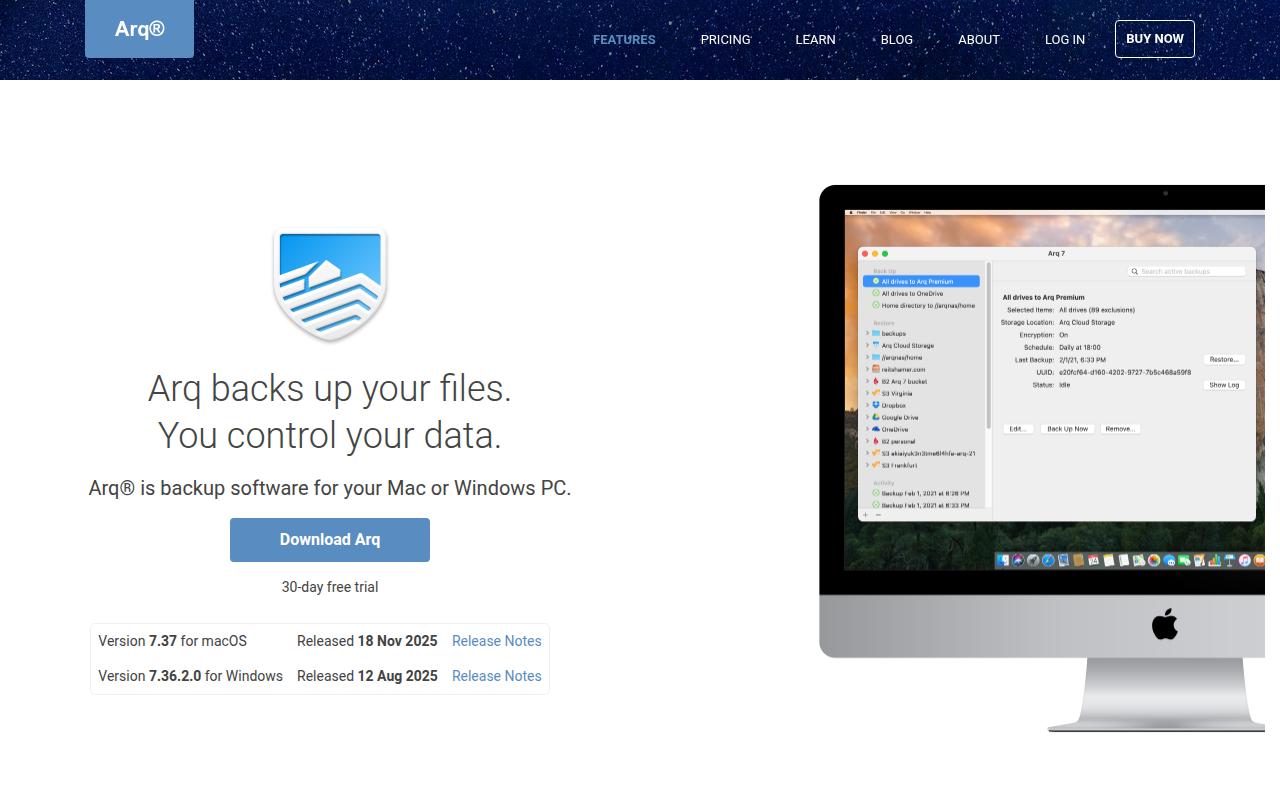
Arq Backup is a powerful backup application for macOS and Windows that encrypts your files locally before uploading them to your choice of cloud storage provider, giving you complete control over both your backup destination and encryption keys. Unlike backup services that store your data on proprietary servers, Arq lets you use your existing cloud storage accounts—Amazon S3, Google Cloud, Backblaze B2, Wasabi, Dropbox, OneDrive, or even your own SFTP server—while maintaining military-grade encryption that only you can decrypt.
Founded in 2009 by Stefan Reitshamer, Arq has built a devoted following among technical users, developers, and privacy-conscious individuals who want backup solutions without trusting third parties with unencrypted access to their data. The application creates immutable, versioned backups that protect against ransomware by maintaining historical versions of every file, allowing restoration from any point in time regardless of what happens to current files.
Arq’s bring-your-own-storage model offers significant cost advantages over traditional backup services. Using commodity cloud storage like Backblaze B2 ($5/TB/month) or Wasabi ($7/TB/month with no egress fees), users can backup terabytes of data for a fraction of what services like Backblaze Personal or Carbonite charge. For users already paying for cloud storage through various services, Arq transforms that existing capacity into comprehensive backup storage.
The software performs client-side encryption using industry-standard algorithms, meaning your backup provider—whether Amazon, Google, or Microsoft—can never access your data. Combined with deduplication that stores each unique data block only once across all backups, Arq provides enterprise-grade backup capabilities for individuals and small businesses at consumer-friendly pricing. For users who prioritize privacy, cost-efficiency, and storage flexibility, Arq represents the gold standard in personal backup software.
Key Features
- Client-Side Encryption: All data encrypted locally with keys only you possess—cloud providers cannot access your files.
- Multiple Storage Backends: Support for Amazon S3, Google Cloud, Azure, Backblaze B2, Wasabi, Dropbox, OneDrive, Google Drive, SFTP.
- File Versioning: Maintains complete history of file changes allowing restoration from any previous version.
- Deduplication: Only unique data blocks stored, dramatically reducing storage costs for similar files.
- Immutable Backups: Protected against ransomware—malware cannot delete or modify backed up versions.
- Scheduled Backups: Automatic backup scheduling with customizable frequency and time-of-day options.
- Continuous Backup: Option to backup files immediately when changes detected for near real-time protection.
- Bandwidth Throttling: Limit upload/download speeds to prevent backup from impacting other network usage.
- Multiple Backup Plans: Create separate backup configurations for different folders to different destinations.
- Budget Limits: Set monthly storage cost limits to prevent unexpected cloud storage charges.
- Retention Policies: Configure how long to keep old versions before automatic deletion.
- Network Location Awareness: Pause backups on metered connections or specific Wi-Fi networks.
- Email Notifications: Receive alerts on backup completion, failures, or when attention required.
- Cross-Platform: Native applications for both macOS and Windows with consistent functionality.
- Open Backup Format: Documented format ensuring data accessible even if Arq discontinued.
What’s New in Arq 2026
- Arq 8 Release: Completely rewritten with improved performance, better UI, and enhanced reliability.
- M-Series Optimization: Native Apple Silicon support with significant speed improvements on M1/M2/M3 Macs.
- Enhanced Deduplication: More efficient chunking algorithm reducing storage requirements by additional 15-20%.
- Improved Scheduling: More flexible scheduling options including backup windows and priority queues.
- Better Error Handling: Improved recovery from interrupted backups and network failures.
- New Storage Providers: Added support for additional S3-compatible storage services.
- Verification Improvements: Faster backup verification with better reporting on data integrity.
- UI Redesign: Modernized interface with improved backup monitoring and history browsing.
System Requirements
macOS
- macOS 10.14 Mojave or later
- Apple Silicon (M1/M2/M3) or Intel processor
- 4GB RAM minimum (8GB recommended)
- 200MB available disk space for application
- Additional space for local cache
Windows
- Windows 10 version 1809 or later
- Windows 11 supported
- 64-bit processor required
- 4GB RAM minimum (8GB recommended)
- 200MB available disk space for application
Cloud Storage Account
- Account with supported storage provider
- Sufficient storage quota for backup size
- API access credentials (access keys for S3, OAuth for consumer services)
How to Get Started with Arq Backup
- Download and Install: Download Arq from arqbackup.com and install on your Mac or Windows PC.
- Purchase License: Arq offers 30-day trial; purchase $50 one-time license or $60/year subscription with cloud storage included.
- Choose Storage Destination: Select cloud provider from list—Backblaze B2 and Wasabi offer best value for most users.
- Enter Credentials: Provide API keys or sign in with OAuth depending on storage provider selected.
- Create Encryption Password: Set strong password for encrypting backups—CRITICAL: Store this securely, cannot be recovered.
- Select Folders: Choose folders to include in backup—Documents, Desktop, Photos typically most important.
- Configure Schedule: Set backup frequency—hourly for critical files, daily for most users.
- Set Retention: Configure how many versions to keep and for how long based on needs.
- Start Initial Backup: First backup will take considerable time depending on data volume.
- Verify Backup: Use Arq’s verification feature to confirm backup integrity periodically.
Arq Backup vs Other Backup Solutions
| Feature | Arq Backup | Backblaze Personal | Carbonite |
|---|---|---|---|
| Price | $50 + storage | $99/year unlimited | $84/year |
| Storage | Your choice | Backblaze only | Carbonite only |
| Encryption | Client-side (private) | Server-side | Server-side |
| Version History | Unlimited | 30 days | Limited |
| NAS Backup | Yes | No | Extra cost |
| Best For | Privacy-focused users | Simple unlimited | Business users |
Who Should Use Arq Backup
- Privacy-Conscious Users: Anyone wanting backup without cloud provider access to unencrypted data.
- Technical Users: Developers and IT professionals who understand cloud storage and want granular control.
- Cost-Sensitive Users: Those with large backup needs who want to minimize monthly storage costs.
- Multi-Cloud Users: People already paying for various cloud services who want to leverage that storage.
- NAS Owners: Users wanting to backup network-attached storage to cloud destinations.
- Photographers/Creators: Creative professionals with large media libraries needing affordable, reliable backup.
Frequently Asked Questions
What happens if I lose my encryption password?
Your backups become permanently inaccessible without the encryption password. Arq uses zero-knowledge encryption meaning even the developer cannot recover your password. Store it securely in a password manager or safe location.
Which cloud storage should I use with Arq?
Backblaze B2 and Wasabi offer the best value for most users. B2 costs $5/TB/month with egress fees; Wasabi costs $7/TB/month with no egress fees. For small backups, Google Drive or OneDrive are convenient if you have existing storage.
How much does Arq backup cost total?
Arq license costs $50 one-time or $60/year subscription (includes 1TB storage). Cloud storage costs vary: 1TB typically costs $5-7/month with B2/Wasabi, potentially free with consumer services you already subscribe to.
Can Arq backup my entire computer?
Arq backs up files and folders you select, not full system images. For complete disaster recovery, combine Arq with system image software. Arq excels at protecting documents, photos, and important user files.
How long does initial backup take?
Initial backup depends on data volume and upload speed. Expect roughly 10-20GB per day on typical home internet. A 500GB backup might take 3-4 weeks initially; subsequent backups are much faster due to deduplication.
Final Verdict
Arq Backup represents the most flexible, privacy-respecting backup solution available for individual users and small businesses. The bring-your-own-storage model with client-side encryption provides unprecedented control over your data while potentially reducing costs significantly compared to all-in-one backup services. The tradeoff is increased complexity—you’re responsible for choosing and paying for storage separately, understanding cloud storage concepts, and safeguarding your encryption password. For users who value privacy and control over simplicity, Arq delivers professional-grade backup capabilities that no integrated service can match.
Download Options
Download Arq Backup
Download NowSafe & Secure
Verified and scanned for viruses
Regular Updates
Always get the latest version
24/7 Support
Help available when you need it