
Apple Pages
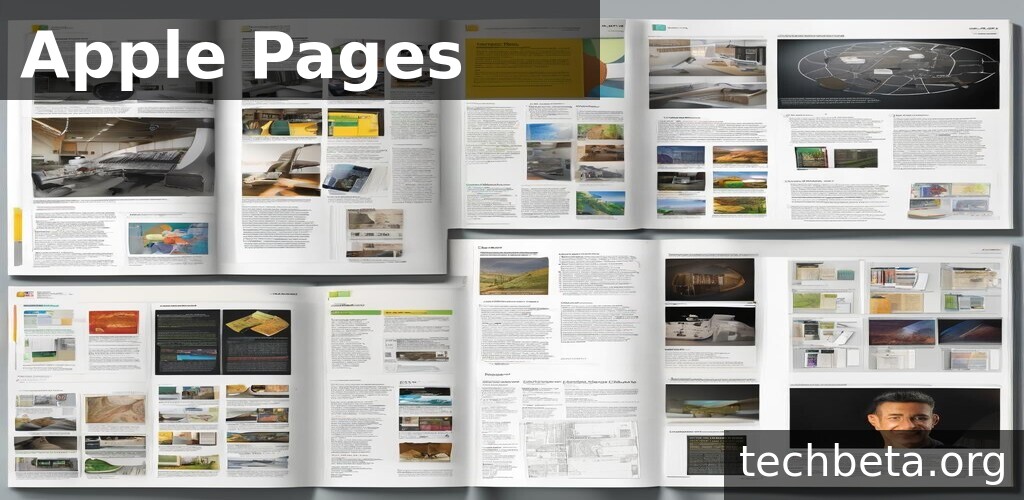
What is Apple Pages?
Apple Pages is a powerful word processing and page layout application developed by Apple as part of the iWork productivity suite. First released in 2005, Pages has evolved from a simple word processor into a sophisticated document creation tool that combines the ease of use Apple is known for with professional publishing capabilities. The application is available free on all Apple devices including Mac, iPad, and iPhone, and through iCloud.com for web access.
What distinguishes Pages from competitors is its elegant combination of word processing and desktop publishing functionality in a single, accessible application. Users can create everything from simple letters and reports to complex newsletters, brochures, and ebooks using the same intuitive interface. Apple’s attention to design shows in beautiful templates, sophisticated typography controls, and seamless media integration that make professional-looking documents achievable without graphic design expertise.
Pages serves Apple ecosystem users ranging from students writing papers to professionals creating business documents to authors publishing ebooks. The deep integration with other Apple applications and services creates efficient workflows for those invested in the Apple platform. Real-time collaboration through iCloud enables team document creation, while export options ensure compatibility when sharing with users of other platforms and applications.
Key Features
- Beautiful Templates: Extensive collection of professionally designed templates for documents, reports, newsletters, resumes, and more provide starting points for any project.
- Word Processing Mode: Traditional word processing environment with flowing text, automatic page management, and familiar formatting controls.
- Page Layout Mode: Desktop publishing capabilities with free-form object placement, text boxes, and precise layout control for complex designs.
- Real-Time Collaboration: Multiple users can edit the same document simultaneously through iCloud with live cursor tracking and changes.
- Apple Pencil Support: Draw, annotate, and write directly in documents on iPad using Apple Pencil with Smart Annotations.
- Advanced Typography: Professional typographic controls including ligatures, baseline adjustments, and character spacing for refined text appearance.
- Media Integration: Easy insertion and editing of photos, videos, charts, shapes, and tables with sophisticated formatting options.
- EPUB Export: Create ebooks that can be published to Apple Books or distributed through other channels directly from Pages documents.
- Cross-Device Sync: Documents automatically sync across Mac, iPad, iPhone, and iCloud.com for seamless access anywhere.
- Microsoft Word Compatibility: Open, edit, and export Microsoft Word documents including .docx format with good fidelity.
Recent Updates and Improvements
Apple continues enhancing Pages with regular updates that improve collaboration, add features, and leverage new Apple technologies.
- Enhanced Collaboration: Improved real-time editing with better conflict resolution and more responsive synchronization.
- Apple Silicon Optimization: Native performance on M1, M2, and M3 Macs delivers faster rendering and improved efficiency.
- Translation Integration: Built-in translation for text selection leveraging Apple’s translation capabilities.
- Mail Merge Updates: Enhanced mail merge with spreadsheet integration for personalized document generation.
- Accessibility Improvements: Better VoiceOver support, improved keyboard navigation, and enhanced accessibility features.
- New Templates: Regular additions to the template library covering current design trends and document types.
- Chart Enhancements: New chart types and improved data visualization options for reports and presentations.
- Performance Optimization: Faster document loading, smoother scrolling, and reduced memory usage for large documents.
System Requirements
macOS
- Operating System: macOS 12.0 Monterey or later
- Processor: Intel or Apple Silicon
- RAM: 4 GB minimum (8 GB recommended)
- Storage: 1 GB available space
- Apple ID: Required for iCloud features
iPadOS
- iPadOS: Version 15.0 or later
- Compatible with all current iPad models
- Apple Pencil support on compatible devices
iOS (iPhone)
- iOS: Version 15.0 or later
- Compatible with current iPhone models
Web (iCloud.com)
- Modern web browser (Safari, Chrome, Firefox, Edge)
- iCloud account required
- Subset of desktop features available
How to Get and Use Apple Pages
macOS Installation
- Open the Mac App Store
- Search for “Pages”
- Click “Get” to download (free)
- Open from Applications folder
- Sign in with Apple ID for iCloud sync
# Pages is pre-installed on new Macs
# If needed, download from Mac App Store

# Open Pages from command line
open -a "Pages"

# Open specific document
open /path/to/document.pages

# Check if installed
mdfind "kMDItemKind == 'Application'" | grep -i pages
iPad/iPhone Installation
- Open the App Store
- Search for “Pages”
- Tap “Get” to install (free)
- Open and sign in with Apple ID
- Enable iCloud sync if prompted
Web Access
- Visit iCloud.com in web browser
- Sign in with Apple ID
- Click Pages icon
- Create or open documents
- Changes sync to all devices
Enabling Collaboration
1. Open document in Pages
2. Click Share button (person with + icon)
3. Choose "Collaborate"
4. Select sharing method (Mail, Messages, Link)
5. Set permissions (Can make changes / View only)
6. Collaborators receive link to join

For track changes:
Edit > Track Changes
All changes will be marked for review
Pros and Cons
Pros
- Completely Free: Full-featured word processor included free with Apple devices, no subscription or purchase required.
- Beautiful Design: Elegant interface with stunning templates that make professional documents easy to create.
- Apple Integration: Seamless experience across Mac, iPad, iPhone with automatic iCloud synchronization.
- Real-Time Collaboration: Work simultaneously with others on documents with live editing and cursor tracking.
- iPad Excellence: Touch-optimized interface with Apple Pencil support creates exceptional tablet document experience.
- EPUB Creation: Direct ebook export enables authors to publish without additional software.
- Ease of Use: Intuitive interface accessible to beginners while offering depth for advanced users.
Cons
- Apple Only: No Windows or Android versions limit use for cross-platform teams and workflows.
- Word Compatibility: Complex Microsoft Word documents may lose formatting or features during conversion.
- Limited Advanced Features: Lacks some advanced word processing features found in Microsoft Word or LibreOffice.
- Collaboration Requires iCloud: Real-time collaboration depends on iCloud, not available for local or third-party storage.
- Learning Curve: Word users may need adjustment to Pages’ different approach and terminology.
Apple Pages vs Alternatives
| Feature | Apple Pages | Microsoft Word | Google Docs | LibreOffice Writer |
|---|---|---|---|---|
| Price | Free | $99/year (M365) | Free | Free |
| Platforms | Apple only + Web | All platforms | Web + Mobile | Win/Mac/Linux |
| Collaboration | iCloud | OneDrive | Native | Limited |
| Templates | Excellent | Extensive | Good | Basic |
| Offline Use | Full | Full | Limited | Full |
| Page Layout | Integrated | Limited | No | Limited |
| Best For | Apple Users | Enterprise | Collaboration | Free Alternative |
Who Should Use Apple Pages?
Apple Pages is ideal for:
- Apple Ecosystem Users: Those using Mac, iPad, and iPhone who benefit from seamless cross-device experience.
- Students: Free application with collaboration features ideal for academic papers, projects, and group work.
- Creative Document Designers: Users creating newsletters, brochures, and visual documents who appreciate page layout capabilities.
- Ebook Authors: Writers who want integrated EPUB export without additional publishing software.
- iPad-First Users: Professionals and creatives who prefer working on iPad with Apple Pencil support.
- Small Businesses: Organizations standardized on Apple hardware needing capable, free document creation.
Apple Pages may not be ideal for:
- Cross-Platform Teams: Organizations with Windows, Android, or Linux users needing consistent tooling.
- Heavy Word Exchange: Those frequently exchanging complex documents with Microsoft Word users.
- Advanced Word Processing: Users requiring advanced features like extensive VBA automation or complex mail merge.
- Enterprise Compliance: Organizations with specific document compliance requirements tied to Microsoft formats.
Frequently Asked Questions
Is Apple Pages compatible with Microsoft Word?
Pages can open and save Microsoft Word documents (.doc and .docx formats). Simple to moderately complex documents typically convert well. However, very complex documents with extensive formatting, macros, or advanced features may lose some formatting or functionality. Pages continuously improves Word compatibility, and for most everyday documents, the conversion works satisfactorily. For critical documents, review after conversion to ensure accuracy.
Can I use Pages on Windows or Android?
Pages is not available as a native application on Windows or Android. However, iCloud.com provides web-based access to Pages that works in any modern browser on any platform. The web version includes core editing functionality, though some advanced features require native apps. This enables Windows users to view and edit Pages documents when needed, though the experience is optimized for Apple devices.
How does Pages collaboration work?
Pages collaboration uses iCloud to enable real-time multi-user editing. You share documents by inviting collaborators via email, Messages, or link. Participants see each other’s cursors and changes appear live. You can set permissions for editing or view-only access. Track changes can be enabled for formal review workflows. Collaboration requires all participants to have Apple IDs, though external users can create free iCloud accounts.
Can Pages create PDFs?
Pages exports documents to PDF format with extensive options. You can include comments, optimize for image quality, or create PDF/A for archival. Password protection and encryption are available for sensitive documents. The PDF export preserves formatting accurately, making it ideal for sharing final documents with anyone regardless of their software. Export is available through File > Export To > PDF on Mac or Share menu on iOS.
What happened to iWork suite pricing?
Apple made Pages, Numbers, and Keynote free in 2017 for all Apple device users. Previously, the applications cost $19.99 each on the Mac App Store. Now, anyone with an Apple device can download and use all three applications at no cost. This includes access to iCloud.com web versions. The move positioned iWork as a standard component of the Apple ecosystem rather than a separate purchase.
Final Verdict
Apple Pages exemplifies Apple’s approach to software: elegant design, intuitive interaction, and seamless integration across the ecosystem. For Apple device users, Pages provides a capable, free word processor that handles most document creation needs while exceeding expectations for visual quality. The combination of word processing and page layout capabilities creates flexibility uncommon in free applications.
The application particularly shines on iPad, where touch-optimized design and Apple Pencil support create what may be the best tablet document editing experience available. Real-time collaboration through iCloud enables team workflows, while EPUB export serves authors and publishers. Beautiful templates lower the barrier to professional-looking documents for users without design expertise.
Pages earns strong recommendation for Apple ecosystem users, students, creative document designers, and anyone seeking a free, capable word processor without subscription costs. Those requiring extensive Microsoft Word compatibility, cross-platform access, or advanced word processing features should evaluate alternatives. Within its target audience, Pages delivers polished, practical productivity that makes document creation enjoyable rather than merely functional.
Developer:
Apple Inc.
Download Options
Safe & Secure
Verified and scanned for viruses
Regular Updates
Always get the latest version
24/7 Support
Help available when you need it