
Affinity Publisher
What is Affinity Publisher?
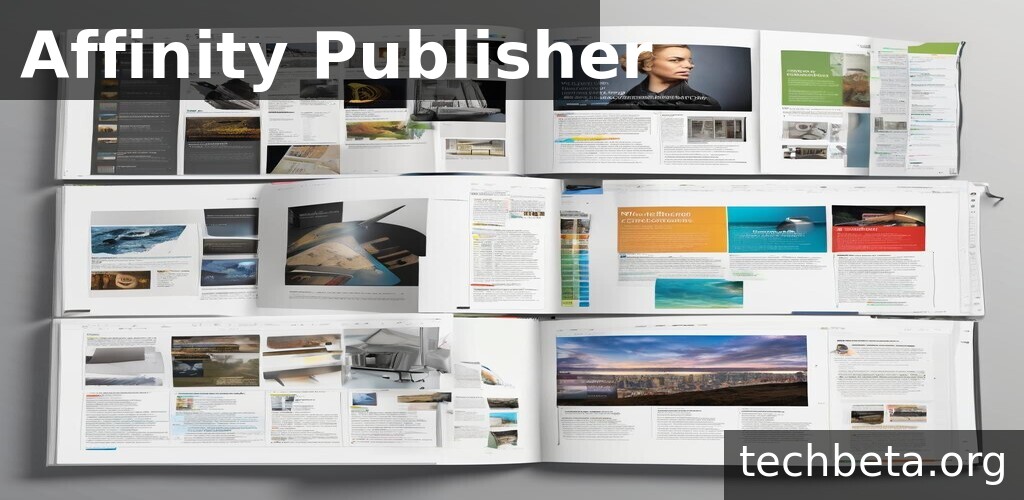
Affinity Publisher is a professional desktop publishing application developed by Serif, designed to compete directly with Adobe InDesign while offering a compelling one-time purchase alternative to subscription-based software. Released in 2019, Publisher quickly established itself as a capable page layout tool for creating magazines, books, brochures, posters, reports, and any document requiring professional typography and design. The software combines powerful publishing features with an approachable interface, making it accessible to both experienced designers and those new to desktop publishing.
What distinguishes Affinity Publisher from competitors is its exceptional integration with the Affinity ecosystem, particularly Affinity Photo and Affinity Designer. Through StudioLink technology, users can access photo editing and vector design tools directly within Publisher without switching applications or exporting files. This seamless integration, combined with professional features like master pages, IDML import, data merge, and comprehensive preflight checking, creates a desktop publishing environment that rivals industry standards at a fraction of the ongoing cost.
Affinity Publisher has gained significant traction among publishers, designers, and marketing professionals seeking alternatives to Adobe’s subscription model. The software has received numerous design awards and praise from the publishing industry for delivering professional results without recurring fees. With versions for both macOS and Windows, plus iPad support, Publisher has become a serious contender in the desktop publishing market, proving that professional page layout software need not require expensive subscriptions.
Key Features
- Master Pages: Create reusable page templates with consistent elements like headers, footers, and page numbers that update across all linked pages automatically.
- Advanced Typography: Professional text handling with OpenType features, optical alignment, baseline grids, drop caps, and sophisticated hyphenation controls.
- StudioLink: Access Affinity Photo and Designer tools directly within Publisher for editing images and creating vector graphics without switching applications.
- IDML Import: Import InDesign IDML files to migrate projects from Adobe Creative Cloud while preserving layout, styles, and content.
- Data Merge: Automate personalized documents by merging spreadsheet or database data into templates for mass customization.
- Preflight: Comprehensive checking for print-readiness including color space, image resolution, bleed, and other production requirements.
- PDF/X Export: Create industry-standard PDF/X files for commercial printing with full control over compression, color management, and marks.
- Text Styles: Hierarchical paragraph and character styles with based-on relationships enable consistent formatting and global updates.
- Table Support: Create and format tables with merged cells, alternating row colors, and precise control over borders and spacing.
- Facing Pages: Work with spreads and facing page layouts essential for book and magazine design with proper inner margin handling.
What’s New
Affinity Publisher 2 brings substantial improvements expanding professional capabilities while maintaining the approachable interface that defines the Affinity experience.
- New Books Feature: Manage multi-document publications with unified page numbering, table of contents generation, and index compilation across files.
- AutoFlow Text: Improved text flow between linked frames with better handling of overflow and automatic frame creation options.
- Enhanced Typography: Additional OpenType support, improved hyphenation across languages, and better handling of complex scripts.
- Tables Improvements: More flexible table creation with improved cell formatting, automatic table styles, and better resize behaviors.
- PDF Passthrough: Place PDF files without rasterization, preserving vector content, fonts, and transparency for maximum quality.
- Find and Replace: Enhanced search capabilities including GREP-style pattern matching for complex text replacement operations.
- Accessibility Features: Tools for creating accessible documents including alt text management and proper document structure export.
- Performance Boost: Faster rendering, quicker document opening, and improved responsiveness with large complex documents.
System Requirements
Windows
- Operating System: Windows 10 or 11 (64-bit)
- Processor: Intel or AMD with SSE4.1 support
- RAM: 4 GB minimum (8 GB recommended)
- Storage: 1.5 GB for installation
- Graphics: DirectX 10 compatible
- Display: 1280 x 768 minimum
macOS
- Operating System: macOS 10.15 or later
- Processor: Intel or Apple Silicon (M1, M2, M3)
- RAM: 4 GB minimum (8 GB recommended)
- Storage: 2.5 GB for installation
- Display: 1280 x 768 minimum
iPad
- Device: iPad with Apple Pencil support
- Operating System: iPadOS 14.4 or later
- Storage: 1 GB for app installation
How to Install Affinity Publisher
Windows Installation
- Purchase from affinity.serif.com or Microsoft Store
- Download the installer from your account or Store
- Run the installer with administrator privileges
- Accept the license agreement
- Choose installation location
- Complete installation and launch
- Sign in with your Serif account to activate
# Download from serif.com after purchase
# Or install from Microsoft Store

# Default installation path
dir "C:\Program Files\Affinity\Publisher 2"

# Launch
"C:\Program Files\Affinity\Publisher 2\Publisher.exe"

# System check
systeminfo | findstr /C:"OS" /C:"Memory"
macOS Installation
- Purchase from affinity.serif.com or Mac App Store
- Download from your account or App Store
- Open downloaded file or wait for App Store install
- Move to Applications if downloading directly
- Launch and sign in to activate
# Install from Mac App Store
# Or download DMG from serif.com

# Verify installation
ls /Applications | grep -i "Affinity Publisher"

# Launch
open -a "Affinity Publisher 2"
iPad Installation
- Open App Store on your iPad
- Search for “Affinity Publisher”
- Purchase and download the app
- Open and sign in with Serif account
- Start creating documents
Pros and Cons
Pros
- One-Time Purchase: No subscription required – pay once and own the software permanently, with free updates within major versions.
- StudioLink Integration: Access Photo and Designer tools within Publisher creates an efficient workflow without file exports or switching.
- Professional Features: Comprehensive desktop publishing tools including master pages, styles, preflight, and PDF/X export match industry requirements.
- IDML Import: Ability to open InDesign files enables transition from Adobe without recreating existing projects from scratch.
- Cross-Platform: Available on Windows, macOS, and iPad with document compatibility across all platforms for workflow flexibility.
- Performance: Fast rendering and responsive editing even with complex documents containing many pages and images.
- Regular Updates: Active development with significant free updates within versions and major improvements in version upgrades.
Cons
- Smaller Ecosystem: Fewer templates, plugins, and third-party resources compared to InDesign’s decades of industry presence.
- Industry Acceptance: Some print shops and publishers may specifically request InDesign files, requiring PDF export instead.
- Learning Curve: Experienced InDesign users need time to adapt to Affinity’s different interface and workflow conventions.
- Missing Features: Some advanced features like scripting, certain preflight options, and specialized output options still lag behind InDesign.
- Version Upgrade Costs: Major version upgrades require new purchases, though pricing is still dramatically lower than subscriptions.
Affinity Publisher vs Alternatives
| Feature | Affinity Publisher | InDesign | QuarkXPress | Scribus |
|---|---|---|---|---|
| Price | $69.99 one-time | $22.99/month | $199/year | Free |
| Platform | Win, Mac, iPad | Win, Mac | Win, Mac | All |
| Industry Standard | Growing | Yes | Legacy | No |
| InDesign Import | IDML | Native | Limited | Limited |
| PDF/X Export | Yes | Yes | Yes | Yes |
| Data Merge | Yes | Yes | Yes | No |
| Best For | Cost-conscious | Enterprise | Traditional | Open source |
Who Should Use Affinity Publisher?
Affinity Publisher is ideal for:
- Independent Publishers: Self-publishers and small presses benefit from professional tools without ongoing software costs cutting into margins.
- Marketing Departments: In-house teams creating brochures, reports, and collateral find capable tools at predictable one-time cost.
- Freelance Designers: Independent professionals appreciate avoiding subscriptions while delivering professional results to clients.
- Students and Educators: Affordable access to professional publishing tools for learning and educational material creation.
- Affinity Users: Those already using Photo and Designer gain tremendous value from StudioLink integration across the suite.
- Subscription Avoiders: Anyone philosophically opposed to software subscriptions can maintain professional publishing capability.
Affinity Publisher may not be ideal for:
- Enterprise Workflows: Large organizations with InDesign-based pipelines may face compatibility challenges requiring careful evaluation.
- Script-Heavy Users: Those relying on JavaScript automation in InDesign will miss the scripting capabilities in Publisher.
- Print Shop Requirements: When clients specifically require native InDesign files, Publisher cannot output the native format.
- Advanced Automation: Complex automated publishing workflows may need InDesign’s deeper automation and scripting support.
Frequently Asked Questions
Can Affinity Publisher open InDesign files?
Affinity Publisher can import IDML files, which is InDesign’s XML-based interchange format. You cannot open native .indd files directly, but InDesign can export to IDML for transfer. The import preserves most layout elements, text, styles, and formatting, though some InDesign-specific features may need adjustment. This makes migration from InDesign practical for most projects.
Is Affinity Publisher good enough for professional use?
Yes, Affinity Publisher is used professionally for magazines, books, marketing materials, and commercial print work. The software includes professional features like PDF/X export, CMYK support, preflight checking, and accurate color management required for commercial printing. Many professional designers and publishers have successfully transitioned from InDesign, though evaluating specific workflow requirements is recommended.
How does StudioLink work?
StudioLink allows accessing Affinity Photo and Designer tools directly within Publisher. When you own all three Affinity apps, you can switch to Photo’s persona for image editing or Designer’s persona for vector work without leaving Publisher or exporting files. Changes apply directly to placed objects. This integration eliminates round-trip editing and maintains non-destructive workflows throughout.
What is the difference between Affinity Publisher version 1 and 2?
Version 2 adds significant features including book management for multi-document publications, improved tables, GREP-style find and replace, accessibility tools, PDF passthrough, better performance, and numerous interface improvements. Version 2 is a paid upgrade from version 1, though the upgrade price is substantially lower than new purchase pricing, and many users find the improvements worth the upgrade cost.
Does Affinity Publisher work with commercial printers?
Yes, Publisher exports PDF/X files that commercial printers accept. The software includes preflight checking to verify documents meet print requirements, proper bleed and margin setup, and accurate CMYK color handling. Most printers accept PDF/X-1a or PDF/X-4 files without issue. Some printers may request native files, which requires either PDF export or discussing workflow with the printer beforehand.
Final Verdict
Affinity Publisher has successfully challenged the assumption that professional desktop publishing requires expensive subscriptions. The software delivers comprehensive page layout capabilities including master pages, advanced typography, preflight, and PDF/X export that meet professional publishing requirements. The one-time purchase model provides exceptional value for designers, publishers, and organizations seeking to control software costs without sacrificing capability.
The integration with the broader Affinity suite through StudioLink creates a remarkably efficient workflow for users owning Photo and Designer alongside Publisher. The ability to edit images and create vector graphics without leaving the publishing environment eliminates friction that plagues multi-application workflows. This integration, combined with IDML import capability, makes transitioning from Adobe Creative Cloud a practical consideration for many users.
Affinity Publisher is recommended for independent publishers, marketing departments, freelancers, and anyone seeking professional publishing tools without subscription costs. Those deeply embedded in InDesign-based enterprise workflows should evaluate carefully, and users requiring extensive automation should consider scripting limitations. For most desktop publishing needs, Publisher delivers professional results at a fraction of ongoing subscription costs, representing genuine value in the creative software marketplace.
Developer:
Serif
Download Options
Safe & Secure
Verified and scanned for viruses
Regular Updates
Always get the latest version
24/7 Support
Help available when you need it