
ADP Payroll
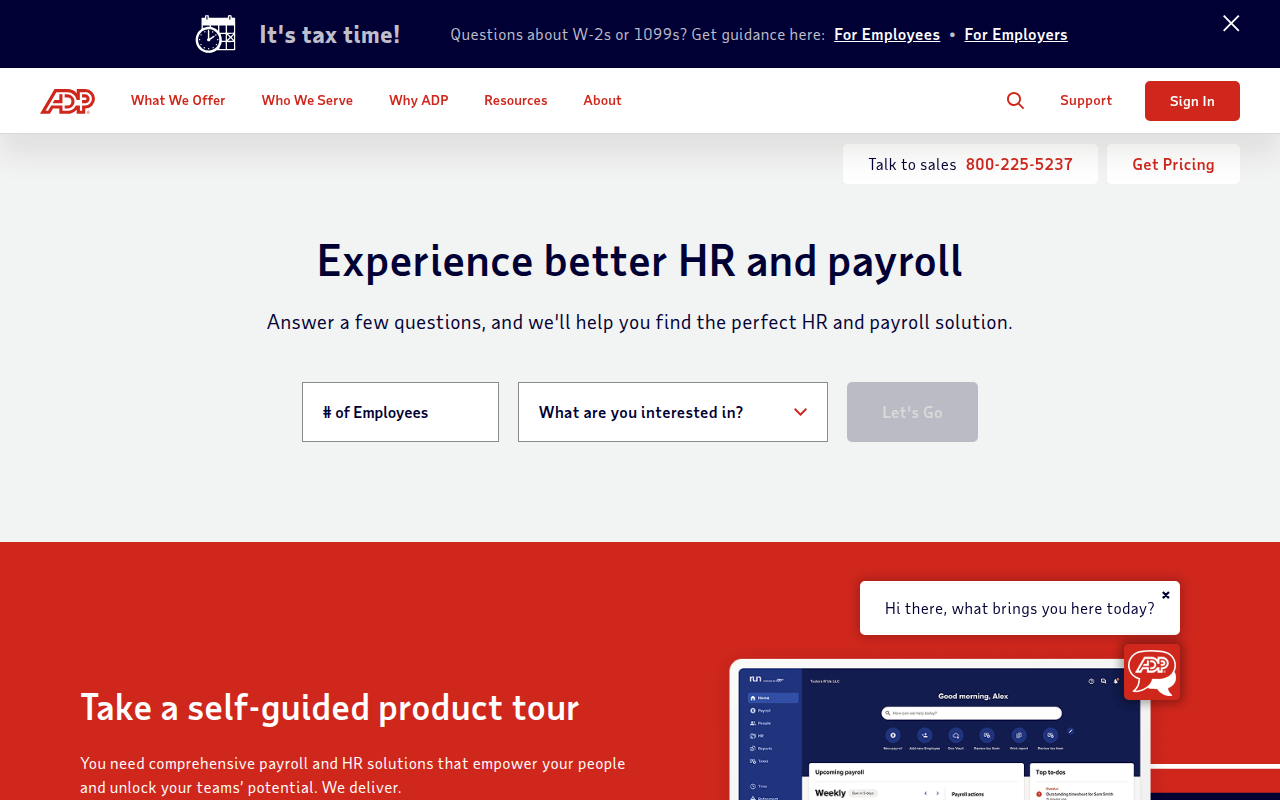
What is ADP Payroll?
ADP (Automatic Data Processing) is the world’s largest payroll processing and human capital management provider, serving over 1 million clients globally and processing payroll for approximately 1 in 6 American workers. Founded in 1949 by Henry Taub as a manual payroll processing service, ADP has evolved into a comprehensive cloud-based platform offering payroll, tax filing, benefits administration, time tracking, HR management, and compliance services for businesses ranging from single-employee startups to Fortune 500 enterprises. The company calculates wages, withholds taxes, files payroll tax returns, processes direct deposits, manages employee benefits, and ensures compliance with federal, state, and local employment regulations across thousands of jurisdictions.
What distinguishes ADP from generic payroll software is its full-service approach combining technology platforms with dedicated support teams, tax compliance expertise, and assumption of legal liability for payroll tax filings. Unlike DIY payroll solutions requiring businesses to manage tax calculations and submissions independently, ADP guarantees accuracy of tax filings and covers penalties resulting from their errors—a critical protection given complex and constantly changing payroll tax regulations. The company employs tax specialists monitoring legislative changes across all 50 states and thousands of local jurisdictions, automatically updating systems to reflect new tax rates, minimum wages, and compliance requirements without requiring client intervention or awareness.
ADP’s importance extends beyond simple paycheck processing to comprehensive workforce management and regulatory compliance. The company handles complex scenarios including multi-state taxation, garnishment processing, workers’ compensation calculations, certified payroll for government contractors, and industry-specific requirements for construction, restaurants, healthcare, and other specialized sectors. For businesses outsourcing payroll to ADP, the value lies in eliminating administrative burden, reducing compliance risk, freeing internal resources for strategic work, and accessing enterprise-grade technology and expertise previously available only to large corporations. ADP’s scale and infrastructure provide small businesses the same sophisticated payroll capabilities, data security, and compliance protection that Fortune 500 companies receive, democratizing access to professional payroll administration.
Key Features
- Automated Payroll Processing: Cloud-based platform calculates wages, tax withholdings, and deductions automatically based on hours worked, pay rates, and employee elections, generating accurate paychecks through direct deposit or printable checks.
- Tax Filing and Compliance: ADP calculates, withholds, files, and remits all federal, state, and local payroll taxes including income tax, Social Security, Medicare, unemployment, and jurisdiction-specific taxes with accuracy guarantee covering penalties from errors.
- Employee Self-Service: Mobile and web portals enable employees to view pay stubs, download W-2s and year-end tax documents, update personal information, enroll in benefits, and access HR documents without contacting payroll administrators.
- Time and Attendance Integration: Seamless integration with time clocks, mobile apps, and scheduling systems automatically imports hours worked into payroll, eliminating manual time card entry and reducing errors from data transcription.
- Benefits Administration: Comprehensive benefits enrollment, premium deductions, carrier connections, COBRA administration, and benefit statements streamline employee benefits management and ensure accurate payroll deductions.
- New Hire Reporting: Automatic new hire reporting to state agencies, I-9 verification management, E-Verify integration, and onboarding workflows ensure compliance with employment eligibility and reporting requirements.
- Workers’ Compensation: Automated workers’ comp premium calculations, quarterly reporting, audit support, and carrier integration ensure proper classification and premium payments while simplifying complex workers’ compensation compliance.
- General Ledger Integration: Direct integration with QuickBooks, Xero, and other accounting software automatically posts payroll expenses, tax liabilities, and benefit deductions to appropriate accounts, eliminating manual journal entries.
- Multi-State Payroll: Sophisticated tax engine handles employees working across multiple states, calculating proper withholding based on work location, residence, and reciprocal tax agreements between jurisdictions.
- Garnishment Processing: Automated wage garnishment calculations for child support, tax levies, student loans, and creditor garnishments ensure accurate withholding and remittance while maintaining compliance with federal and state garnishment laws.
Recent Updates and Improvements
ADP continues modernizing its platform with enhancements focused on artificial intelligence, mobile functionality, and integrated HR capabilities beyond basic payroll processing.
- ADP Workforce Now Redesign: Completely rebuilt user interface for flagship platform provides modern, intuitive navigation, faster performance, and mobile-optimized design improving user experience across desktop and smartphone access.
- AI-Powered Insights: Machine learning analytics identify payroll anomalies, predict labor costs, flag potential compliance issues, and provide actionable recommendations helping businesses optimize workforce spending and avoid problems.
- Enhanced Mobile Apps: Improved employee and manager mobile applications enable complete payroll and HR tasks from smartphones including time entry, PTO requests, schedule viewing, and performance management.
- Expanded API Ecosystem: Open APIs enable better integration with third-party systems including applicant tracking, scheduling, point-of-sale, and industry-specific software creating comprehensive workforce management ecosystems.
- Next-Gen Reporting: Advanced reporting tools with customizable dashboards, real-time analytics, and predictive workforce insights help businesses make data-driven decisions about staffing, compensation, and labor budgets.
- Compliance Updates: Continuous platform updates reflecting COVID-19 sick leave requirements, minimum wage changes, new labor regulations, and evolving tax laws ensure automatic compliance without client action.
- Payroll Cards Expansion: Enhanced payroll card options for unbanked employees provide alternative to direct deposit with reduced fees, better features, and improved user experience for workers without bank accounts.
- Retirement Services Integration: Deeper integration between payroll and ADP retirement plans streamlines 401(k) administration, automates contribution processing, and simplifies compliance with SECURE Act and retirement plan regulations.
System Requirements
Web Browser (Primary Access)
- Browser: Chrome, Firefox, Safari, or Edge (latest versions)
- Internet Connection: Broadband connection required
- JavaScript: Must be enabled
- Cookies: Required for login and functionality
- Screen Resolution: 1280×720 minimum recommended
iOS (Mobile Access)
- Operating System: iOS 13.0 or later
- Compatible Devices: iPhone, iPad
- Storage: 150 MB available space
- Connection: Internet required for data synchronization
Android (Mobile Access)
- Operating System: Android 7.0 or later
- RAM: 2 GB minimum
- Storage: 150 MB available space
- Connection: Internet required for payroll processing
Integration Requirements
- Accounting Software: QuickBooks, Xero, or other supported platforms
- Time Tracking: Compatible time clocks or software
- Bank Account: Business checking for ACH payments
How to Install ADP Payroll
Initial Setup (Business Owner)
- Contact ADP sales or visit adp.com to request quote
- Select appropriate ADP product for business size and needs
- Complete sales process and sign service agreement
- Receive welcome email with account credentials
- Attend implementation call with ADP specialist
- Provide company information, tax IDs, and banking details
- Enter employee data including addresses, pay rates, and tax withholding
- Configure pay schedules, deductions, and benefit plans
- Integrate time tracking and accounting software if applicable
- Process test payroll and review for accuracy
- Launch live payroll with ADP support
Employee Self-Service Setup
- Receive welcome email from ADP with registration link
- Click registration link and create account password
- Verify identity through security questions
- Log in to ADP portal or download mobile app
- Review personal information and update if necessary
- Set up direct deposit or payroll card preferences
- Configure tax withholding (W-4 information)
- Enroll in available benefits if applicable
- Download ADP Mobile app for smartphone access
iOS App Installation (Employees)
- Open App Store on iPhone or iPad
- Search for “ADP Mobile Solutions”
- Tap “Get” to download and install application
- Launch app and enter registration code from welcome email
- Create password and security questions
- Enable biometric authentication for quick access
- Navigate dashboard to view pay, time, benefits, and HR info
Android App Installation (Employees)
- Open Google Play Store on Android device
- Search for “ADP Mobile Solutions”
- Tap “Install” to download the application
- Open app and complete registration process
- Set up fingerprint or biometric login
- Explore features including pay stubs, time entry, and PTO requests
Pros and Cons
Pros
- Comprehensive Tax Compliance: ADP assumes legal responsibility for accurate tax filings and remittances, covering penalties from their errors—critical protection given complex multi-jurisdiction tax requirements and severe penalties for mistakes.
- Dedicated Support: Access to knowledgeable support teams, tax specialists, and dedicated payroll representatives provides human expertise unavailable from pure software solutions, especially valuable during complex payroll situations or regulatory changes.
- Scalability: Platform scales seamlessly from single employee to thousands, enabling businesses to maintain same payroll provider through growth stages without disruptive migrations to enterprise systems as headcount increases.
- Multi-State Expertise: Sophisticated handling of multi-state tax withholding, reciprocity agreements, and local jurisdiction requirements eliminates complexity for businesses with employees across multiple states.
- Integrated Ecosystem: Comprehensive platform combining payroll, time tracking, benefits, HR, talent management, and retirement in unified system eliminates data silos and multiple vendor relationships.
- Regulatory Updates: Automatic system updates reflecting tax law changes, minimum wage increases, and new compliance requirements ensure continued compliance without client awareness or action required.
- Industry Experience: Decades of experience and massive scale provide depth of expertise, proven reliability, and financial stability assuring long-term viability unlike startup payroll providers with uncertain futures.
Cons
- Higher Cost: ADP pricing typically exceeds DIY payroll software like QuickBooks Payroll or Gusto, with base fees plus per-employee charges accumulating significantly for larger teams compared to flat-rate alternatives.
- Complex Pricing: Customized quotes, variable pricing based on features selected, and additional charges for add-ons create difficulty comparing costs against competitors with transparent published pricing.
- Sales Process: Requirement to contact sales and negotiate pricing rather than self-serve online signup creates friction, time commitment, and potential pressure during sales conversations.
- Contract Commitments: Annual contracts with early termination penalties limit flexibility to switch providers if dissatisfied, unlike month-to-month payroll services offering easier exit if needs change.
- Overkill for Micro-Businesses: Very small businesses with 1-5 employees may find ADP’s enterprise-focused features, pricing, and complexity excessive compared to simpler solutions designed for solo entrepreneurs.
ADP Payroll vs Alternatives
| Feature | ADP | Gusto | Paychex | QuickBooks Payroll |
|---|---|---|---|---|
| Pricing | Custom quote | $40+$6/employee | Custom quote | $45+$5/employee |
| Setup | Sales process | Self-service | Sales process | Self-service |
| Tax Filing | Full service | Full service | Full service | Full service |
| Support | Dedicated team | Email/chat | Dedicated team | Phone/chat |
| Scalability | Excellent | Good | Excellent | Limited |
| HR Features | Comprehensive | Good | Comprehensive | Basic |
| Contract | Annual | Monthly | Annual | Monthly |
| Best For | Growing businesses | Startups/SMBs | Established SMBs | QB users |
Who Should Use ADP Payroll?
ADP Payroll is ideal for:
- Growing Businesses: Companies scaling from 10 to 100+ employees benefit from platform that grows with them, avoiding disruptive migrations to enterprise systems as headcount increases beyond capabilities of entry-level payroll providers.
- Multi-State Employers: Businesses with employees across multiple states appreciate ADP’s sophisticated multi-jurisdiction tax handling, reciprocity expertise, and automated compliance with varying state regulations.
- Complex Payroll Needs: Companies with union workers, prevailing wage requirements, multiple pay rates, shift differentials, or industry-specific calculations benefit from ADP’s comprehensive configuration capabilities.
- Risk-Averse Businesses: Organizations prioritizing tax compliance protection value ADP’s assumption of penalty liability and dedicated tax specialists ensuring accurate filings and remittances.
- Integrated HR Seekers: Companies wanting unified platform for payroll, benefits, time tracking, performance management, and recruiting appreciate comprehensive ADP ecosystem eliminating multiple vendor relationships.
- Service-Oriented Preferences: Businesses valuing human support, dedicated representatives, and expert guidance prefer ADP’s service model over pure software solutions requiring self-service problem resolution.
ADP Payroll may not be ideal for:
- Very Small Businesses: Solo entrepreneurs and businesses with 1-5 employees may find ADP’s pricing, features, and complexity excessive compared to simpler solutions like Gusto or Wave Payroll designed for micro-businesses.
- Price-Sensitive Companies: Budget-conscious businesses prioritizing lowest cost over service quality can save significantly with DIY solutions like QuickBooks Payroll or Gusto accepting trade-offs in support and features.
- Commitment-Averse Users: Companies preferring flexibility to switch providers easily without penalties should consider month-to-month payroll services rather than ADP’s typical annual contracts.
- Self-Service Preferrers: Tech-savvy businesses comfortable managing payroll independently may prefer transparent self-serve platforms over ADP’s sales-driven approach and custom pricing.
Frequently Asked Questions
How much does ADP Payroll cost?
ADP uses custom pricing based on business size, features selected, and services needed, typically ranging from $100-300+ monthly base fee plus $4-15 per employee per pay period. Exact costs require sales quote. Small businesses (5-10 employees) might pay $150-250 monthly total, while mid-sized companies (50 employees) could pay $500-1,500 monthly depending on features. Additional costs apply for add-ons like time tracking, benefits administration, or HR services. While ADP costs more than DIY solutions, pricing includes full-service tax filing, compliance guarantee, and dedicated support unavailable from cheaper alternatives. Request detailed quotes comparing specific features to accurately assess total cost.
Does ADP file and pay my payroll taxes?
Yes, ADP calculates, files, and remits all federal, state, and local payroll taxes including income tax withholding, Social Security, Medicare, unemployment taxes, and jurisdiction-specific taxes. The service includes preparing and filing quarterly tax returns (Form 941, state quarterly returns), annual returns (Form 940), W-2s, and other required filings. Critically, ADP guarantees accuracy and covers penalties resulting from their errors—important protection given severe IRS and state penalties for incorrect filings. This full-service approach eliminates business responsibility for complex tax calculations and submission deadlines, reducing compliance risk significantly compared to DIY payroll requiring businesses to manage tax filings independently.
Can I switch to ADP mid-year?
Yes, businesses can switch to ADP anytime during the year. ADP implementation specialists assist with mid-year transitions, requiring: 1) Quarter-to-date and year-to-date wage and tax information from previous provider, 2) Final payroll reconciliation from old system, 3) Employee data migration, and 4) Historical pay stub and tax information transfer. Switching between Q1-Q3 is straightforward, while Q4 transitions require careful coordination to ensure accurate W-2 preparation incorporating data from multiple systems. ADP’s experience with thousands of conversions enables smooth transitions minimizing disruption. However, some businesses prefer transitioning at year-end to simplify tax reporting and avoid consolidating data from multiple providers for year-end tax forms.
What happens if ADP makes a payroll mistake?
ADP’s tax accuracy guarantee means they cover penalties and interest resulting from their calculation or filing errors—critical protection worth hundreds or thousands if issues occur. For paycheck errors (incorrect pay amounts, missing deductions), ADP corrects mistakes in subsequent payroll cycles and provides documentation for affected employees. Businesses should review payroll reports before approval and report discrepancies immediately. ADP’s dedicated support teams investigate and resolve issues, though responsibility for providing accurate employee data, hours worked, and pay rates remains with the employer. The service level and error resolution speed vary by ADP product tier, with higher-tier plans receiving faster dedicated support compared to basic plans.
Is ADP worth the extra cost compared to cheaper payroll software?
ADP’s value depends on business size, complexity, and risk tolerance. For small simple payrolls (5 employees, single state, hourly wages), cheaper solutions like Gusto or QuickBooks Payroll may suffice, saving $100+ monthly. ADP becomes worthwhile for: multi-state employers (complex tax handling justifies cost), growing businesses (scalability prevents future migrations), complex payroll (union, prevailing wage, garnishments), risk-averse companies (penalty protection provides peace of mind), and those valuing service (dedicated support vs. self-service). Calculate cost difference versus alternatives, then consider whether ADP’s additional features, compliance protection, and support justify premium. Many businesses find the price difference worthwhile for eliminating payroll stress and ensuring compliance, while budget-constrained small businesses accept trade-offs to minimize costs.
Final Verdict
ADP Payroll stands as the gold standard in payroll processing, combining decades of experience, comprehensive services, and enterprise-grade technology accessible to businesses of virtually any size. The platform’s strength lies not in software innovation but in reliable execution of complex payroll and tax compliance supported by dedicated specialists, guaranteed accuracy, and assumption of penalty liability that protects businesses from costly mistakes. For companies prioritizing compliance assurance, scalability through growth, and access to human expertise, ADP delivers exceptional value despite premium pricing compared to DIY alternatives.
The trade-offs involve higher costs, sales-driven purchasing process, and annual contract commitments that create friction compared to transparent self-serve competitors. Very small businesses and startups may find ADP’s enterprise focus and pricing excessive for simple payroll needs better served by modern solutions like Gusto or Wave. However, as businesses grow beyond 10-20 employees, face multi-state complexity, or require sophisticated HR integration, ADP’s comprehensive capabilities and scalability increasingly justify premium costs through risk reduction and administrative efficiency gains.
ADP earns strong recommendation for established small to mid-sized businesses, companies experiencing growth, multi-state employers, and organizations with complex payroll requirements valuing peace of mind over cost minimization. The platform excels for businesses wanting to outsource payroll completely rather than manage it internally, those in industries with specialized requirements (construction, healthcare, restaurants), and companies seeking unified HR ecosystem beyond basic paycheck processing. While startups and micro-businesses should explore cheaper alternatives first, ADP remains the trusted choice for millions of businesses rightfully prioritizing compliance certainty, service quality, and long-term scalability over lowest possible cost in the critical function of compensating and tax-complying for their workforces.
Developer:
ADP (Automatic Data Processing)
Download Options
Safe & Secure
Verified and scanned for viruses
Regular Updates
Always get the latest version
24/7 Support
Help available when you need it