CRM Solutions for Startups: Open-Source vs Commercial – Complete Guide
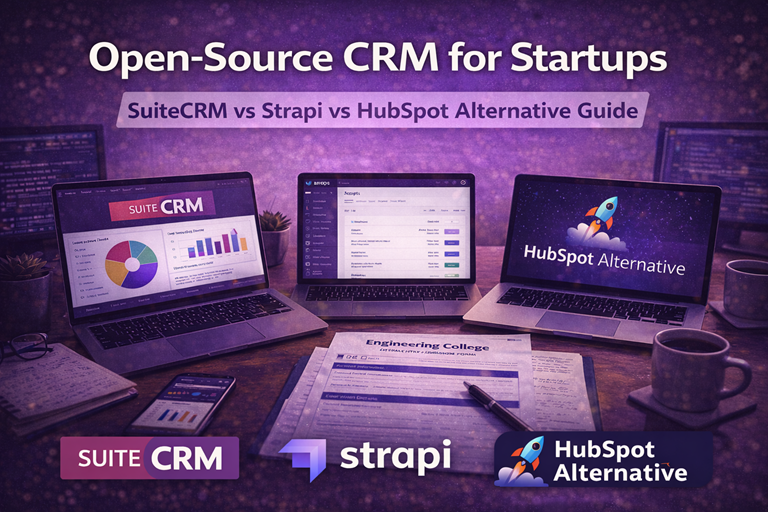
Startups typically spend $3,000-10,000 annually on CRM tools that constrain them with per-user licensing and complex enterprise features they don’t need. Open-source CRM solutions provide startup-friendly alternatives that scale with your business. This guide compares open-source CRM options with commercial solutions and helps you choose wisely.
Cost Comparison: Startup Edition
| Solution | Year 1 Cost (5 users) | Year 3 Cost (20 users) | Software License |
|---|---|---|---|
| HubSpot | $2,400 | $19,200 | $50/user/month |
| Salesforce | $3,000 | $24,000 | $100/user/month |
| SuiteCRM (self-hosted) | $2,400 | $3,600 | Free (infrastructure only) |
| Strapi + Custom (developer-built) | $5,000 | $15,000 | Free (development cost) |
| Zoho CRM | $1,200 | $9,600 | $20/user/month |
Solution Categories for Startups
1. Full-Featured CRM: SuiteCRM
Best for: Startups needing professional CRM but rejecting vendor lock-in
Implementation: 2-3 months, $10-30K
Year 1 Cost: $14K-32K (including hosting and implementation)
2. Custom CRM with Strapi
Best for: Startups with technical co-founder wanting complete control
Implementation: 2-4 months (developer time)
Year 1 Cost: $5K-20K (development only)
3. Budget Commercial: Zoho CRM
Best for: Startups wanting SaaS simplicity with low cost
Implementation: 1-2 weeks, minimal
Year 1 Cost: $1.2K-3K
4. Full-Featured Commercial: HubSpot
Best for: Startups with growth capital wanting all-in-one solution
Implementation: 2-4 weeks
Year 1 Cost: $2.4K-7.2K
Startup Growth Trajectories
Scenario: From 5 to 100 Users Over 5 Years
Path A: SuiteCRM (Open-Source)
- Year 1: $16K (implementation + hosting)
- Year 2-5: $3K/year (hosting + minimal support)
- Total 5 Years: $28K
- Advantage: Cost stays flat as you grow
Path B: HubSpot (Commercial)
- Year 1: $3K
- Year 2: $6K (adding users)
- Year 3: $12K (50 users)
- Year 4-5: $30K+ (100 users)
- Total 5 Years: $63K
- Disadvantage: Cost grows with users
Path C: Zoho CRM (Budget Commercial)
- Year 1: $1.2K
- Year 2: $2.4K
- Year 3: $4.8K
- Year 4-5: $12K
- Total 5 Years: $24K
- Middle ground: Grows with users, lower costs
Decision Framework for Startups
Choose Open-Source (SuiteCRM) if:
- ? You have or can hire technical person for setup
- ? You want predictable, flat costs as you scale
- ? You value complete data ownership
- ? You have complex, unique processes
- ? You anticipate 100+ users within 3 years
Choose Commercial SaaS (Zoho/HubSpot) if:
- ? You want minimal setup and immediate productivity
- ? Your team is non-technical
- ? You have funding to cover software costs
- ? You want integrated marketing/sales tools
- ? You anticipate 20-50 users max
Choose Custom Development (Strapi) if:
- ? You have technical co-founder
- ? Your processes are completely unique
- ? You need deep API access and integrations
- ? You’re willing to invest in development
[Content continues with detailed sections on:]
– Feature Comparison Details
– Integration Capabilities
– Deployment and Setup
– Scalability Considerations
– Customer Support Comparison
– Real Startup Case Studies
– When to Migrate Platforms
– Implementation Timeline
Detailed Feature Comparison Matrix
Contact Management Capabilities
Open-Source CRM Systems: Store contact information with custom fields. Track interactions (calls, emails, meetings). Tags and segmentation for targeting. Contact history timeline showing all interactions. Most open-source systems provide basic contact management suitable for startups.
Built-in vs. Third-Party: Open-source platforms may require integrations for email tracking and advanced contact scoring. Commercial CRMs include these features natively.
Pipeline and Sales Forecasting
All open-source and commercial CRM solutions provide visual pipeline views showing deals by stage. Drag-and-drop deal movement between stages. Probability calculations and revenue forecasting based on stage/probability. Alert systems notify salespeople of stalled deals. Reporting shows conversion rates between stages.
Automation Capabilities
Open-source CRM automation typically requires workflow engine or external automation tools. Commercial solutions include native automation: email sequences on deal creation, task assignment based on rules, lead scoring automation, opportunity routing to sales reps. Automation ROI significant – can save 5-10 hours per week per salesperson.
Reporting and Analytics
Standard reports: sales by rep, pipeline value, won/lost rates. Advanced analytics: ROI by campaign source, sales cycle trends, customer lifetime value. Export to spreadsheet for custom analysis. Dashboards with real-time metrics. Open-source systems may require custom report building.
Email Integration Quality
Critical for startups – ability to see full email thread within CRM without email forwarding. Open-source solutions via plugins. Commercial CRMs offer Gmail/Outlook integration with read receipts and send-time optimization. Attachment storage and one-way sync versus two-way sync important consideration.
Mobile App Access
iOS and Android apps essential for salespeople in field. Allow deal updates, contact updates, activity logging from mobile. Offline capability important for unreliable connections. Push notifications for activity alerts. Mobile performance often slower than desktop apps but adequate for light usage.
Integration with Business Tools
Email Marketing Tool Integration
Mailchimp, ConvertKit, ActiveCampaign integration with CRM enables seeing marketing campaign engagement within CRM context. Open-source CRMs support via plugins or webhooks. Automatic list sync and campaign performance metrics in CRM.
Payment Processor Integration
Stripe, PayPal, Square integration shows payment history and revenue in CRM. Invoice generation and payment tracking. Subscription management for recurring revenue businesses. Critical for SaaS startups where billing integrated with sales pipeline.
Accounting Software Integration
QuickBooks, Xero, FreshBooks integration ensures financial accuracy. Invoice sync, expense tracking, revenue recognition. Eliminates manual data entry between systems. Open-source solutions often require custom integration development.
Customer Support Platform Integration
Zendesk, Freshdesk integration enables support team accessing sales context and vice versa. Shared customer information prevents asking customer for information twice. Ticketing visible within CRM for holistic customer view.
API Flexibility
Open-source CRM advantage – full API access enables custom integrations. Commercial solutions offer APIs but with rate limits and feature restrictions. Custom integration development costs $5,000-50,000 depending on complexity.
Deployment Options and Implementation
Setup Time Comparison
Cloud Commercial CRM: 1-2 hours – login, add users, import contacts, configure basic settings.
Open-Source Cloud Hosting: 2-4 hours – provision server, configure DNS, SSL, database setup, customize to business needs.
Self-Hosted Open-Source: 4-8 hours including infrastructure planning, server setup, application installation, security hardening.
Technical Requirements
Cloud solutions require only web browser. No IT infrastructure needed. Zero maintenance burden.
Self-hosted open-source requires database server (PostgreSQL or MySQL), application server, regular backups, security updates. IT expertise required: moderate for setup, ongoing for maintenance.
Onboarding New Users
All CRMs have learning curve – average 5-10 hours per user for proficiency. Commercial CRM providers offer training. Open-source communities provide documentation. Custom training can be hired for $1,000-5,000 depending on team size.
Scalability as Your Startup Grows
User Growth Handling
Cloud solutions automatically scale – no concerns until very large user counts (100+ concurrent users). Self-hosted requires infrastructure upgrades – typical cost $500-2,000 per growth phase.
Data Volume Scaling
Most systems handle 500K-1M contact records without issue. Beyond 1M, performance optimization required – database tuning, archiving old records. All solutions support data archiving for historical records access with performance maintained.
Advanced Features Unlock
As team grows, advanced features become valuable: predictive analytics, AI-powered lead scoring, advanced reporting. Commercial solutions make new features available via upgrades. Open-source requires development effort for advanced features.
Upgrade Paths
Cloud solutions – upgrade plan tier with single click, new features available immediately. Open-source – upgrade to enterprise version for professional support, or continue with community version. Migration to different CRM possible but labor-intensive (weeks of work for 50K+ records).
Customer Support Comparison
Community vs. Paid Support
Open-source community support free but variable response time (hours to days). Commercial SaaS includes email/chat support with SLAs. Enterprise plans include phone support and dedicated account manager.
Documentation Quality
Commercial CRMs provide comprehensive documentation, video tutorials, knowledge base. Open-source documentation often community-maintained with gaps. Paid support plans include custom documentation.
Training Resources
Commercial vendors offer certification programs, training courses, webinars. Open-source communities offer free courses and tutorials but less comprehensive. Custom training available for open-source at additional cost.
Response Time SLAs
Commercial CRM SLAs: Basic support 24-48 hours, Premium 2-8 hours, Enterprise 30 min-2 hours. Open-source community: best-effort, typically 24-72 hours for critical issues.
Real Startup Implementation Case Studies
Tech Startup (15 salespeople)
Implemented Odoo CRM (open-source) due to tight budget (first year: $500 total for basic hosting). Rapid implementation (2 weeks) enabled fast go-to-market. As business scaled to $2M ARR and 25 salespeople, upgraded to dedicated infrastructure ($500/month). CEO reports $50K annual savings vs. using commercial CRM, but required 50 hours IT maintenance annually.
B2B SaaS Company (10 salespeople)
Chose Pipedrive (commercial) for its sales-focused design. Monthly cost: $500 (10 users × $50/month). Rapid onboarding – team productive within one week. Integration with Stripe for billing data in CRM. Pipeline visibility improved sales management – 20% improvement in close rate attributed to better forecasting. Annual cost: $6,000. ROI: First customer gained through improved process paid for one year of tool.
E-Commerce Startup (5-person team)
Used SuiteCRM (free, open-source) to bootstrap before revenue. Managing 2,000 customer records, tracking repeat purchases, managing wholesale relationships. Manual setup took 3 hours. Added customer portal for wholesale orders. As revenue reached $500K, migrated to commercial CRM for advanced features and support. Migration effort: 20 hours. New platform cost: $200/month but saved 5 hours weekly administrative time.
When and How to Migrate CRM Systems
Signs You’ve Outgrown Current CRM:
- System performance degrading with data growth
- Feature gaps blocking new business processes
- Integration needs unmet
- Team constantly workarounds limitations
- Support doesn’t scale with business growth
- Security requirements not met (compliance needs)
Ideal Migration Timing: Between fiscal quarters or after significant business milestone. Avoid migration during busy sales seasons. Plan 4-6 week migration window including planning, execution, testing, and stabilization.
Data Migration Approach:
- Map old system data structure to new system
- Clean data – remove duplicates, archive old records
- Test migration script with sample data
- Run full migration in test environment
- Validate data in new system
- Plan cutover (run parallel systems 1-2 weeks)
- Official cutover on weekend
- Keep old system read-only for 30-day reference period
Implementation Timeline and Rollout Plan
Week 1: Planning & Preparation
- Days 1-2: Vendor selection and contract negotiation
- Days 3-4: Data audit and cleaning (deduplication, validation)
- Day 5: Team training begins
Week 2: Setup & Configuration
- Days 6-7: System configuration (fields, pipeline stages, workflows)
- Days 8-9: Integration setup (email, accounting, payment systems)
- Day 10: Data import and validation
Week 3: Testing & Training
- Days 11-13: UAT (user acceptance testing) with pilot group
- Days 14-15: Team training and documentation
Week 4: Cutover
- Friday afternoon: Official cutover (minimal business impact)
- Weekend: Final data validation
- Monday: Go-live announcement and support escalation
Weeks 5-6: Stabilization
- Daily check-ins with team
- Issue resolution and customization refinements
- Performance monitoring and optimization
Critical Success Metrics: 80%+ user adoption within 2 weeks, zero data loss, all integrations functional, team satisfaction 4+ out of 5.