Your Smartphone Deserves Better Apps
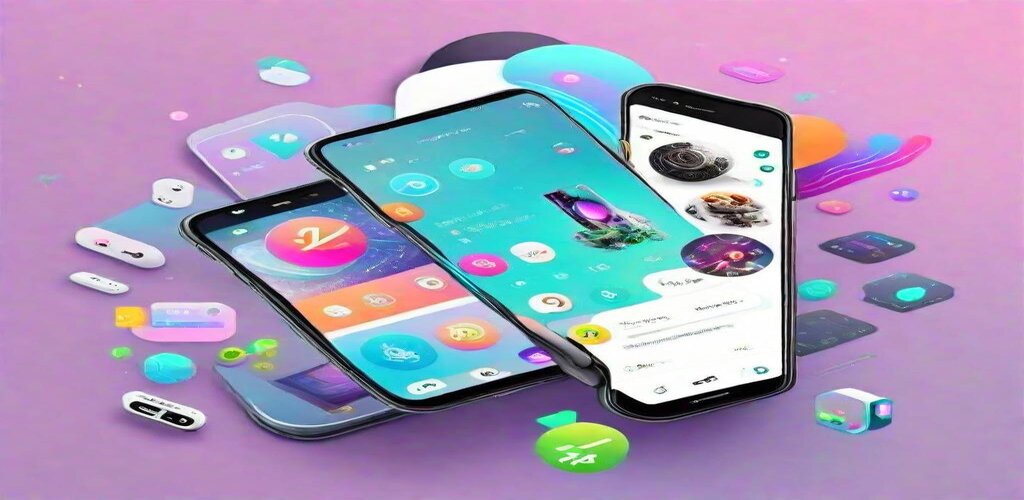
Most smartphones run a fraction of their potential. Users install a few social media apps, stick with default utilities, and never discover the applications that could genuinely improve their daily lives. The app stores contain millions of options, but finding quality among the noise requires effort most people never invest.
This guide highlights applications that earn space on your home screen—apps that solve real problems, save meaningful time, or enable capabilities you did not know your phone possessed. These are not trending novelties or momentary diversions. They are tools that have proven their value across millions of users and years of development.
Whether you use Android or iOS, the categories remain consistent even if specific apps differ. We will note platform availability and highlight the best options for each ecosystem where choices diverge.
Productivity and Organization
Todoist (Android/iOS)
Task management apps abound, but Todoist earns recommendation through thoughtful design that removes friction from capturing and completing tasks. Natural language input lets you type “Call mom every Sunday at 2pm” and watch Todoist parse it correctly. Quick add from anywhere on your phone ensures no task escapes capture.
The free tier handles individual productivity well. Premium unlocks features like reminders, labels, and filters that power users find essential. The karma system gamifies productivity without being annoying—a difficult balance that Todoist manages well.
Cross-platform sync means your tasks follow you between phone, computer, and tablet. Changes appear instantly everywhere, eliminating the friction that kills consistency with other apps.
Notion (Android/iOS)
Notion transformed from desktop productivity tool to capable mobile companion. The 2025 mobile apps handle most functionality you need on the go—viewing and editing documents, managing databases, capturing quick notes. The offline mode finally works reliably, addressing a historical weakness.
For users invested in the Notion ecosystem, the mobile app extends that investment. Access your entire workspace from your phone. Make edits that sync immediately. The experience does not match desktop for heavy work, but it handles mobile use cases competently.
Scanner Pro (iOS) / Adobe Scan (Android)
Your phone camera becomes a document scanner with the right app. Scanner Pro on iOS sets the standard—capture documents, automatically detect edges, apply processing that produces genuinely professional results. OCR extracts text for searchability and editing.
Adobe Scan provides similar capability on Android (and iOS). The automatic edge detection rarely fails. Batch scanning handles multi-page documents efficiently. Export options include PDF, JPEG, and direct integration with cloud storage services.
For anyone handling physical documents—receipts, contracts, handwritten notes—these apps eliminate the need for dedicated scanners while often producing better results.
Finance and Budgeting
YNAB (Android/iOS)
YNAB (You Need A Budget) represents budgeting philosophy as much as software. The app enforces “give every dollar a job” methodology—allocating income to specific categories before spending. This proactive approach produces different results than tracking spending after the fact.
The mobile app handles the critical task of recording transactions as they happen. See your category balances before purchasing. Move money between categories when priorities shift. The immediacy transforms budgeting from monthly review to daily practice.
The subscription cost ($99/year) filters for users serious about budgeting. Those who engage with the methodology consistently report significant financial improvement. The app provides the tools; the philosophy provides the framework.
Splitwise (Android/iOS)
Sharing expenses—with roommates, travel companions, or groups splitting purchases—creates friction that Splitwise eliminates. Add expenses as they happen, tag who participated, and Splitwise calculates who owes whom. Settling up requires minimal transactions rather than chaotic individual repayments.
The simplify debts feature routes payments efficiently. If you owe Alice, and Alice owes Bob, and Bob owes you, Splitwise recognizes the circular relationship and reduces it to minimal necessary payments. For groups with complex expense sharing, this simplification proves invaluable.
Personal Capital / Empower (Android/iOS)
Investment tracking requires aggregating accounts across multiple brokerages and retirement plans. Personal Capital (now Empower) connects to financial institutions, pulls holdings automatically, and presents a unified view of your investment portfolio.
The fee analyzer reveals hidden costs in your investments—expense ratios that accumulate significantly over long time horizons. Retirement planning tools project whether current saving rates will meet your goals. For investors beyond basic checking accounts, this visibility enables informed decisions.
Health and Fitness
Strong (Android/iOS)
Gym tracking apps range from overly complex to uselessly simple. Strong finds the productive middle ground. Log exercises with minimal taps. Track weight and reps over time. View progression that motivates continued effort. The interface stays out of your way while capturing the data that matters.
The free tier handles basic tracking. Pro unlocks unlimited workouts and adds features like rest timers and additional statistics. For serious lifters, the progression tracking alone justifies the cost—seeing strength gains over months and years provides motivation that single workouts cannot.
MyFitnessPal (Android/iOS)
Calorie tracking remains the most reliable method for intentional weight management. MyFitnessPal's enormous food database—built over years of user contributions—makes logging meals practical. Barcode scanning identifies packaged foods instantly. Restaurant dishes often exist in the database from previous users.
The integration with fitness trackers and smart scales creates a connected health ecosystem. See how exercise affects your calorie budget. Track weight trends over time. The data accumulation proves valuable for understanding your body's actual responses rather than assumed relationships.
Headspace (Android/iOS)
Meditation apps proliferated after mindfulness entered mainstream consciousness. Headspace distinguishes itself through production quality and structured progression. Andy Puddicombe's guidance sounds genuinely calming rather than artificially peaceful. The animations and design create an environment conducive to practice.
The courses structure meditation practice for specific goals—sleep, stress, focus, and countless other intentions. For beginners especially, this structure prevents the aimlessness that often kills meditation habits. The investment in production quality creates an experience that feels worth returning to.
Photography and Creativity
Snapseed (Android/iOS)
Google's free photo editor provides professional-grade adjustment tools without complexity that overwhelms casual users. Healing removes unwanted objects. Perspective correction fixes tilted horizons. Selective adjustments let you brighten faces without overexposing backgrounds.
The filters (Looks in Snapseed terminology) provide starting points rather than final destinations. Apply a look, then fine-tune individual adjustments. This workflow produces natural-looking results that filters alone cannot achieve. For phone photography editing, Snapseed sets the standard.
VSCO (Android/iOS)
VSCO emphasizes aesthetic over function, which might sound dismissive but actually describes its value. The presets produce a distinctive film-like quality that Instagram filters cannot match. Serious phone photographers often shoot specifically for VSCO editing.
The community aspect provides inspiration without the toxicity of engagement-driven social media. Discover other photographers, observe their editing choices, and develop your own aesthetic sense. The membership unlocks additional presets and tools, though the free tier provides substantial capability.
Procreate Pocket (iOS)
Procreate on iPad defines professional mobile illustration. Procreate Pocket brings that capability to iPhone, optimized for smaller screens and touch interaction without stylus. The brushes feel responsive. The layering system handles complex compositions. Export options support professional workflows.
The one-time purchase ($6.99) provides full capability without subscription or in-app purchases—increasingly rare in mobile software. For artists comfortable with phone-sized canvases, Procreate Pocket enables creation anywhere.
Communication and Social
Signal (Android/iOS)
Privacy-focused messaging should not require sacrificing capability, and Signal proves it. End-to-end encryption protects every message and call. The open-source foundation allows security auditing. No company—including Signal itself—can read your communications.
The experience matches or exceeds standard messaging apps. Group chats work smoothly. Voice and video calls perform well. The only friction is convincing contacts to switch—a challenge that diminishes as privacy awareness grows.
Spark (Android/iOS)
Email apps mostly replicate the same interface with minor variations. Spark differentiates through intelligent features that reduce email burden. Smart inbox categorizes messages automatically. Quick replies suggest responses based on message content. The snooze function brings emails back when you can actually address them.
Team features allow email collaboration—discuss messages with colleagues, assign emails as tasks, share drafts. For teams drowning in shared inboxes, these capabilities transform email from individual burden to collaborative workflow.
Utilities and System Tools
1Password (Android/iOS)
Password managers moved from security recommendation to absolute necessity. 1Password provides the most polished implementation—create unique strong passwords for every account, access them through biometric unlock, share passwords securely with family or team members.
The Watchtower feature alerts you to compromised passwords and weak credentials. Two-factor authentication codes live alongside passwords, eliminating the need for separate authenticator apps. For digital life security, 1Password represents essential infrastructure.
Flighty (iOS) / App in the Air (Android)
Travel apps for flight tracking transform the airport experience. Real-time delay information arrives before airline announcements. Gate changes appear instantly. Historical flight data shows how often your specific flight runs late.
The premium features—viewing seat maps, tracking friends' flights, syncing with calendar—enhance the experience further. For frequent travelers, these apps provide information that reduces stress and enables better decision-making throughout the journey.
Building Your App Collection
The apps listed here represent starting points, not comprehensive solutions. Your ideal collection depends on your specific needs, workflows, and preferences. Some categories might not apply to your life—skip them without guilt. Others might demand apps not mentioned here—explore without limitation.
Quality matters more than quantity. A few well-chosen apps that you actually use provide more value than dozens that clutter your home screen. Take time to learn the apps you adopt. The investment in understanding features and workflows determines whether an app transforms your productivity or becomes another unused icon.
Periodically audit your installed apps. Delete what you do not use. Evaluate whether current choices still represent the best available options. The app landscape evolves constantly—better solutions may have emerged since you last evaluated alternatives.
Your smartphone represents remarkable capability waiting for activation. The right apps unlock that potential, transforming a communication device into a productivity tool, creative instrument, and life management system. Choose thoughtfully, integrate deliberately, and discover what your phone can actually do.