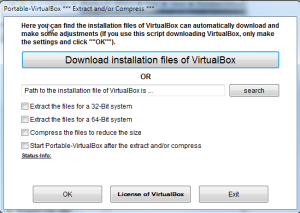
Portable VirtualBox

What is VirtualBox?
VirtualBox is a free, open-source virtualization software that allows you to run multiple operating systems simultaneously on a single computer. Developed by Oracle Corporation, VirtualBox creates “virtual machines” (VMs) that behave like separate computers, each running its own operating system—Windows, Linux, macOS, or others—within your main system.
Originally developed by Innotek GmbH and later acquired by Sun Microsystems (then Oracle), VirtualBox has become the most popular free virtualization solution. It’s widely used by developers testing software across platforms, IT professionals learning new operating systems, security researchers analyzing malware safely, and anyone who needs to run multiple OS environments.
VirtualBox supports an impressive range of guest operating systems and provides features comparable to commercial virtualization products like VMware Workstation, making it an essential tool for tech professionals and enthusiasts alike.
Key Features
- Cross-Platform Host: Run VirtualBox on Windows, macOS, Linux, and Solaris.
- Wide Guest OS Support: Run Windows, Linux, BSD, Solaris, and many other operating systems as guests.
- Snapshots: Save the current state of a VM and restore it anytime—perfect for testing.
- Seamless Mode: Run guest applications alongside host applications without visible VM windows.
- Shared Folders: Easily share files between host and guest operating systems.
- USB Device Support: Pass through USB devices to guest operating systems.
- 3D Acceleration: Hardware-accelerated graphics for better guest performance.
- Virtual Networking: Multiple network modes including NAT, bridged, and host-only.
- Remote Display: Access VMs remotely via RDP (Remote Desktop Protocol).
- Command Line Interface: Full CLI for automation and scripting.
What’s New in VirtualBox 2025
Oracle continues to improve VirtualBox:
- Improved Performance: Better virtualization engine with faster VM startup.
- Enhanced macOS Support: Better support for Apple Silicon through emulation.
- TPM 2.0 Support: Virtual TPM for Windows 11 guest installation.
- Updated Guest Additions: Improved drivers for better guest performance.
- UI Improvements: Modernized interface with better usability.
System Requirements
Host System Requirements
- Windows 10/11, macOS 10.15+, or Linux (64-bit)
- x86/AMD64 processor with virtualization support (VT-x/AMD-V)
- 4 GB RAM minimum (8 GB+ recommended)
- 200 MB disk space for installation
- Additional disk space for virtual machines (20 GB+ per VM)
Recommended for Multiple VMs
- 16 GB+ RAM
- SSD storage for VM files
- Multi-core processor (4+ cores)
How to Get Started with VirtualBox
- Download VirtualBox: Get it free from virtualbox.org for your operating system.
- Install VirtualBox: Run the installer and follow the prompts (may require restart).
- Download an OS ISO: Get an installation image for the OS you want to virtualize.
- Create New VM: Click “New” and follow the wizard to configure your virtual machine.
- Allocate Resources: Assign RAM, CPU cores, and create a virtual hard disk.
- Install Guest OS: Start the VM and boot from the ISO to install the operating system.
- Install Guest Additions: After OS installation, install Guest Additions for better performance.
Pros and Cons
Pros
- Completely Free: Full-featured virtualization at no cost.
- Open Source: Transparent development with GPL license.
- Cross-Platform: Run on Windows, Mac, and Linux hosts.
- Snapshots: Powerful snapshot feature for testing and recovery.
- Wide Compatibility: Supports most x86/x64 operating systems.
- Active Development: Regular updates from Oracle.
Cons
- Performance: Slower than commercial solutions like VMware or native Hyper-V.
- 3D Graphics: Limited 3D acceleration compared to competitors.
- macOS Guests: Running macOS as a guest is technically unsupported.
- Enterprise Features: Lacks some enterprise management features.
VirtualBox vs Alternatives
| Feature | VirtualBox | VMware Workstation | Hyper-V |
|---|---|---|---|
| Price | Free | $199 (Player free) | Free (Windows Pro) |
| Host Platforms | Win/Mac/Linux | Win/Linux | Windows only |
| Performance | Good | Excellent | Excellent |
| Snapshots | Yes | Yes | Checkpoints |
| Open Source | Yes | No | No |
Who Should Use VirtualBox?
VirtualBox is ideal for:
- Developers: Test software on multiple operating systems.
- IT Professionals: Learn new systems and test configurations safely.
- Students: Experiment with Linux and other OS without dual-booting.
- Security Researchers: Analyze malware in isolated environments.
- Home Users: Run old Windows software or try different operating systems.
Consider alternatives if:
- You need maximum performance (VMware Workstation)
- You’re Windows-only and want native integration (Hyper-V)
- You need enterprise management features
Frequently Asked Questions
Is VirtualBox safe?
Yes, VirtualBox is safe and developed by Oracle. Virtual machines are isolated from your host system, making them safe for testing untrusted software. However, always download from the official website.
Can I run Windows 11 in VirtualBox?
Yes, but Windows 11 requires TPM 2.0. VirtualBox 7.0+ supports virtual TPM, or you can bypass the requirement during installation.
How much RAM should I give a VM?
Give at least the minimum required by the guest OS (4 GB for Windows 10/11), but don’t allocate more than half your total RAM to leave resources for your host system.
Can I run macOS in VirtualBox?
Technically possible but not officially supported by Apple’s licensing terms. Performance is also poor compared to running on actual Mac hardware.
What are Guest Additions?
Guest Additions are drivers and utilities you install inside the VM that improve performance, enable shared folders, seamless mouse integration, and better graphics support.
Final Verdict
VirtualBox is the best free virtualization solution in 2025. While commercial alternatives offer better performance and features, VirtualBox provides everything most users need at no cost. Its cross-platform support, powerful snapshots, and active development make it indispensable for developers, IT professionals, and anyone who needs to run multiple operating systems.
Download VirtualBox today and start exploring the world of virtualization—it’s completely free and incredibly powerful.
Download Options
Download Portable VirtualBox
Download NowSafe & Secure
Verified and scanned for viruses
Regular Updates
Always get the latest version
24/7 Support
Help available when you need it