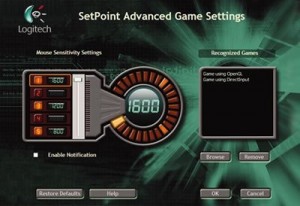
Logitech SetPoint
What is Logitech SetPoint?
Logitech SetPoint is the official configuration software for Logitech mice and keyboards, enabling customization of button functions, pointer behavior, keyboard shortcuts, and device-specific features. The software serves as the control center for Logitech peripherals, allowing users to reassign mouse buttons to different actions, adjust scroll wheel behavior, configure special keyboard keys, create application-specific settings, and monitor battery levels for wireless devices. For users with Logitech hardware, SetPoint unlocks functionality beyond basic plug-and-play operation.
The application provides different customization options depending on your specific Logitech device. For mice, SetPoint enables button reassignment—mapping the middle button to double-click, programming side buttons for browser navigation, or assigning any button to custom keystrokes. Pointer settings adjust speed, acceleration, and scrolling behavior to personal preferences. For keyboards, SetPoint configures F-key functions, media controls, and special keys, allowing personalization of how these buttons behave in different applications.
Logitech SetPoint serves as the legacy software for older Logitech devices, with newer products typically using Logitech G Hub (for gaming peripherals) or Logitech Options/Options+ (for productivity devices). However, SetPoint remains necessary for many still-supported devices and provides stable, lightweight configuration without the complexity of newer software. For users with compatible Logitech mice and keyboards who want to customize behavior beyond Windows defaults, SetPoint provides essential configuration capabilities.
Key Features
- Button Customization: Reassign mouse buttons to different functions or keystrokes.
- Pointer Settings: Adjust speed, acceleration, and smoothing.
- Scroll Wheel Configuration: Customize scroll speed and direction.
- Keyboard F-Keys: Configure function key behavior (F-keys vs. special functions).
- Media Controls: Set up playback, volume, and media keys.
- Application-Specific Settings: Different configurations per application.
- Battery Monitoring: Track battery levels for wireless devices.
- Unifying Receiver Management: Pair and manage multiple devices on one receiver.
- Gesture Controls: Configure thumb button gestures on supported mice.
- Smart Move: Automatically switch cursor to default button in dialogs.
- Horizontal Scrolling: Enable or configure tilt-wheel scrolling.
- Game Detection: Optionally change settings when games are detected.
Supported Devices
- Mice: Performance Mouse MX, M510, M705, Marathon Mouse, VX Revolution, and many others
- Keyboards: K800 Illuminated, K750 Solar, K350 Wave, diNovo series, and others
- Combos: MK700, MK710, MK550, and other mouse/keyboard sets
- Trackballs: Marble Mouse, TrackMan series
- Presenters: R400, R800 presenter remotes
System Requirements
Supported Operating Systems
- Windows 7, 8, 8.1, 10, and 11
- Both 32-bit and 64-bit versions
Hardware Requirements
- USB port for wired devices or Unifying receiver
- 128 MB RAM
- 60 MB free hard disk space
- Internet connection for driver updates
How to Use Logitech SetPoint
- Download SetPoint: Get latest version from Logitech support website.
- Install Software: Run installer and follow prompts to complete installation.
- Connect Device: Plug in Logitech mouse/keyboard or Unifying receiver.
- Launch SetPoint: Open from Start menu or system tray icon.
- Select Device: Choose device to configure from device list.
- Customize Buttons: Click mouse buttons tab to reassign functions.
- Adjust Pointer: Set pointer speed and behavior in pointer options.
- Configure Keyboard: Customize F-keys and special key behavior.
- Create App Profiles: Set different configurations for specific applications.
- Save Settings: Settings apply immediately and persist across reboots.
SetPoint vs Logitech Options vs G Hub
| Feature | SetPoint | Logitech Options | G Hub |
|---|---|---|---|
| Device Type | Legacy mice/keyboards | Modern productivity | Gaming peripherals |
| Interface | Classic Windows | Modern, clean | Gaming-focused |
| Resource Usage | Light | Moderate | Heavy |
| Cloud Sync | No | Yes | Yes |
| Flow (Cross-Computer) | No | Yes | No |
| Best For | Older Logitech devices | MX series, modern devices | G series gaming gear |
Pros and Cons
Pros
- Free Software: No cost for full functionality.
- Lightweight: Minimal system resource usage.
- Comprehensive: Extensive customization for supported devices.
- Stable: Mature software with proven reliability.
- Application Profiles: Different settings per application.
- Battery Monitoring: Track wireless device battery levels.
- Unifying Support: Manage multiple devices on one receiver.
Cons
- Legacy Status: Newer devices require different software.
- Dated Interface: UI design reflects older Windows conventions.
- No Cloud Sync: Settings don’t sync across computers.
- Windows Only: Mac users need Logitech Options.
- Limited Updates: Development focused on newer software.
- Device Specific: Only works with supported Logitech hardware.
Frequently Asked Questions
Should I use SetPoint or Logitech Options?
Check your specific device on Logitech’s support website. Newer devices (MX Master series, modern keyboards) typically require Logitech Options or Options+. Older devices may only work with SetPoint. Some devices support both—in that case, Options provides more features but SetPoint uses fewer resources.
Why aren’t my custom settings working in some applications?
Some applications, particularly games and full-screen programs, may override SetPoint settings or intercept input before SetPoint processes it. Try running SetPoint as administrator, or create application-specific profiles that disable custom mappings for problematic programs.
Can I use SetPoint with non-Logitech devices?
No, SetPoint only works with supported Logitech mice and keyboards. It communicates directly with Logitech hardware and cannot configure third-party devices. For non-Logitech peripherals, look for manufacturer-specific software or third-party tools like X-Mouse Button Control.
Final Verdict
Logitech SetPoint provides essential customization for users with supported Logitech mice and keyboards, enabling button remapping, pointer adjustment, and keyboard configuration that enhances daily workflow. The software’s lightweight nature and stability make it unobtrusive once configured, running quietly in the background while applying your personalized settings. For anyone with compatible Logitech peripherals, SetPoint unlocks functionality that justifies its installation.
The software’s legacy status means users with newer Logitech devices will need Logitech Options or G Hub instead, and the dated interface won’t win design awards. However, for the devices it supports, SetPoint delivers reliable configuration without the resource overhead of newer alternatives. If your Logitech mouse or keyboard is compatible, SetPoint’s free availability and comprehensive customization make installation worthwhile for anyone wanting more than basic plug-and-play functionality.
Developer:
programmers worldwide. It offe
Download Options
Safe & Secure
Verified and scanned for viruses
Regular Updates
Always get the latest version
24/7 Support
Help available when you need it